
Your Email Tools Just Got Faster and Easier to Move Around
If you've ever sat waiting for your email tools to load while you lose the thread of the idea you had, this one's for you.
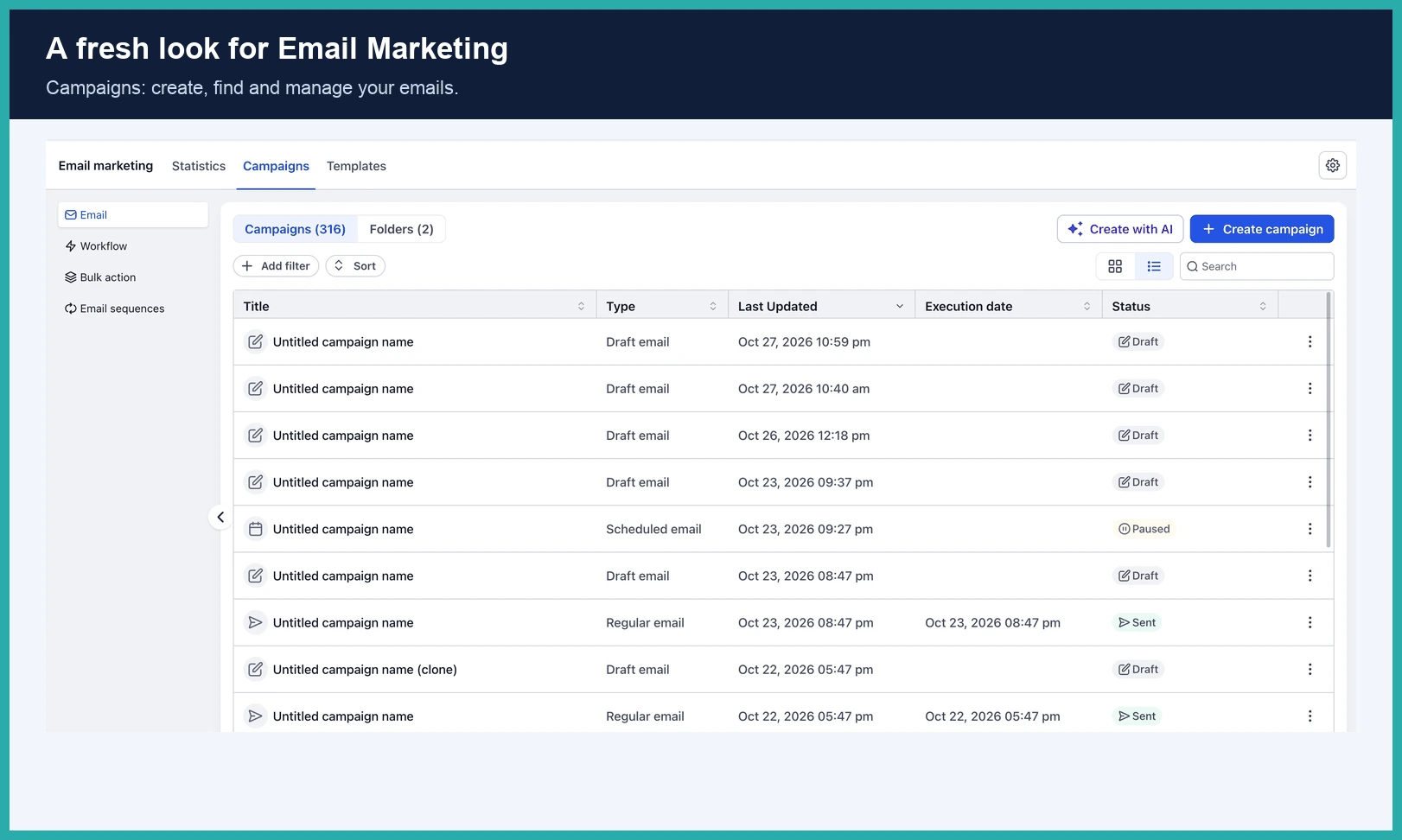
Email Marketing in your account just got a refresh. Same tools, but with a cleaner, more consistent look across every screen, and a noticeably faster start when you open it up.
What landed
Three things, really.
- One consistent look. Campaigns, templates, statistics and settings now all share the same layout, and the builder feels like part of it rather than a separate world. The drag-and-drop editing is smoother too.
- A faster start. Less waiting when you first open Email Marketing or the builder. Your email tools load up to 7x faster on a first visit.
- Quicker return trips. Come back to edit another email and the system reuses what's already loaded, so reopening the builder feels snappier.
In the screenshot below, you'll see the refreshed layout, with your campaigns, templates and statistics all sitting together in one place.
How to use it
- Go to Marketing, then Emails.
- Explore your Campaigns, Templates and Statistics from the same screen.
- Open Settings from the gear icon when you need to check your email configuration.
- Create a new email or open an existing one to use the refreshed builder.
From there it works the way you already know. You're just moving between managing campaigns, reusing a saved template, building an email and reviewing results without jumping between mismatched screens.
One honest note
The "up to 7x faster" figure is about how quickly the email tools themselves load on a first visit. Each screen may still need a moment to pull in your actual campaigns, templates or statistics, and your real waiting time depends on your connection, device and whether you've been in recently.
Next time you sit down to write to your list, you should feel the difference straight away. Go have a look around.
