
Build Email AI Templates in Any Account, Even Ones Where It's Switched Off
A quick heads-up: this one's in Labs
It's an early feature you turn on yourself in Settings > Labs inside your account. It works, but it's still in development - the documentation and support is limited and not everything will behave perfectly yet.
If you like getting your hands on new things early, switch it on and have a play. If you'd rather wait for the finished, fully-supported version, leave it off and we'll let you know when it lands.
If you build emails across more than one account, you've probably hit this wall. You set up a clever Email AI template, then go to the next account to do the same thing, and the tool simply isn't there because it's switched off for that location.
So you build everything in the one account where it works, then copy it across by hand. That's done now.
What changed
Email AI is now open to you across every account you manage, whether or not it's enabled for that location.
That means you can create and tidy up Email AI templates wherever they're actually needed, instead of building them in one place and shuffling them around afterwards.
Nothing changes for the people who only work inside a single account. Their access to Email AI still follows that account's Labs setting, exactly as before. Your wider access doesn't override their controls.
How to tell when it's an account with Email AI off
Here's the bit that saves confusion. When you're working in an account where Email AI is switched off for that location, your templates carry a clear marker so you know what's going on.
In the screenshot below, you'll see the Visible to Agency Users Only tag. That's your signal that you can see and edit this template, but the people working only in that account can't, because Email AI isn't turned on for them there.
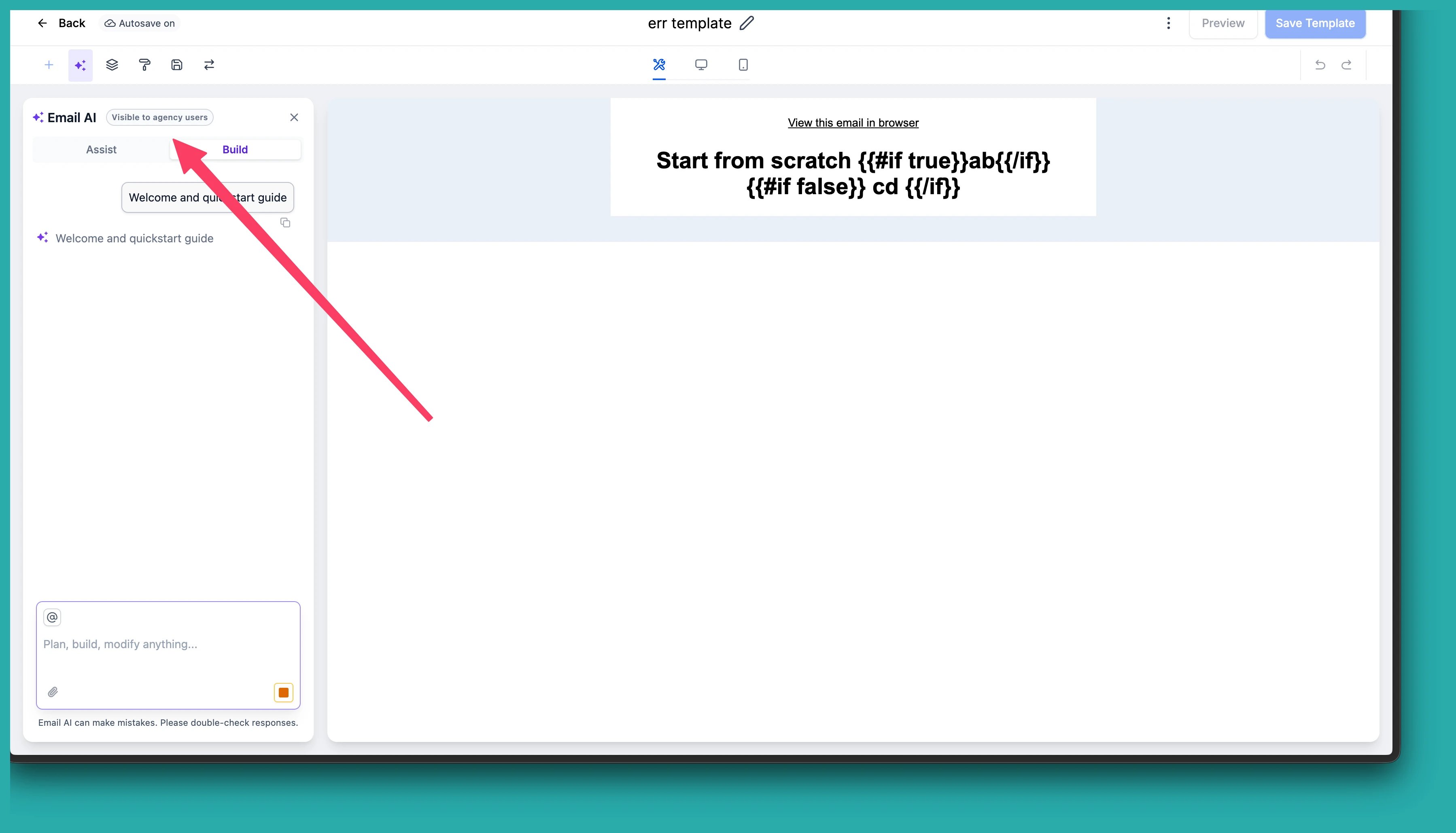
So if you spot that tag, it's not a fault. It's just telling you who else can see what you've built.
What this saves you
- Build Email AI templates in any account, the moment you need them
- No more creating in one place and copying across by hand
- Less duplicate work and fewer near-identical templates to keep track of
- Account-only users still see exactly what their settings allow
If juggling email across several accounts has been eating your time, this takes a good chunk of that busywork off your plate.
