
Edit Service Bookings After They're Paid, Without Starting Over
A customer books, pays, and then changes their mind. They want to add another room, bring an extra person, swap to a different host, or use that coupon they forgot about. Until now, that meant cancelling the whole thing and rebuilding it from scratch.
Not anymore.
You can now fully edit any service booking, paid or unpaid, without cancelling and recreating it. The booking, the order, and the payment all stay in sync while you make the change.
What you can now change
Open an existing booking and you get the lot:
- Add or remove services from the appointment
- Add, update, or remove add-ons
- Change the assigned staff member
- Apply, update, or remove a coupon
- Update the rest of the booking details
This has been one of the most requested changes to Services, and it's finally here.
How to edit a booking
Open the service booking you want to change and click Edit.
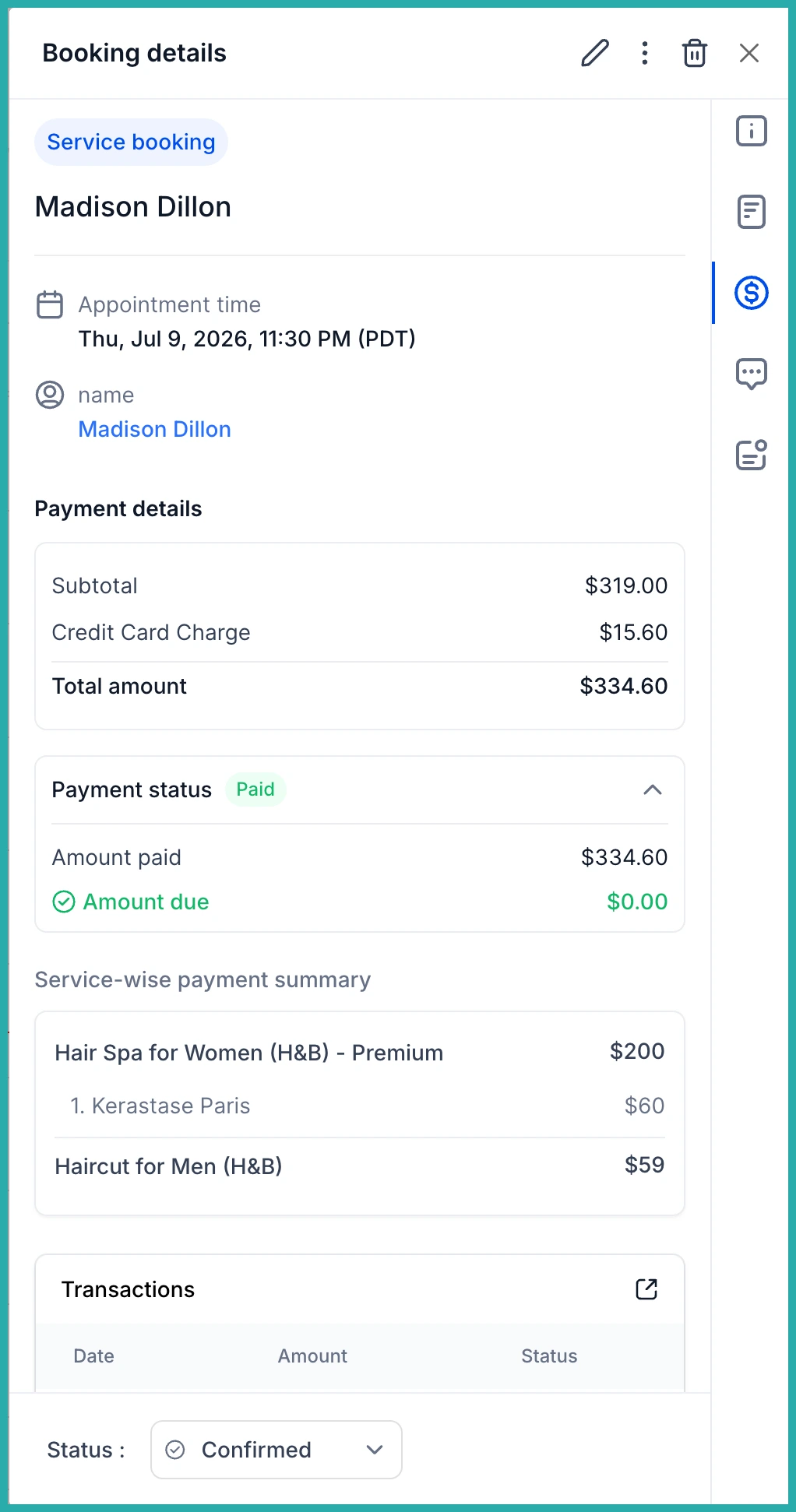
Make your changes. Add a service, swap the host, drop in an add-on, apply a coupon, whatever the customer has asked for. In the screenshot below, you'll see the booking details laid out ready to adjust.
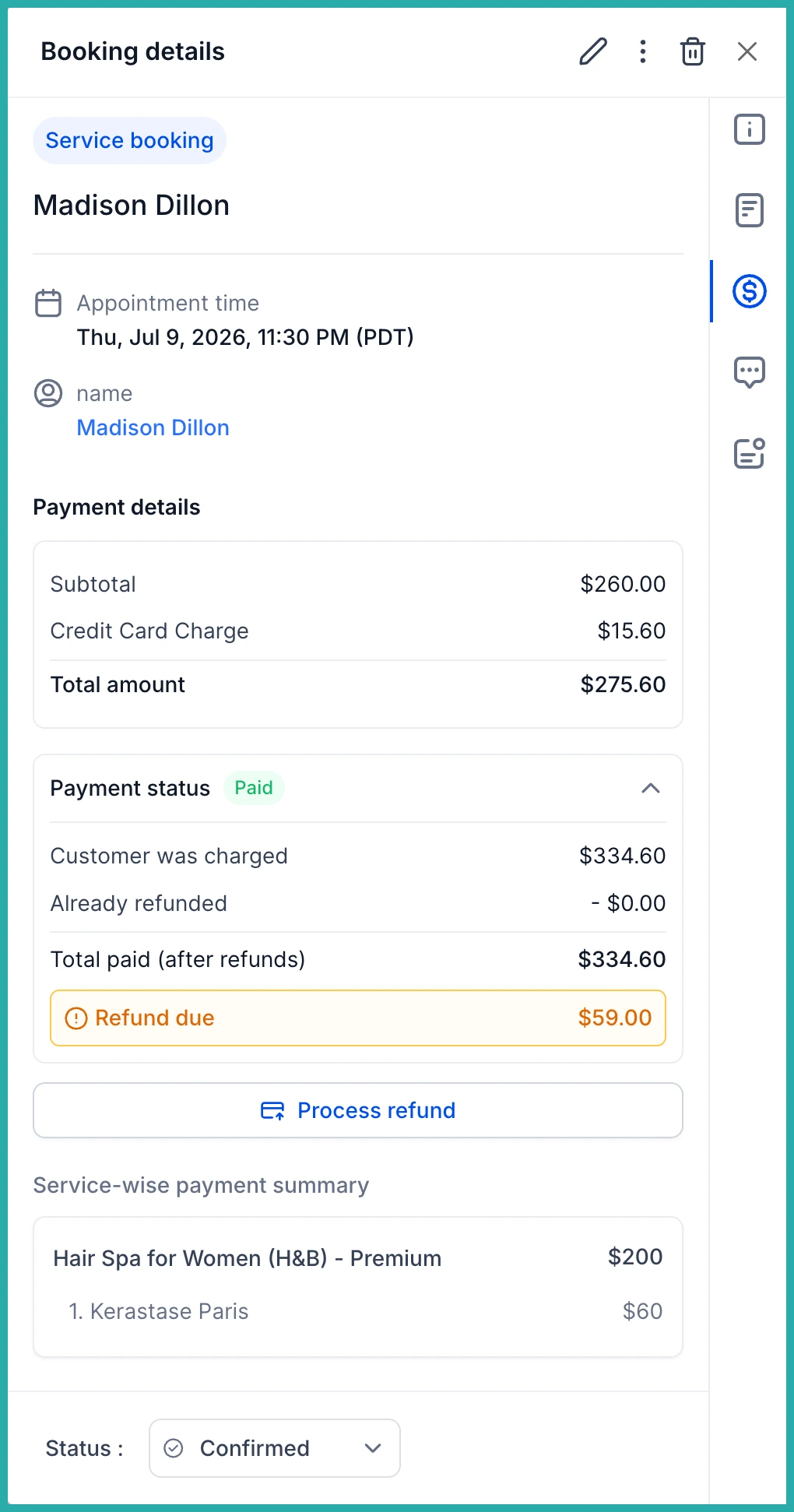
Save when you're done. That's the whole job.
Payments sort themselves out
Every edit recalculates the booking total automatically, so the appointment always shows the latest payment status: additional payment required, fully paid, or refund due.
If a refund is due, you can process it straight from the appointment window, so you settle the difference without leaving the booking.
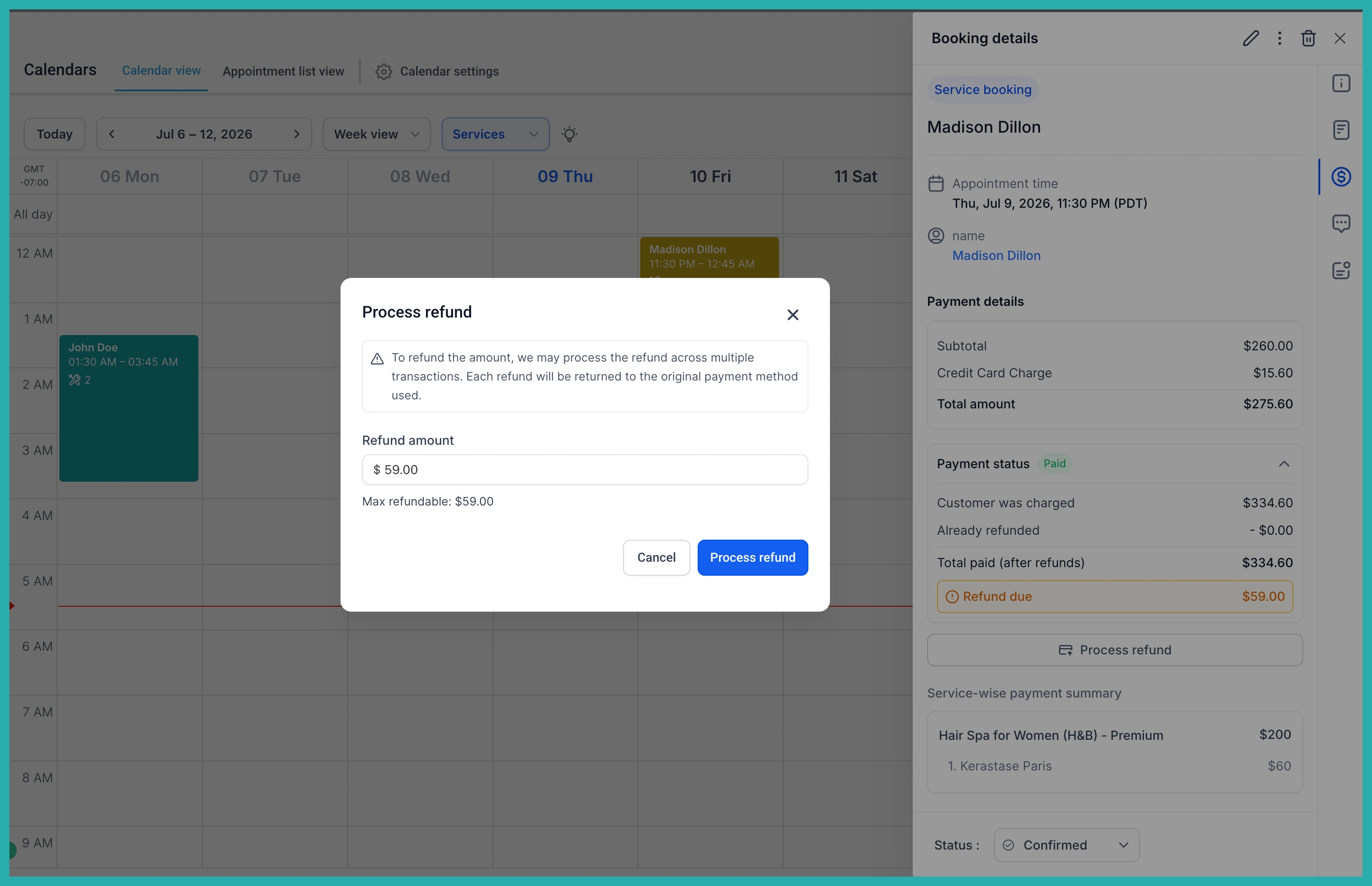
One thing to know: if a refund has already been started but is still processing, editing is paused until that refund clears. You can still reschedule the appointment in the meantime. This keeps your payment records accurate and stops things getting tangled mid-refund.
Cleaner order history too
Each booking stays linked to its original order. When you edit, the existing order updates instead of spawning a brand-new one. So your order history stays tidy and everything reconciles neatly, one order per booking from start to finish.
On the mobile app
Editing service bookings on the mobile app is done and rolling out too, so you can make these changes from your phone as well as your desk.
Got a booking that needs tweaking right now? Open it, hit Edit, and see how much simpler it is than the old cancel-and-rebuild routine.
