
Build One Dashboard That Fills In Each Client's Details Automatically
If you run dashboards for more than one account, you know the tedious part. You build a lovely dashboard, then rebuild it again and again so each one shows the right name, the right address, the right data.
That's done with now. You can build one dashboard and let it fill in each account's details on its own.
What landed
Dashboards and report widgets now have a new picker for dynamic values. Anywhere you type a text value, you can drop in a token that resolves to the real value for whichever account is viewing it.
You get access to:
- Location fields - name, email, phone, website, address, city, state, country, postal code, timezone, and the Location ID.
- User fields - name, email, phone, role, type, and more.
- Your own custom values - everything you've set up under Settings, organised by folder.
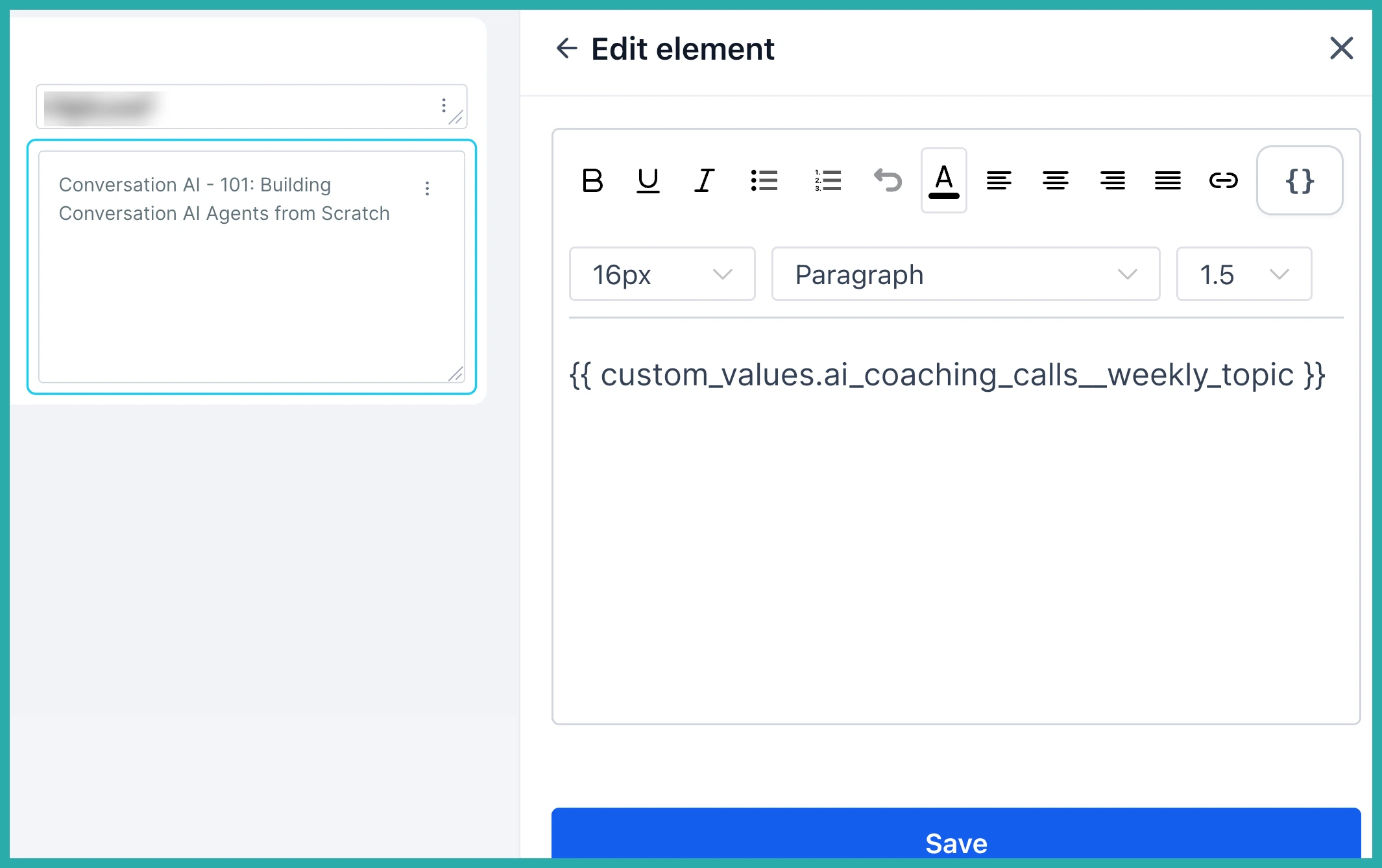
You can use these in widget conditions wherever there's a text field, and in dashboard elements like an Embed URL, a Title, or a Text box.
How to use it
Open the dashboard you want to work on and switch to Edit mode.
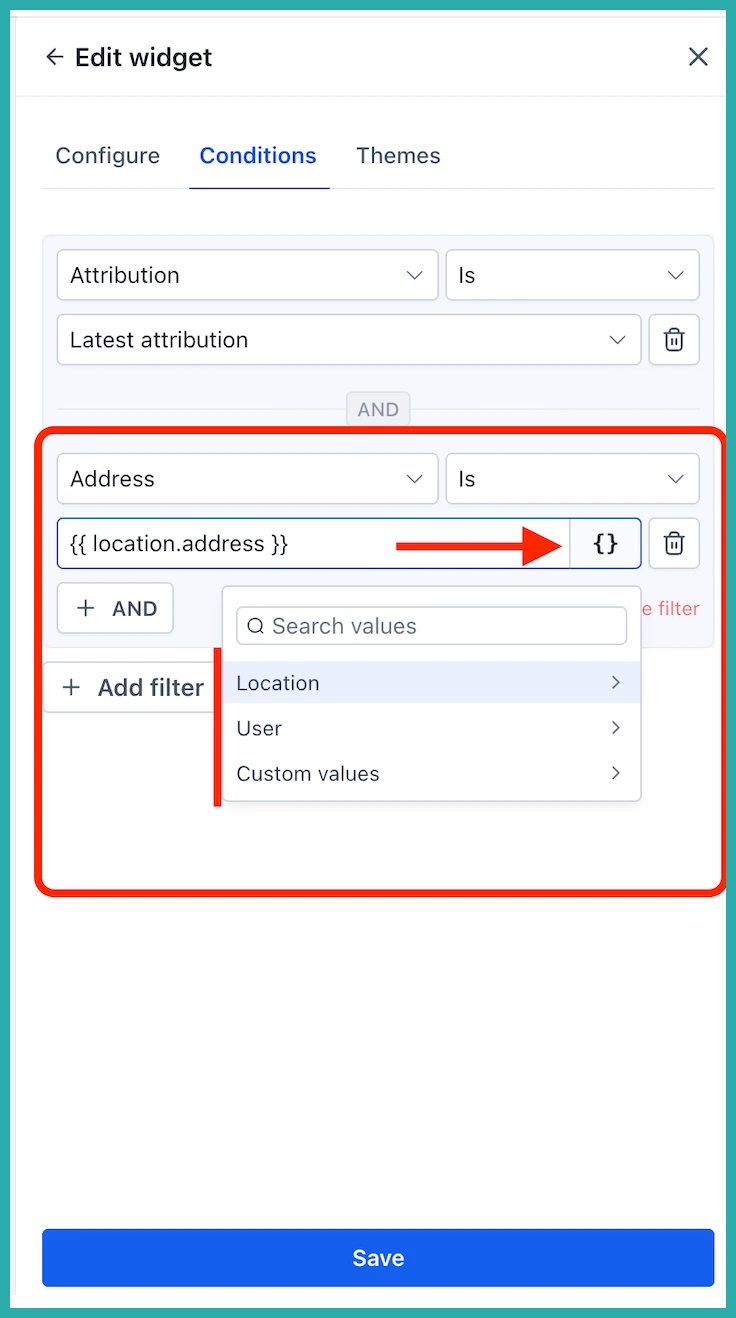
Add or edit a widget and go to the Conditions tab, or add an Element such as an Embed, Title, or Text box.
Next to any text input, you'll see a {} button. Click it to open the picker.
From there, browse or search across your Location, User, and Custom values. Pick the field you want, and the token drops straight in - something like {{ location.name }}.
Save, then switch to View mode. The token resolves to the real value for that account automatically. No copying, no manual edits.
A few handy things to know
- Location and User fields are ready to go with no setup needed.
- Custom values need to be created first under Settings, then they'll show in the picker.
- If a token has no value set for a particular account, it simply shows as blank in View mode.
- Inserting these values is available to dashboard editors.
One clever use: pop a Location ID or custom value into an Embed URL, and each account loads its own external report automatically.
If you've been dreading setting up the same dashboard for the tenth time, build it once instead and let the system handle the rest.
