
Design a Certificate From a Simple Prompt With Certificate AI
A quick heads-up: this one's in beta
It's live and ready to use, but it's still being refined - so you might notice the odd rough edge, and things could shift a little before it's finished.
Making a certificate used to mean starting with a blank canvas and fiddling with every frame, line and signature until it looked right. It works, but it eats time you'd rather spend elsewhere.
Now you can start with a sentence instead. Describe the certificate you want, and the system builds a complete, editable design for you in minutes.
What you can do
You type in what you need - say, a course completion certificate for a photography workshop - and the AI turns that into a finished layout. It'll ask you a few sensible questions along the way, like whether you want it portrait or landscape, so the result actually fits what you had in mind.
The designs come through complete, using the same building blocks you'd normally place by hand: text, frames, signatures, QR codes and the other Certificate Builder elements. And nothing is locked. Once it's generated, you can keep editing it in the Certificate Builder just like any certificate you'd made from scratch.
If you're not sure where to start, there are quick prompts to get you going - course completions, milestones, event participation, training and more.
How to create your first one
Go to Memberships, then Credentials. You'll see the space to describe the certificate you want to create, along with a few prompt ideas to spark something.
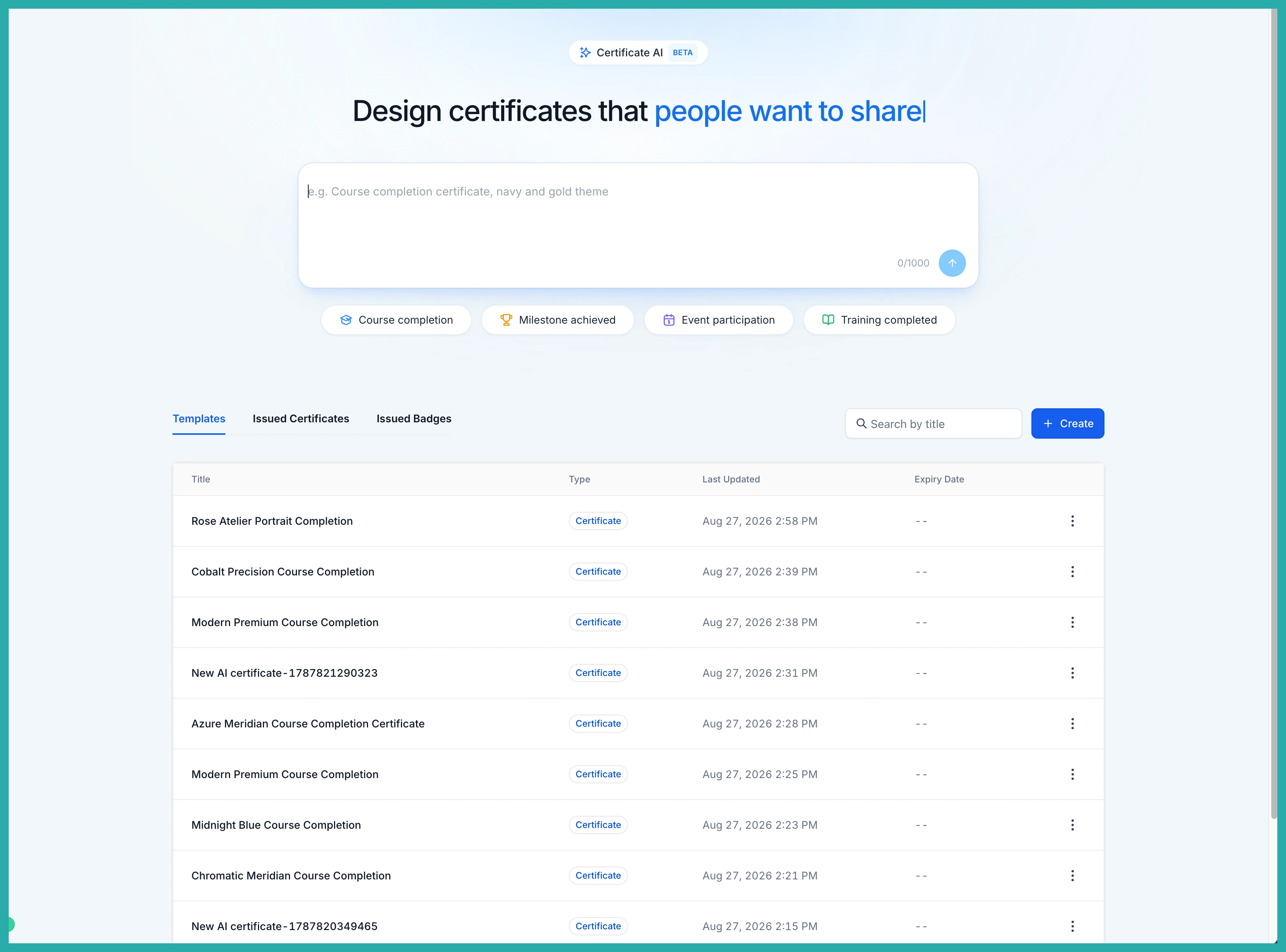
Type in your description, answer the couple of questions it asks, and let it build. In a minute or so you'll have a full design ready to look over.
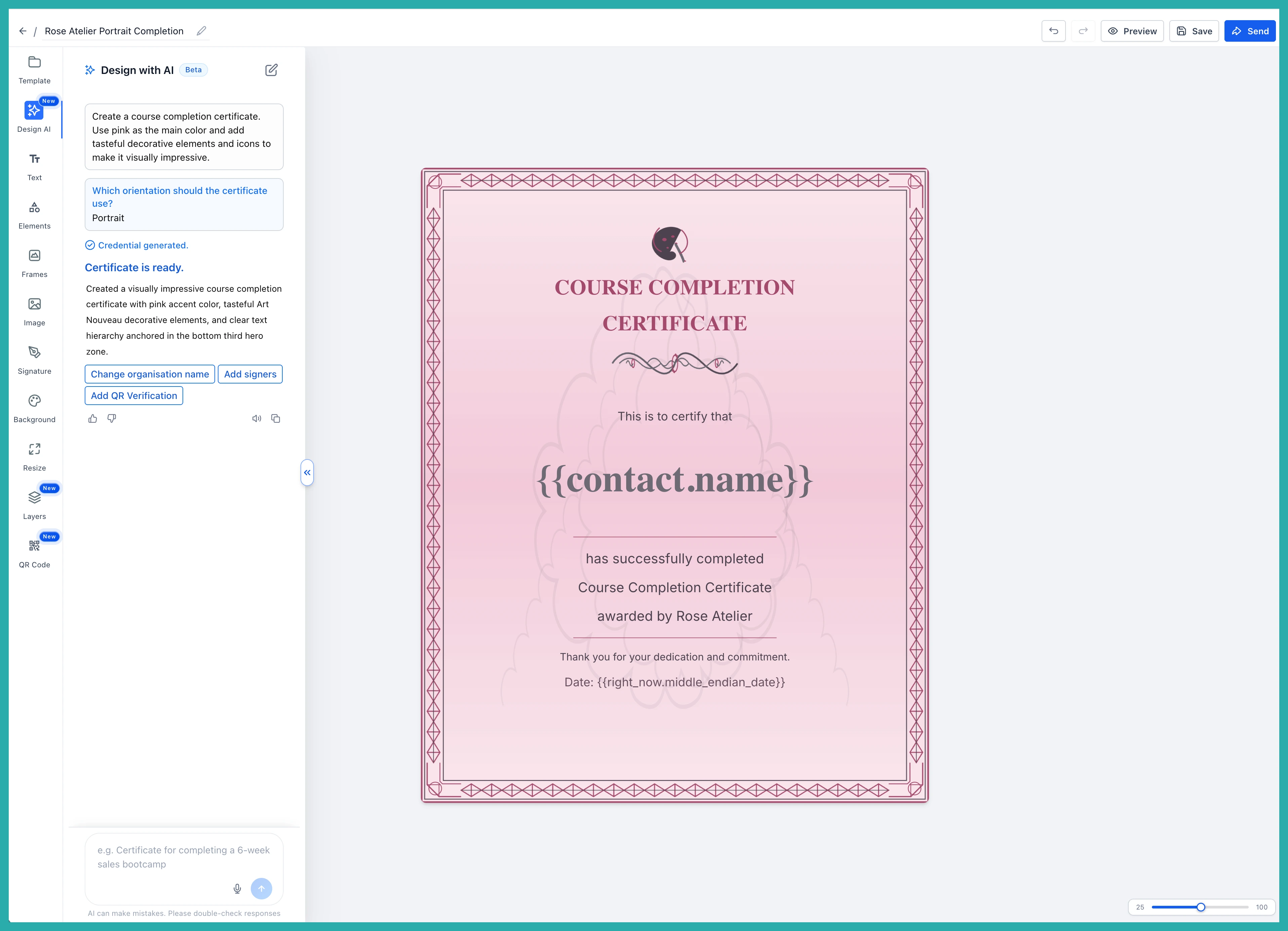
From there, tweak anything you like - swap the wording, move a signature, adjust the colours - right in the builder.
If you've been putting off creating a certificate because of the setup, this is a good moment to try it. Describe what you want, see what it gives you, and go from there.
