
Your Digital Business Card Just Got a Full Makeover (and a Save Contact Button)
Your digital business card in ESC Hub has had a proper refresh. New look, more ways to make it yours, and a few clever touches that turn a card someone scans into a real contact in your account.
Here's what landed and how to set it up.
A cleaner, more modern card
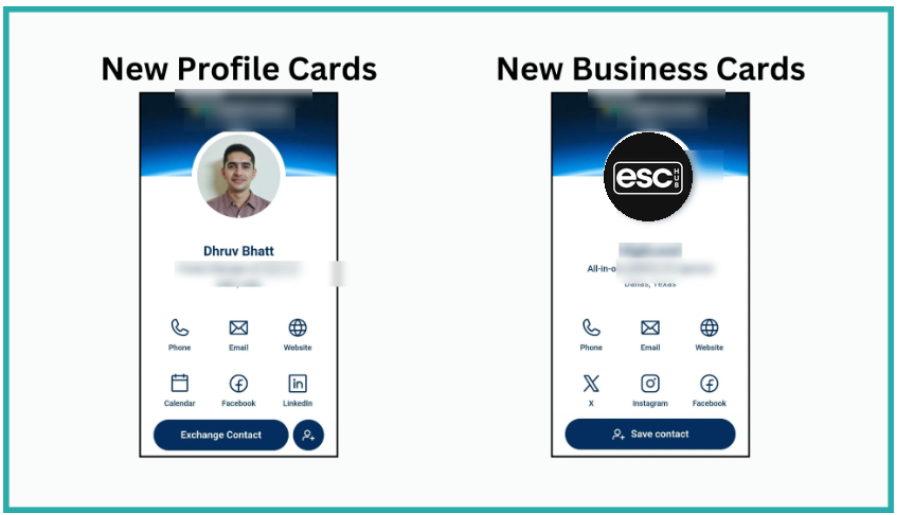
The Profile and Business Cards have been redesigned from the ground up. They look cleaner, more professional, and make a stronger first impression the moment someone opens them.
Every card now comes with a Save Contact button built in. One tap and your details drop straight onto their phone. No typing, no missed digits.
Make it look like yours
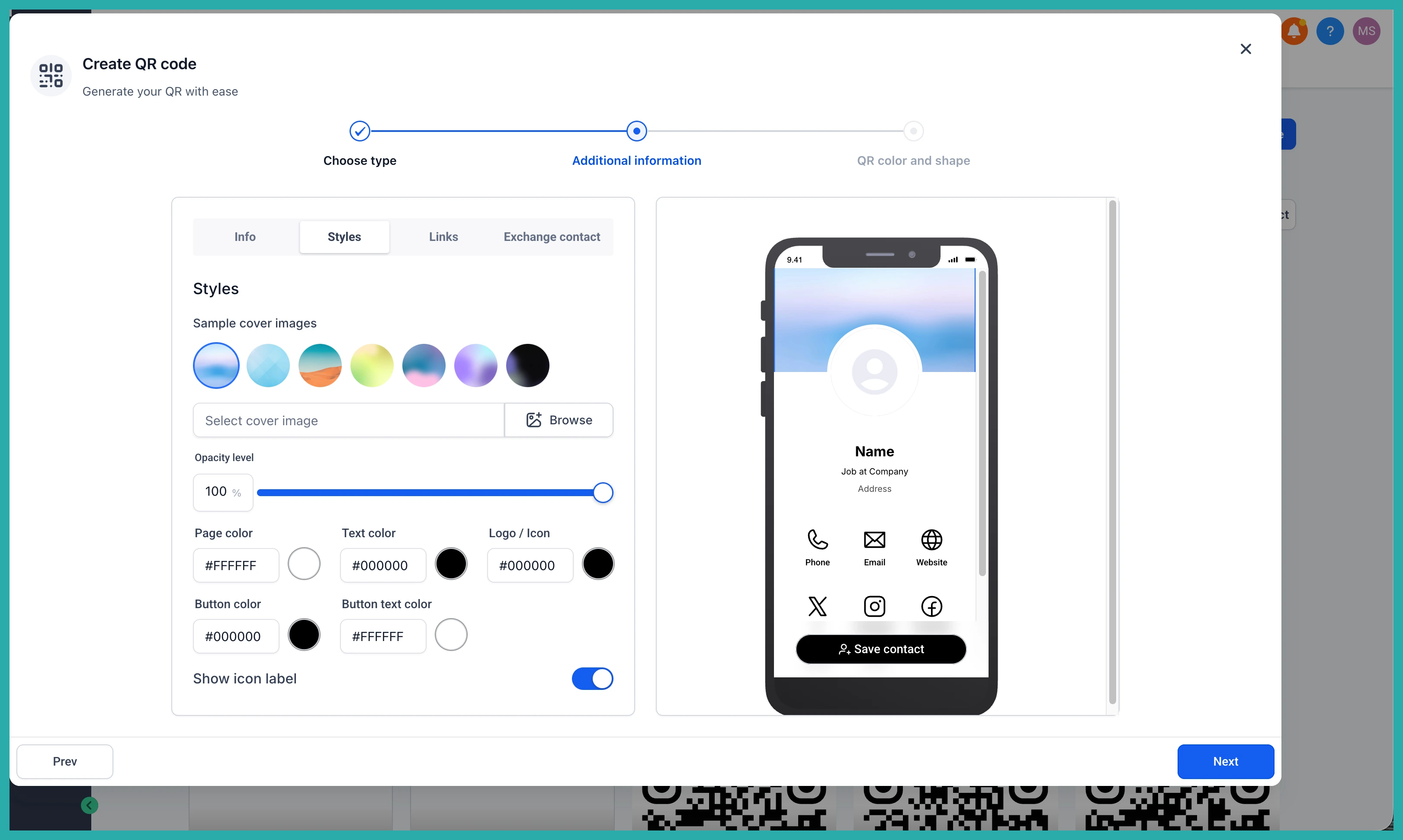
This is where the fun starts. Open the QR Code builder and you'll find a full set of styling options.
- Upload your own cover image, or pick one of the ready-made templates.
- Set a custom colour palette for the page background, text, icons, buttons, and button text.
- Flip on the minimalist view to hide icon labels for a cleaner finish.
In the screenshot below, you'll see where these controls live so you can match the card to your brand.
Add your links
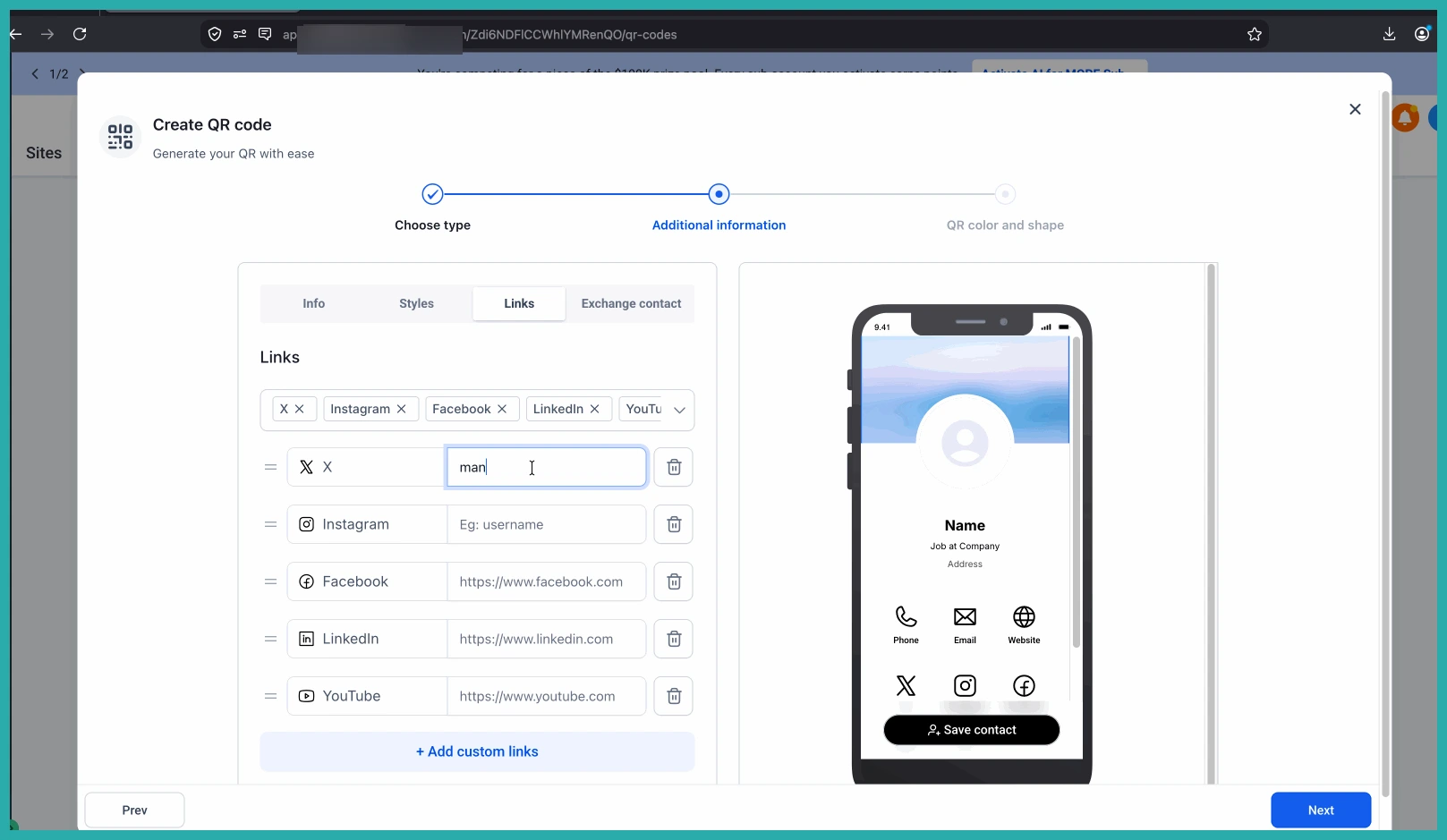
You can now add custom links to send people wherever you want - your website, a booking calendar, a portfolio, your socials, or a landing page.
Each link gets its own icon from the built-in Icon Picker, so the card stays tidy and easy to read.
Turn a scan into a contact
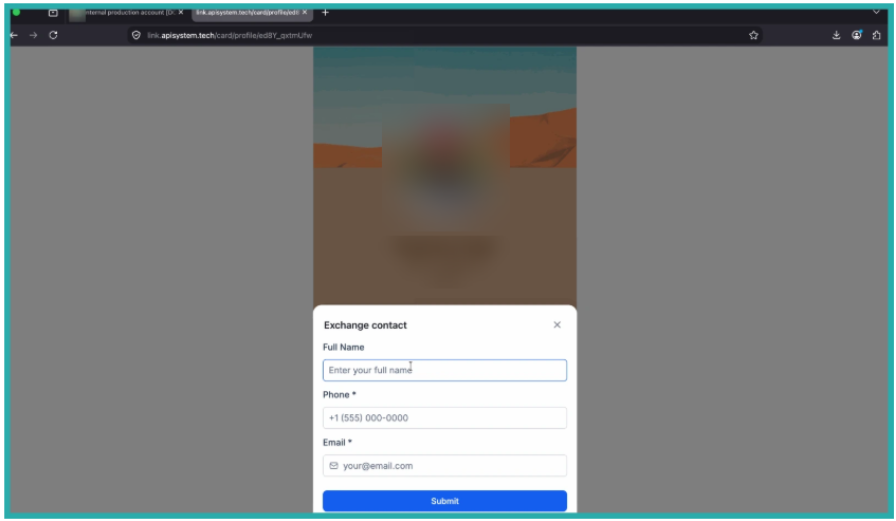
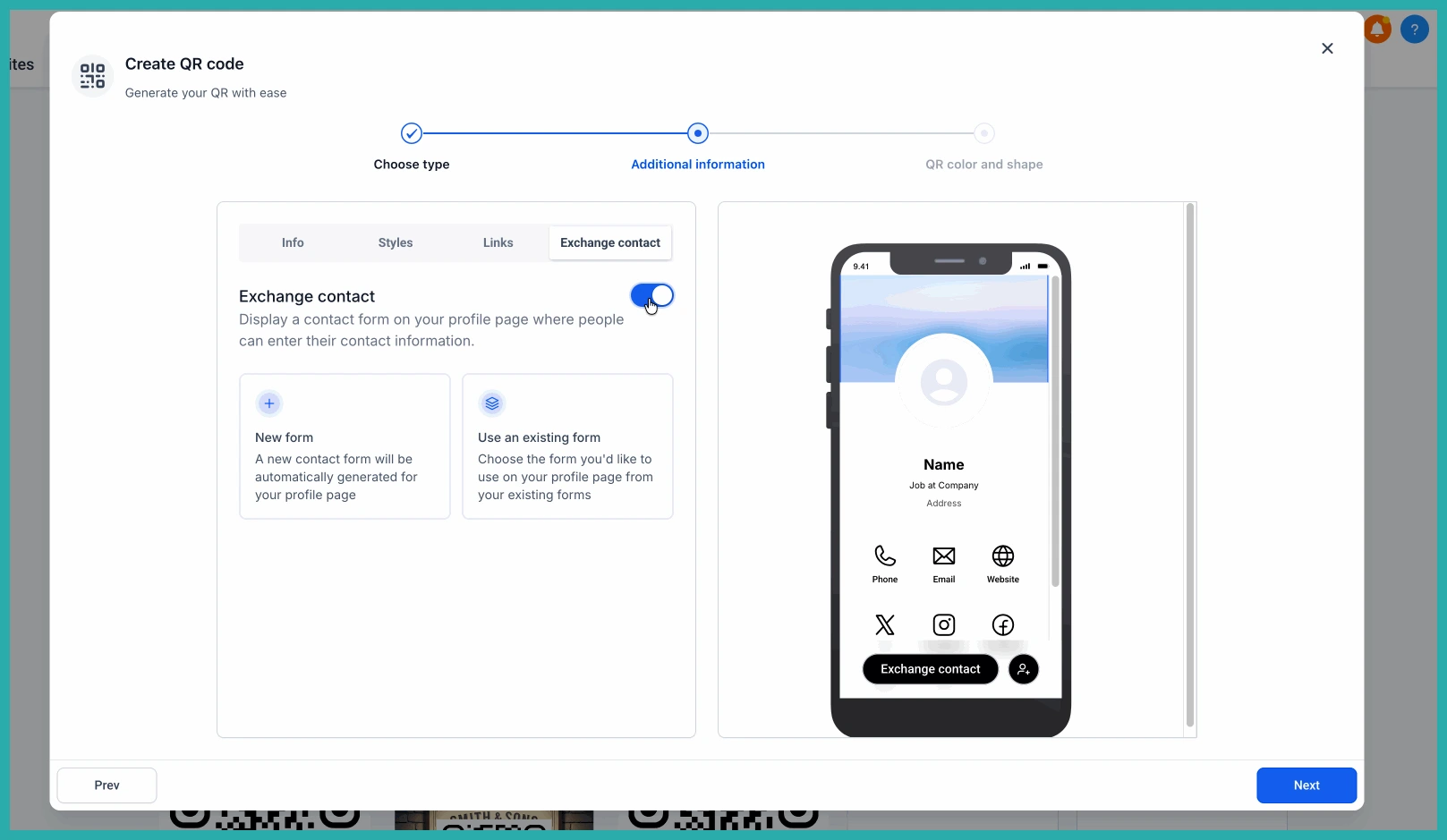
Here's the part that does real work for your business. You can add an Exchange Contact form so visitors can share their own details right from your card.
Build a fresh form using the built-in form builder, or pick an existing form you already use. The builder opens in a large popup, so you can set it up without leaving the QR Code builder.
You can also rename the call-to-action button so it matches your wording rather than a generic label.
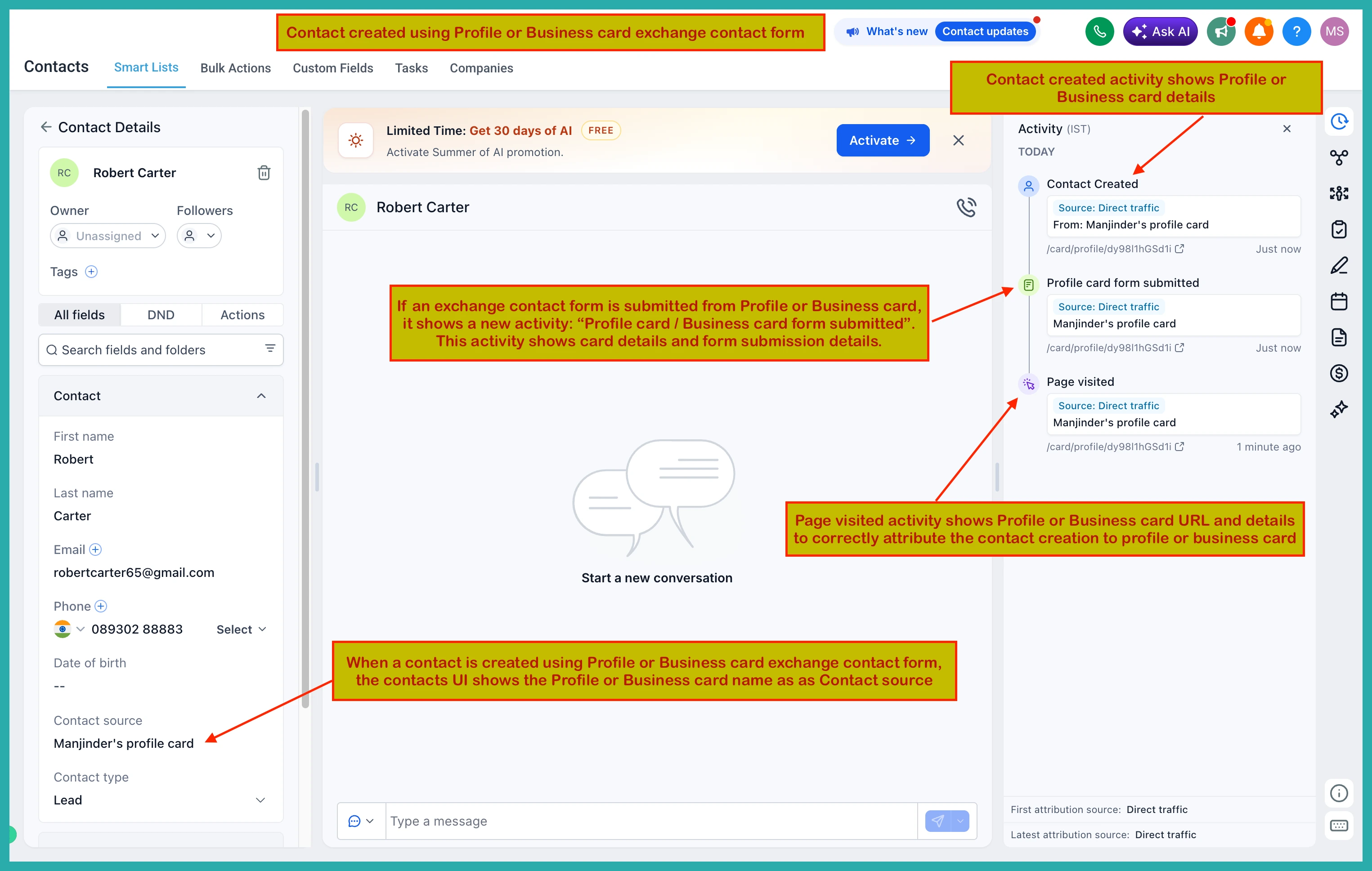
When someone fills it in, a new contact is created in your account automatically. The activity log even shows the lead came from your Profile or Business Card, so you always know where they found you.
Two handy automations
There are two optional toggles to make contact capture even smoother:
- Open Exchange Contact form by default - the form shows the moment someone opens your card.
- Automatically download contact info - your details save to their device as soon as they land, no button press needed.
Switch these on only if they suit how you like to share your card.
How to set it up
- Open the QR Code builder.
- Customise your Profile or Business Card with the new styling options.
- Add your custom links and assign icons.
- Set up your Exchange Contact form, built-in or existing.
- Turn on the automation toggles if you want them.
- Publish and start sharing.
One thing to note: existing cards won't update on their own. Pop into the builder and refresh yours to pick up all the new options.
Have a spare ten minutes? Give your card a fresh coat of paint - it's the little details that make people remember you.
