
Build One Dashboard That Fills In Each Client's Details Automatically
If you look after more than one account, you know the drag of building the same dashboard over and over, then swapping in each client's name, address and details by hand.
That job just got a lot smaller. You can now drop custom values straight into your dashboards and reports, and the system fills in the right details for each account on its own.
What you get
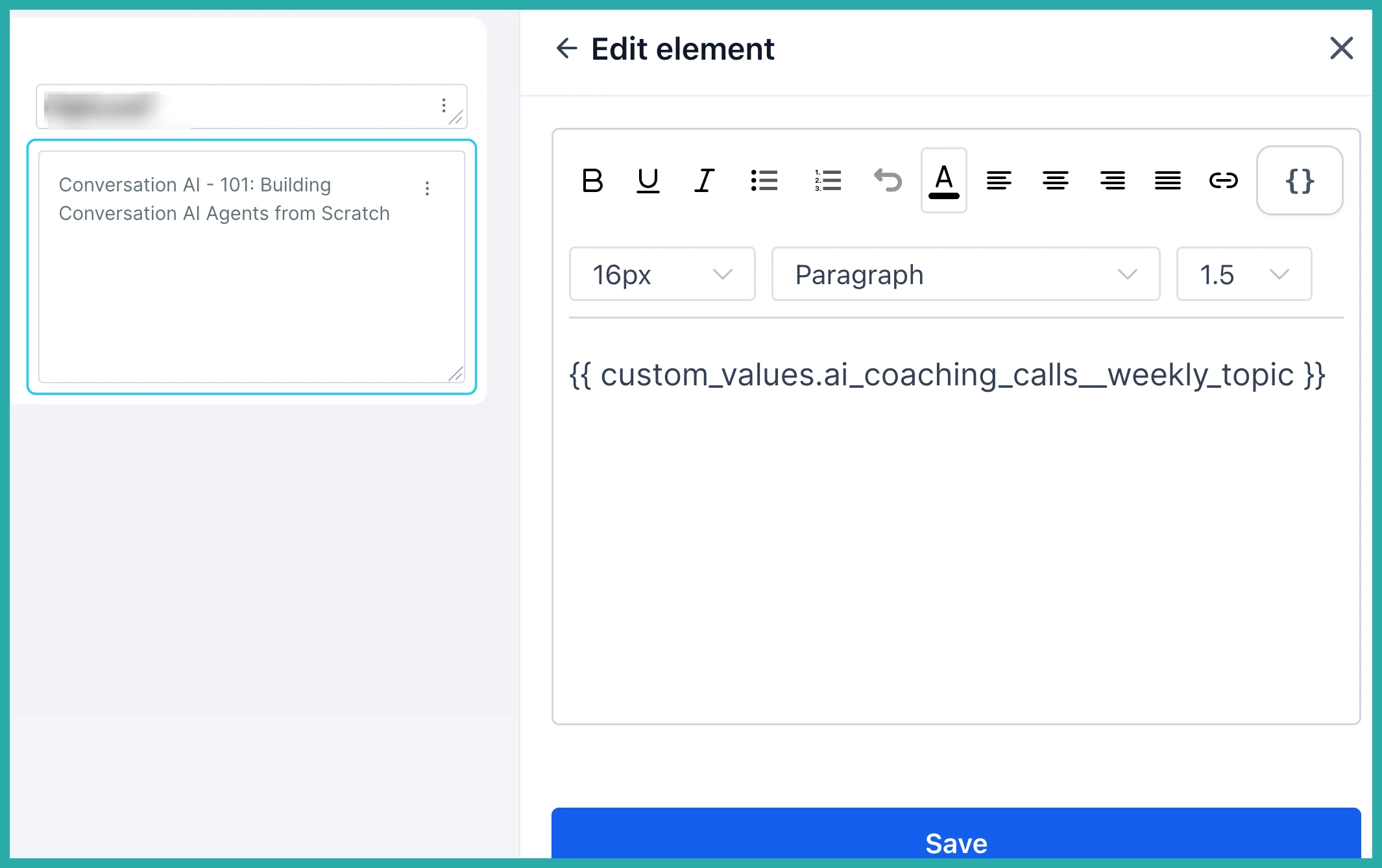
There's a new {} picker anywhere you type a text value in a dashboard or report. Click it and you can insert things like the account name, address, email, phone, or any custom value you've set up.
It works in two places:
- Widget conditions - wherever you enter a text value, such as a Source field.
- Dashboard elements - the Embed URL, Title, or Text box.
Location details like Name, Address, City, State, Country and Timezone are ready to use with no setup. So are user details like name, email and role. And everything you've built under Settings, then Custom values, shows up in the picker too, sorted by folder.
The clever part: when someone views the dashboard, each token turns into the real value for that account. Build it once and every account sees its own name, its own numbers, its own data.
How to use it
- Open a dashboard and switch to Edit mode.
- Add or edit a widget and go to the Conditions tab, or add an Element (Embed, Title, or Text box).
- Click the {} button next to any text field.
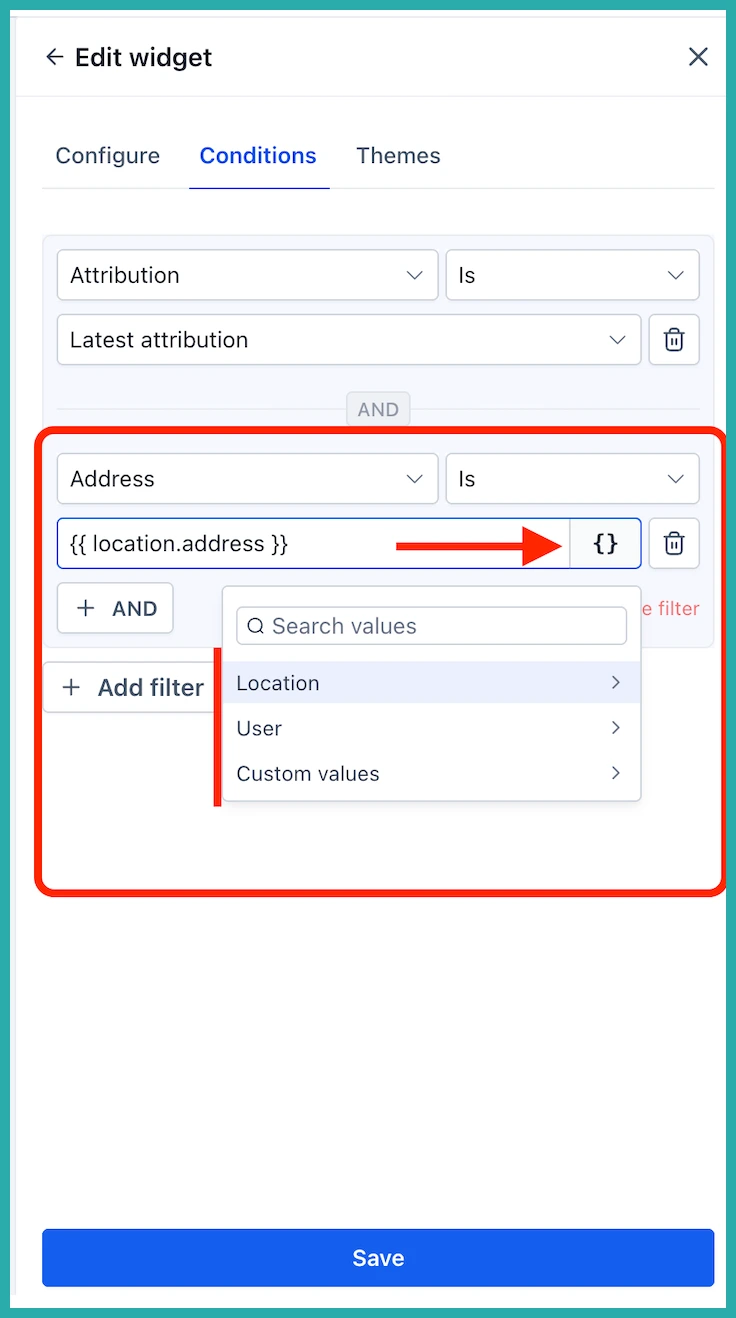
- Browse or search across Location, User, or Custom values.
- Pick a field, and the token drops in - something like {{ location.name }}.
In the screenshot below, you'll see the picker open next to a text field, with the different groups of values ready to choose from.
Once you've inserted your tokens, click Save and switch to View mode. The tokens resolve to the real details for that account, so a shared title or embed URL now reads correctly for whoever is looking at it.
Where this saves you real time
A few ways people are already using it:
- One dashboard for every account - build a single template and each account sees its own name, address and data, no duplicates.
- Dynamic embed URLs - drop an account ID or custom value into an embed link so each account loads its own external report.
- A personal feel - titles and text boxes adapt per account, so every dashboard feels made for that client.
A couple of honest notes: only dashboard editors can insert custom values, and if a token has no value set for an account, it simply shows blank. Location and user details need no setup, but custom values need to be created first under Settings, then Custom values.
If you've been dreading rebuilding dashboards for a stack of accounts, this is the shortcut. Set it up once and let the system do the rest.
