
Set a One-Off Price on a Service Appointment Without Changing Your Standard Rate
You quote someone a special rate. A little discount for a friend, a negotiated price, or a one-off you'd rather not argue about. Then you go to book it in your calendar and the system charges your standard price anyway.
Until now, your options were awkward. Change the global price and remember to change it back, or sort the difference out offline. Neither is much fun.
Now you can just set the right price on that one appointment.
What you get
When you create, edit, or duplicate a service appointment, you can edit that service's price right there in the appointment. The total updates straight away to match.
The important part: the change only applies to that one booking. Your globally configured price stays exactly as it is, so every other appointment keeps using your standard rate. Nothing leaks across.
A few things worth knowing:
- Zero is allowed, so complimentary services work fine. Negative numbers are blocked with a clear message before you can save.
- Once you edit a price, it gets a Custom tag next to the amount, so you can see at a glance this booking isn't on the standard rate.
- If a staff member has their own custom price for that service, the price you set on the appointment overrides that too. The appointment always uses whatever you type in.
- It works on the mobile app as well, so you can set a price on the go.
How to use it
Open the service appointment - whether you're creating a new one, editing, or duplicating. In the screenshot below, you'll see the appointment modal with your service listed.
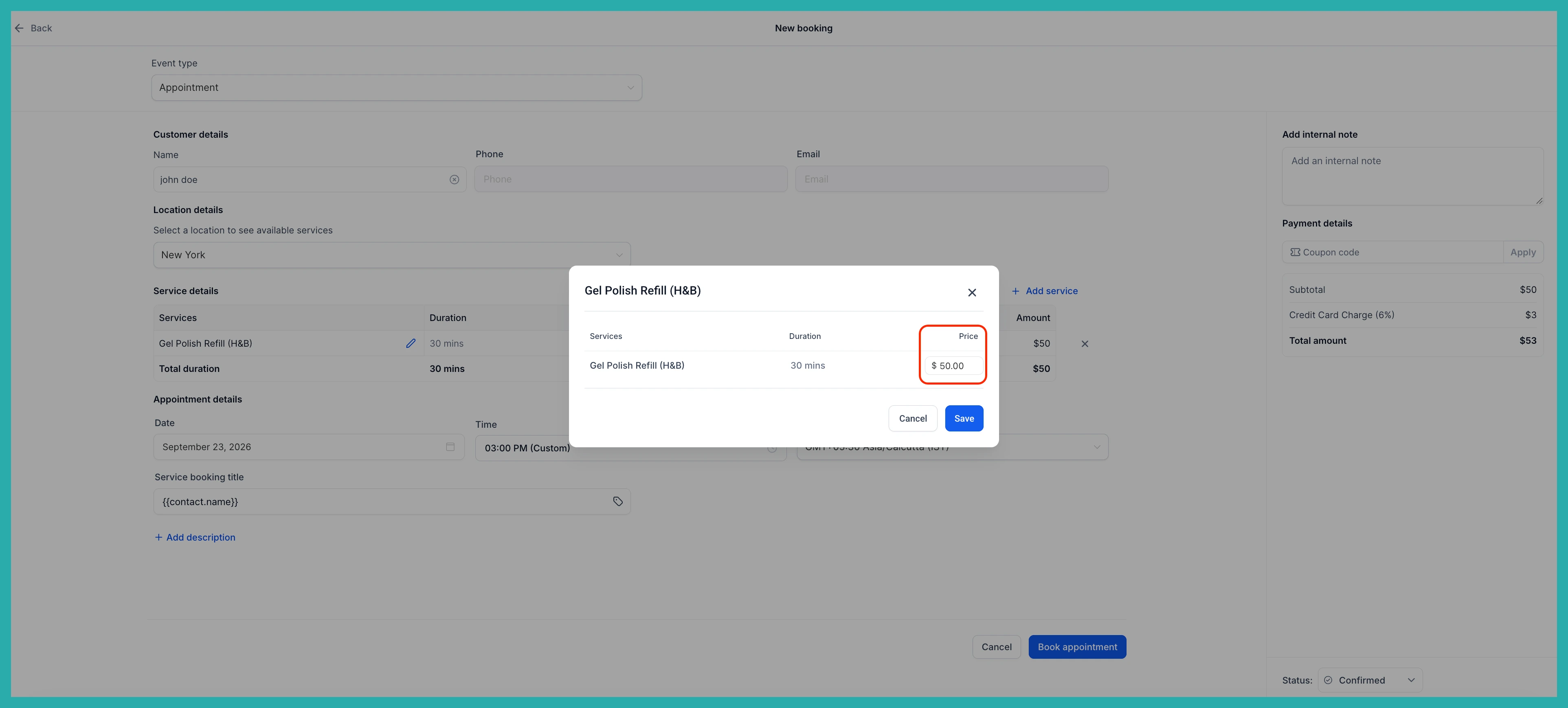
Click the edit icon next to the service and enter the new price. The total updates immediately to reflect it.
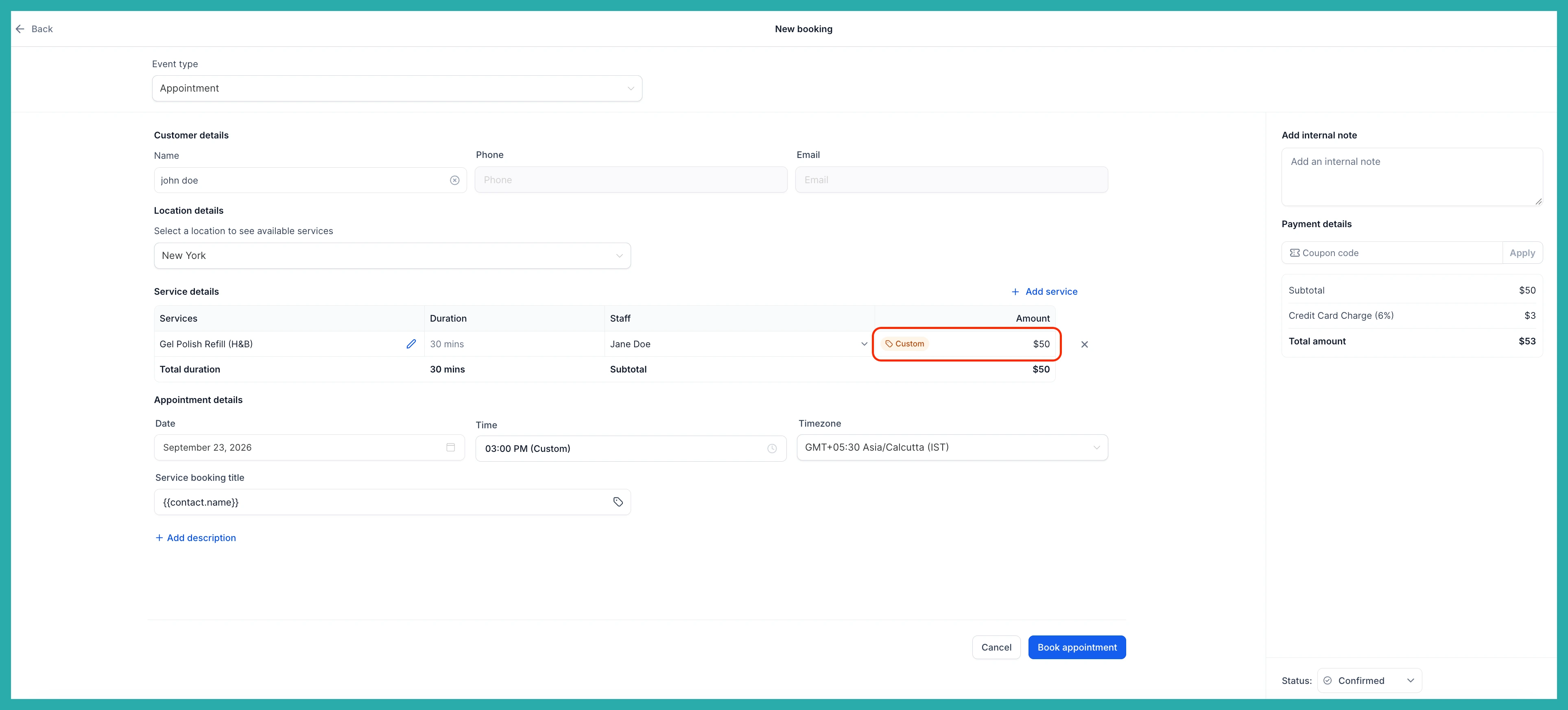
Save the appointment as you normally would. The Custom tag appears next to the amount so it's obvious this one is priced differently.
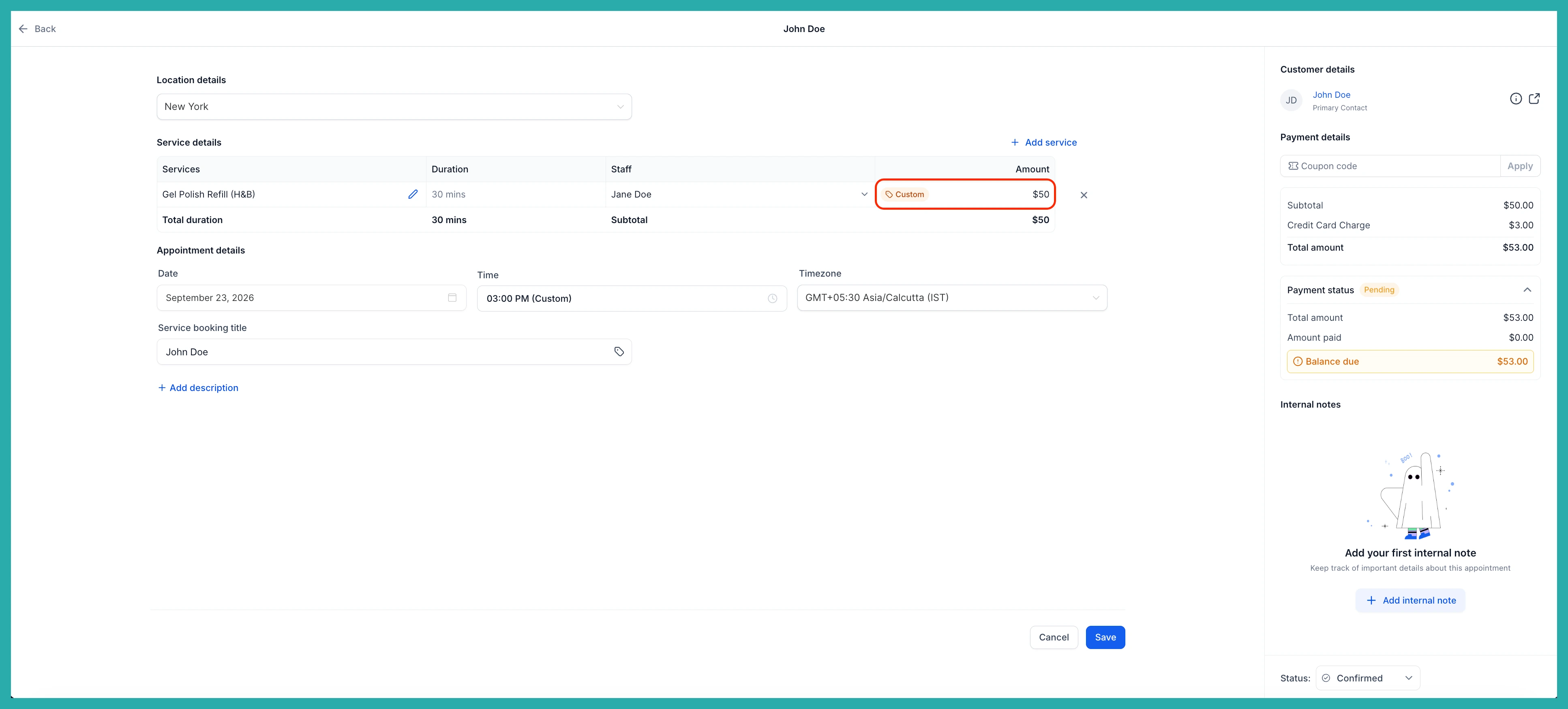
That's the whole thing. The right price on the booking that needs it, your standard pricing left untouched everywhere else. Next time someone gets a special rate, you can just set it and move on.
