
Set Up Content Moderation to Catch Spam Before It Hits Your Community Feed
Once your community starts growing, you can't read and check every single post as it lands. That's when the spam, the dodgy links, and the rule-breakers slip through while you're not looking.
Content Moderation gives you a first line of defence that works while you're busy doing everything else. Posts and comments that match the words you've flagged get held back for your review before anyone else sees them.
What you get
You set the words, phrases, or domains you don't want in your community. Anything that matches gets pulled from the feed automatically and sent to you to look at. Matching isn't fussy about capital letters, and phrases work better than single words if you want to be precise.
There's a starter pack of common spam and scam phrases built in, so you can get going with one click rather than dreaming up a list from scratch. And a "Try your rules" tool lets you paste in sample text to see whether it would be held, before it ever affects a real post.
A few things worth knowing:
- Flagged content stays invisible to everyone except its author until you approve it.
- The author still sees their own post on their timeline with a clear "In review" status, so nobody's left confused.
- Your own posts, and any from owners, are never held up. Moderation only applies to member content.
- You're notified by email, in-app, and push the moment something is flagged.
How to set it up
Go to Settings, then Content Moderation.
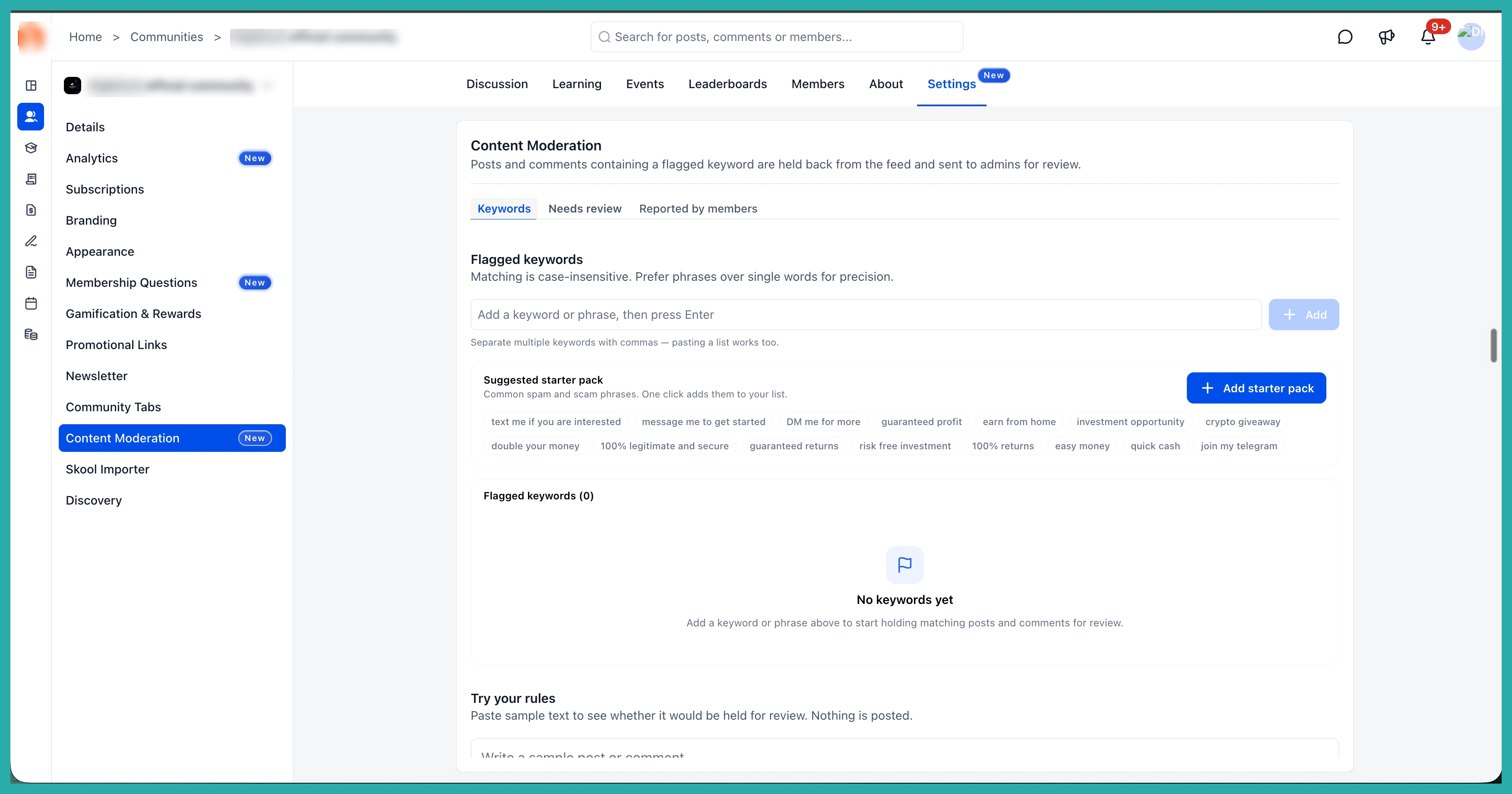
Open the Keywords tab and add your own flagged words or phrases. Or click Add starter pack to load the common spam phrases in one go.
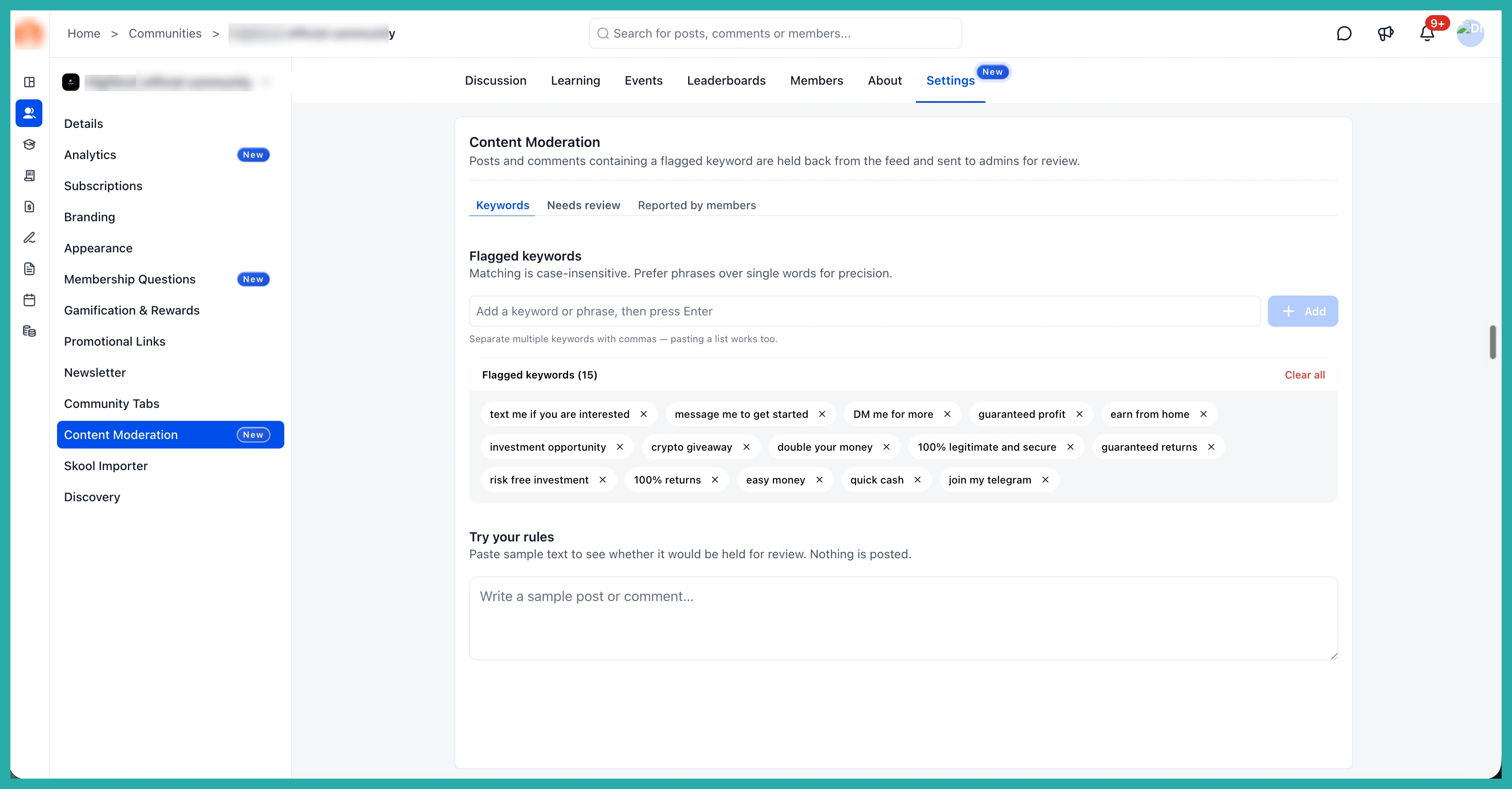
If you want to check your rules before they go live, use the "Try your rules" tool. Paste in some sample text and it'll tell you whether that content would be held.
Reviewing what gets flagged
When a matching post or comment comes in, it lands in the Needs review tab. You'll see exactly which keyword triggered it, and you can preview the full post before deciding.
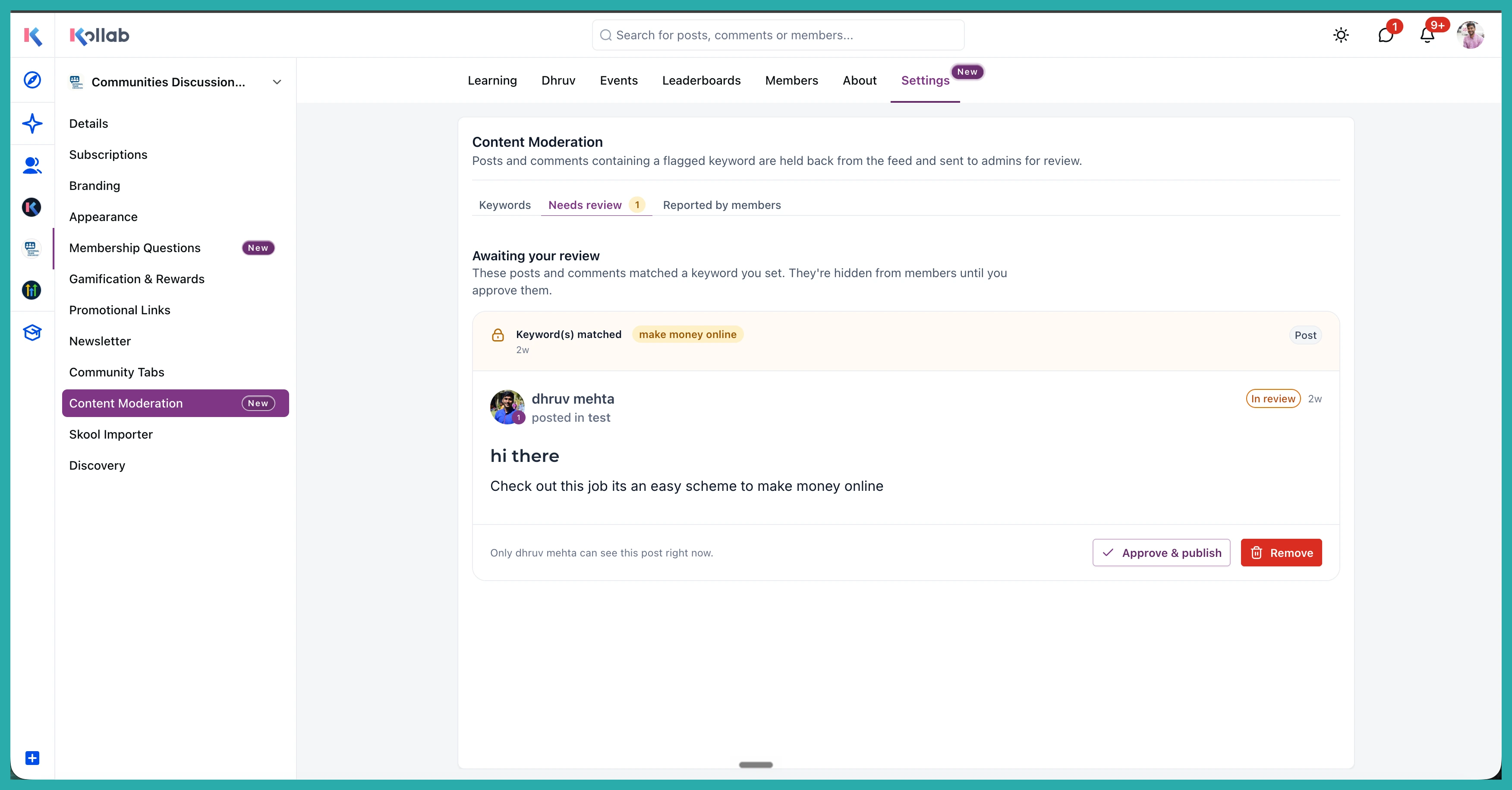
From there it's one click: Approve & publish to let it through, or Remove to get rid of it.
Anything your members report themselves shows up separately under the Reported by members tab. You can see who reported it, read the full thread, then Keep or Remove.
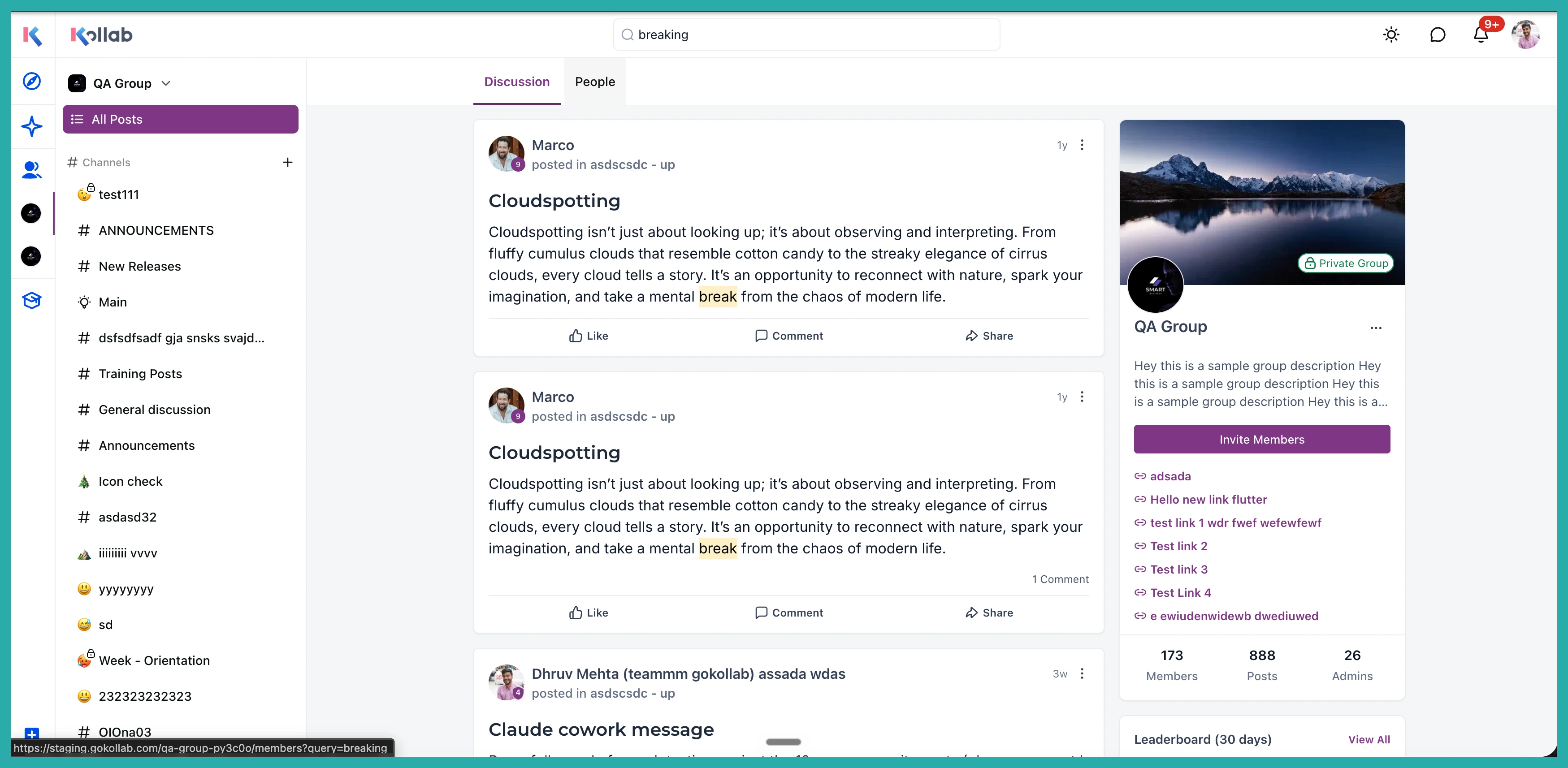
Search got smarter too
Alongside this, post and comment search now copes with typos, different phrasing, synonyms, and accented or non-English text, so members find the right post even when they don't type it exactly. Results now rank by relevance instead of just newest first, so the best matches come up top.
This is the kind of thing you set once and let run in the background. Add your keywords, load the starter pack, and let the system hold the questionable stuff before it ever reaches your feed.
