
Your Community and Courses Now Live Together in One Smooth Portal
If you run a community and courses through your portal, you'll know the old back-and-forth. Click into a course and it felt like a different place. Jump back to discussions and you'd lost your spot.
That's been rebuilt. Your community now lives inside one branded portal, right alongside Courses, Dashboard, Billing, Shared Files, and Account Settings. No reloads, no jarring switches. Just one place your members move through smoothly.
And the best part: nothing to migrate. Your existing posts, members, courses, and settings carry over on their own.
One home for community and courses
Members can now move between discussions and courses without ever leaving the portal. Open a course and it loads right there in the Learning tab, picking up from the exact lesson they stopped on. Their progress holds whether they're deep in a course or chatting in the feed.
In the screenshot below, you'll see the unified layout, with community and courses sharing the same navigation.
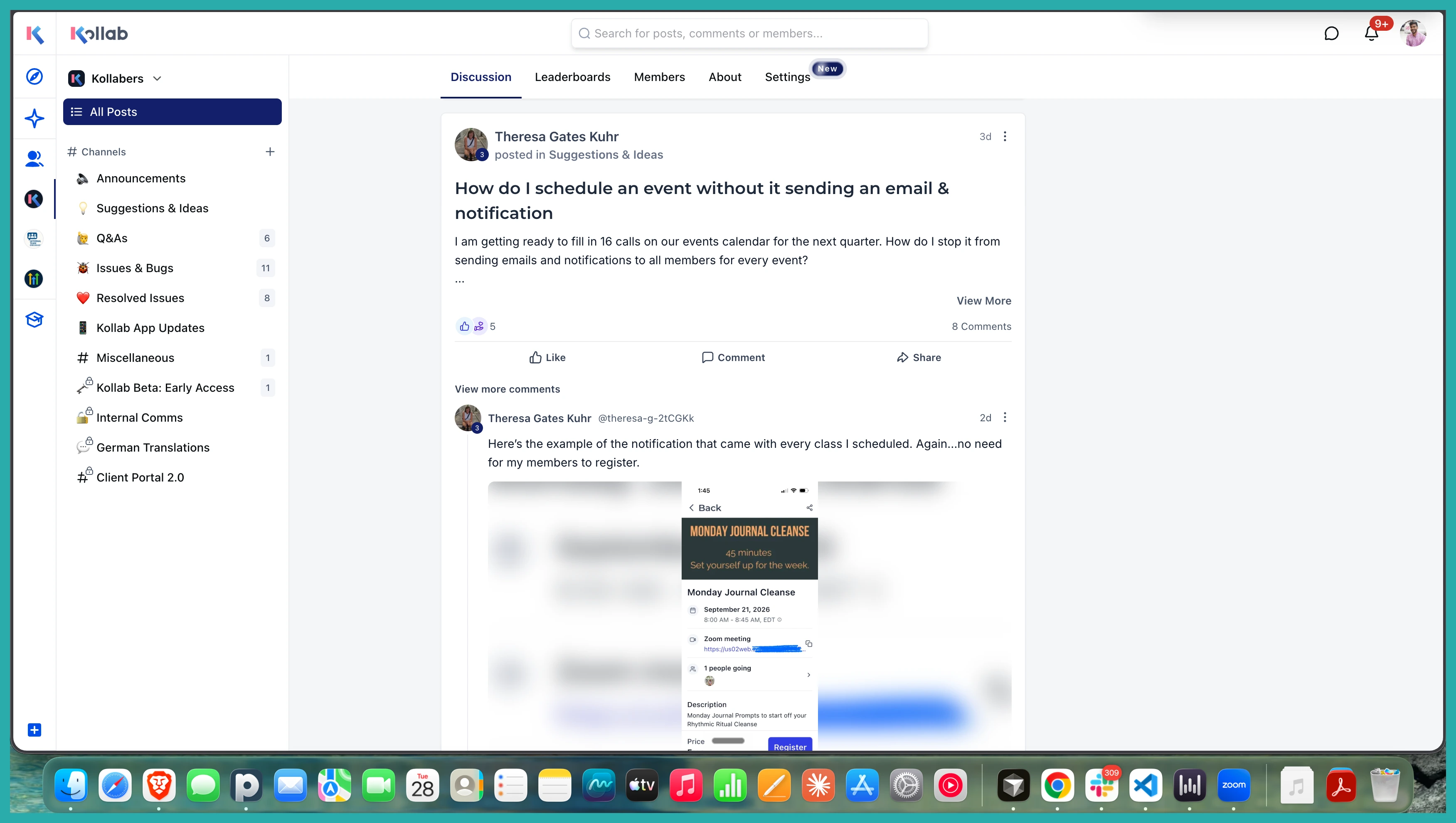
The whole thing feels faster too. Page transitions are quicker, so nobody's sitting there waiting for something to load.
A friendlier discussion feed
The feed has had a proper rethink, and it shows. Comments, replies, and attachments now appear right there in the feed, so there's less digging around.
Writing is easier as well. The post and comment editors have been redesigned to feel more natural, and members can react to posts and comments with six different reactions.
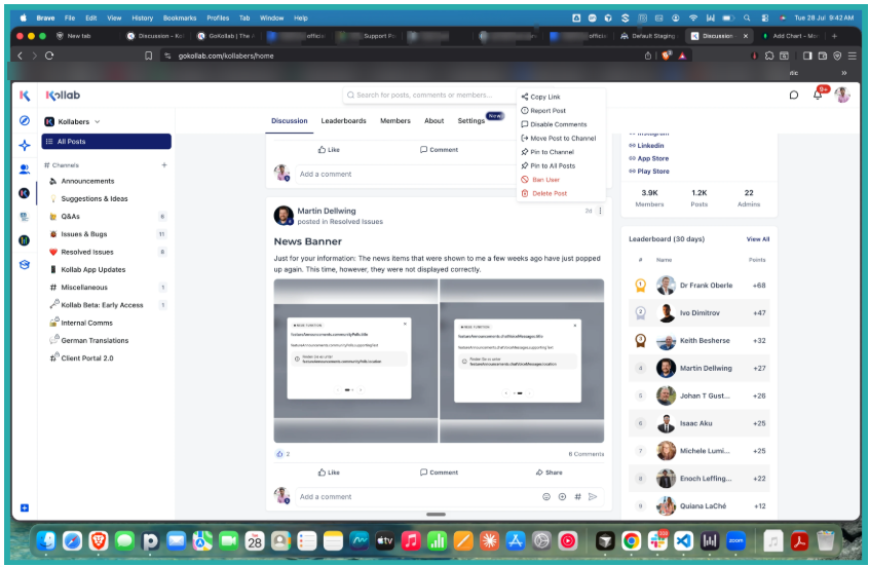
A few other touches worth knowing:
- Unified search lets members find posts, comments, and other members from one place.
- Post nudges gently encourage people to join in when things go a bit flat.
- Cleaner user profiles with quick popovers, so you can get a sense of someone without leaving the page.
- A simpler flow for creating community events.
More control if you're the admin
Running the community just got easier. The three-dot menu on each post now handles your moderation right from the feed.
In the screenshot below, you'll see the actions on offer.
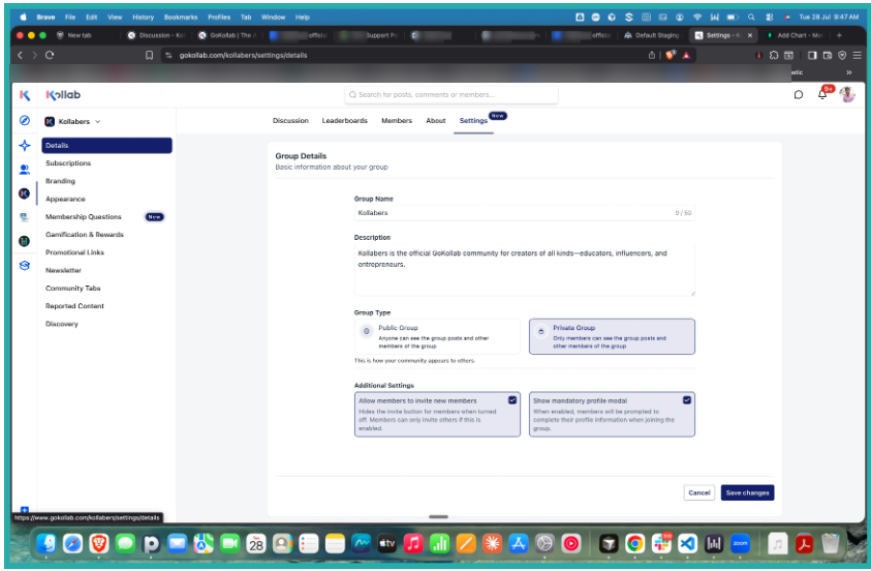
From that menu you can:
- Pin or unpin a post
- Move a post to another channel
- Disable comments
- Ban a user
- Download video or audio recordings
- Report or delete a post
Settings that make sense
Community settings have been sorted into clear sections, so setting up or tidying a group no longer means hunting for the right toggle.
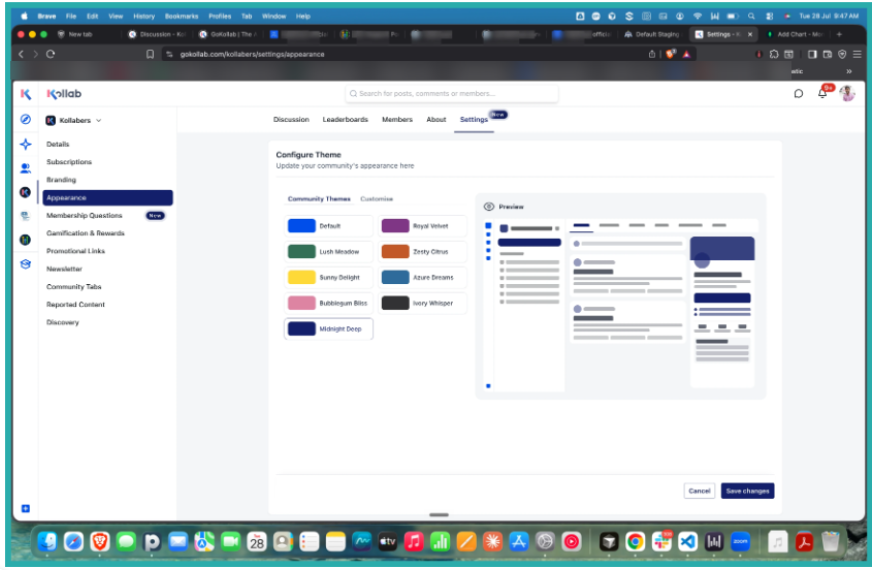
From here you can update your community details and description, set a group as public or private, manage who can invite members, require member profiles, add branding and membership questions, and pick from ready-made themes to style the whole thing.
How to turn it on
Go to the Client Portal Dashboard in your account and select Enable to switch on the new experience.
There's no migration to worry about. Your content, members, courses, and settings all come across automatically.
If you've been putting off giving your community a refresh, this is a good moment. Flip it on and have a look around - it's the same community you built, just easier for everyone to use.
