
Communities Just Got Easier to Post In, Moderate, and Manage
If you run a community inside ESC Hub, a handful of small frustrations have just gone away. Posting looks better, moderating spammers is faster, saving recordings takes one click, and typing comments finally behaves the way you'd expect.
Here's what landed and how to use each part.
Format your posts as you write
You no longer have to guess at plain text. Highlight any words in a post and a little formatting toolbar floats up right above them.
In the screenshot below, you'll see the options: Bold, Italic, Underline, Strikethrough, and a link button so you can turn selected text into a clickable link.
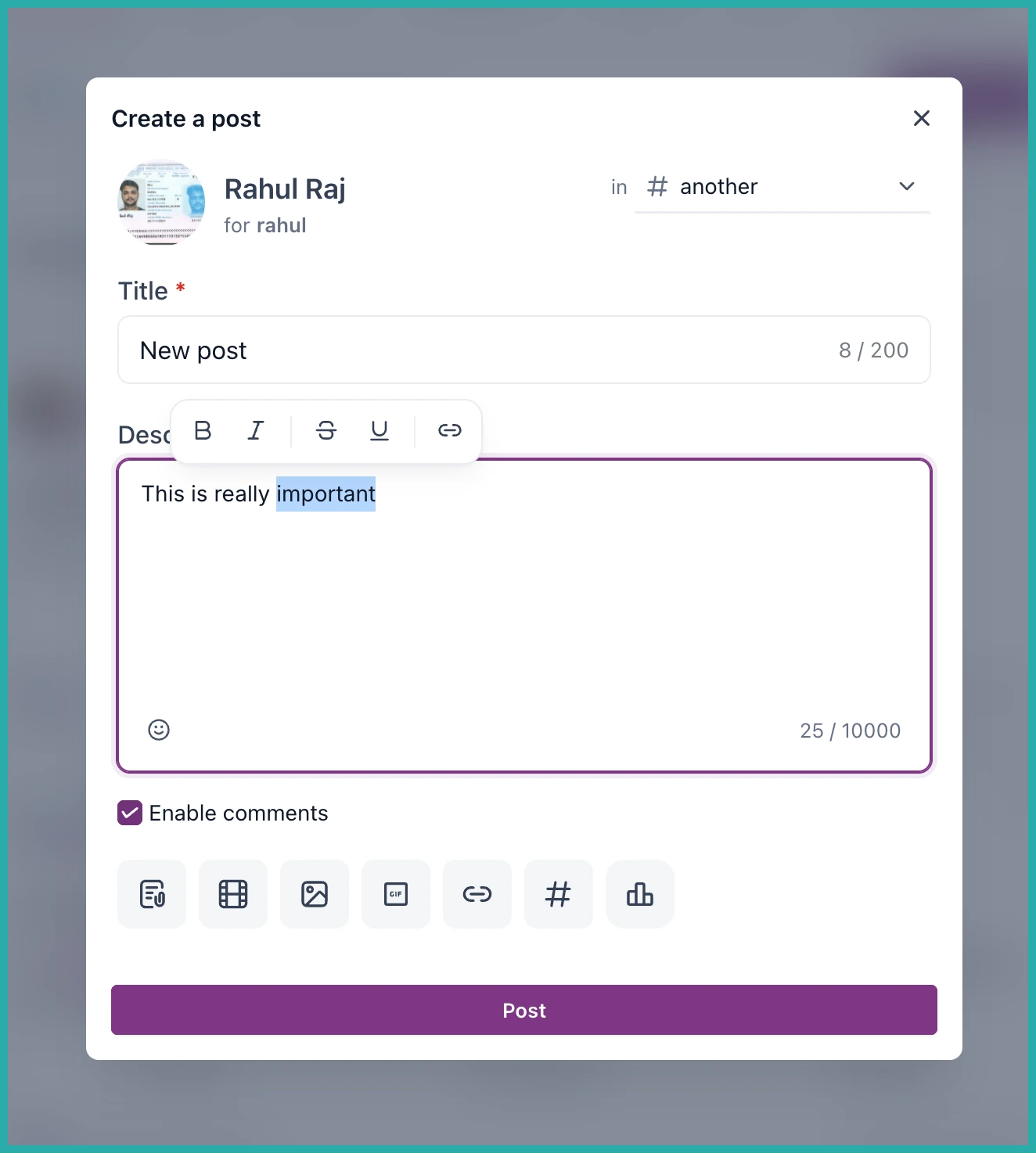
Select, click, done. Your posts read cleaner without you leaving the editor.
Ban a spammer straight from their post
Spotting a spammer used to mean stopping what you were doing, going to the Members tab, and hunting them down. Now you handle it right where you see the problem.
Open the three-dot menu on the offending post and choose Ban User. As shown below, a confirmation box pops up - and it gives you the option to delete everything that person posted before you confirm the ban.
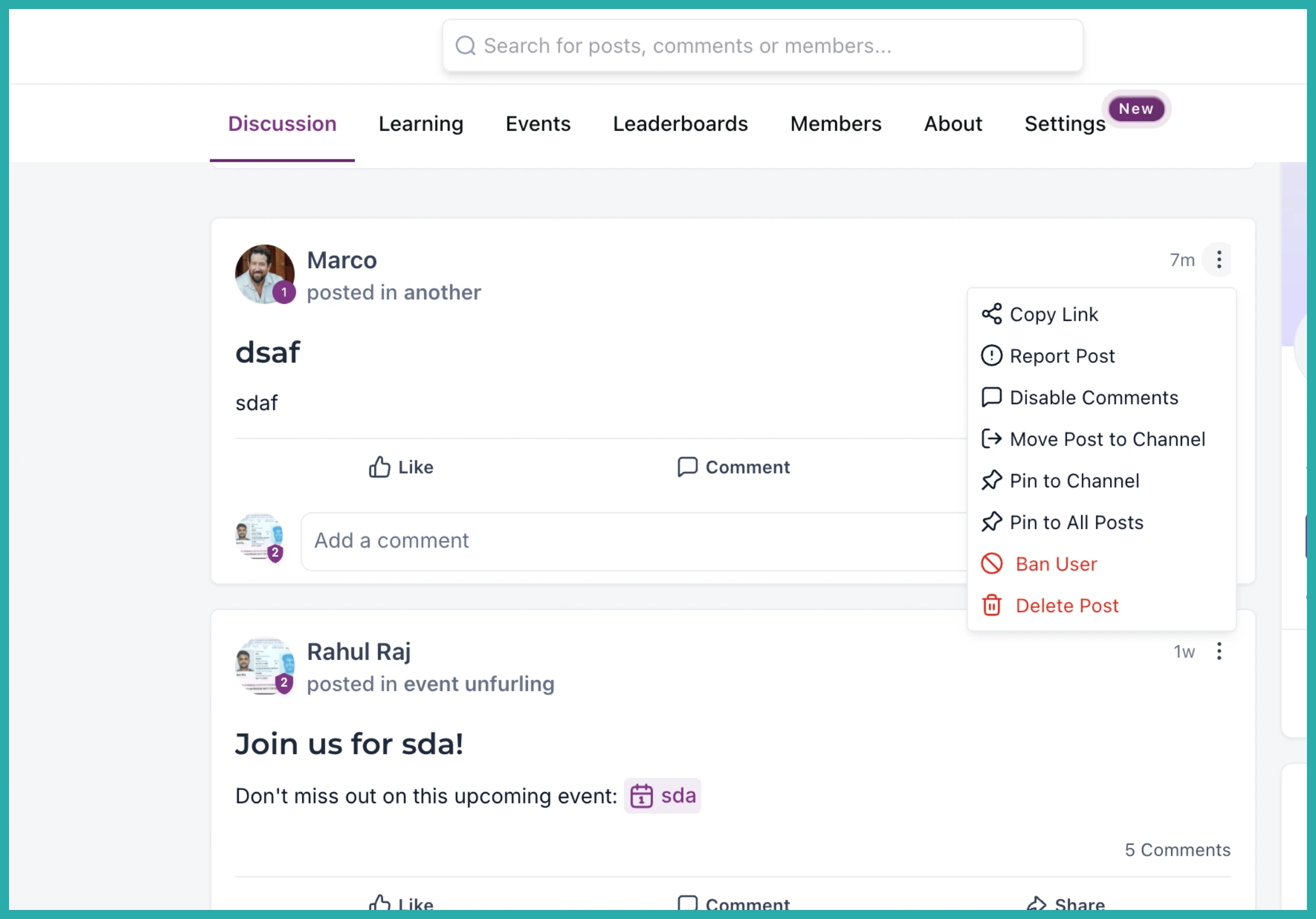
One click from the post itself, and they're gone along with their mess.
Download recordings in one click
Got a recording posted in the feed and want to save a copy? You can grab it without any workarounds.
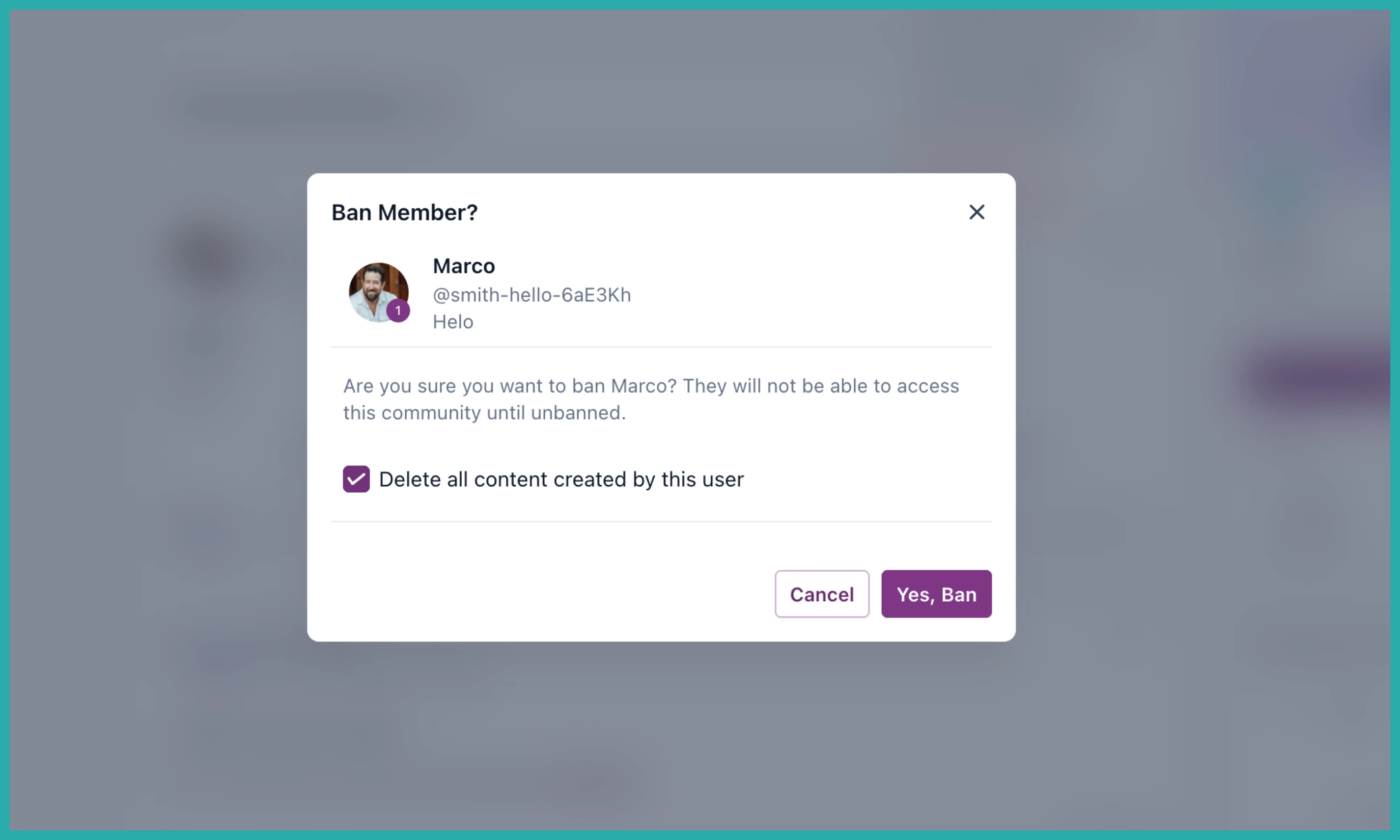
Open the three-dot menu on the recording post and click Download Recording, like in the screenshot below. It saves straight away.
Comment shortcuts that work the way you'd expect
This one came straight from community feedback. The comment editor now uses the keyboard shortcuts most people already have in their fingers:
- Enter starts a new paragraph
- Shift + Enter adds a new line within the same paragraph
- Ctrl + Enter (or clicking Post) publishes your comment
No more accidentally posting half a thought because you hit the wrong key.
None of these are huge on their own, but together they take a lot of the fiddliness out of running a community. Next time you're in your feed, try highlighting some text and see the toolbar for yourself.
