
Cleaner Placeholder Images When You Build Your Store Pages
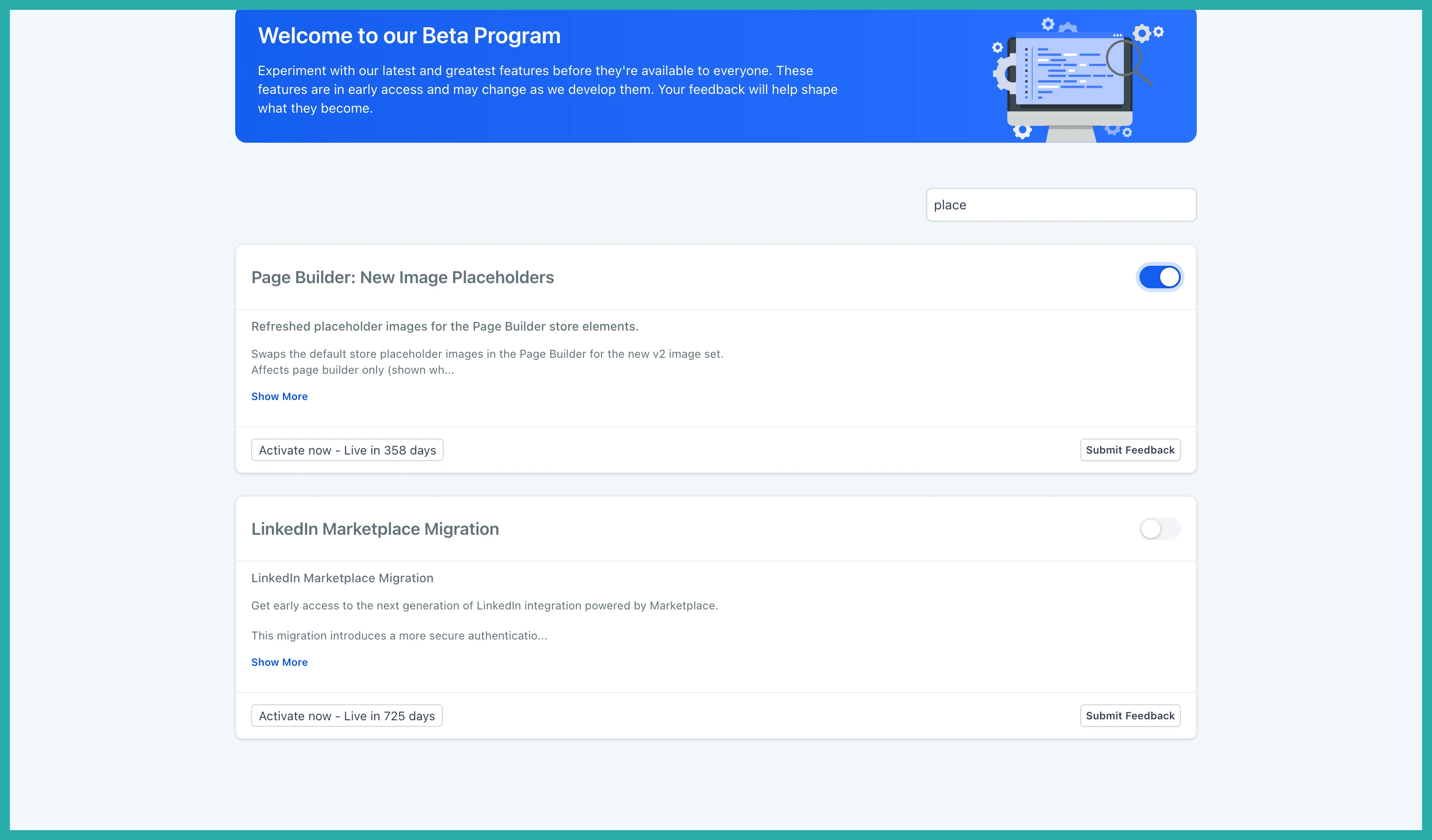
A quick heads-up: this one's in Labs
It's an early feature you turn on yourself in Settings > Labs inside your account. It works, but it's still in development - the documentation and support is limited and not everything will behave perfectly yet.
If you like getting your hands on new things early, switch it on and have a play. If you'd rather wait for the finished, fully-supported version, leave it off and we'll let you know when it lands.
If you've ever built a store page and wondered whether that product image was a real one you'd connected or just a stand-in, this update clears that up.
The placeholder images across your Store pages have been refreshed. Instead of realistic-looking product photos that can trick you into thinking something's connected when it isn't, you now get clean, illustration-based placeholders. Much easier to tell at a glance what's real and what's still waiting on you.
What's changed
The new placeholders show up wherever you're editing a store page with nothing connected yet. That covers your Product Listing, Product Detail, Cart, Checkout and Thank You pages, plus the Featured Product, Featured Products, Upsell and Collection elements.
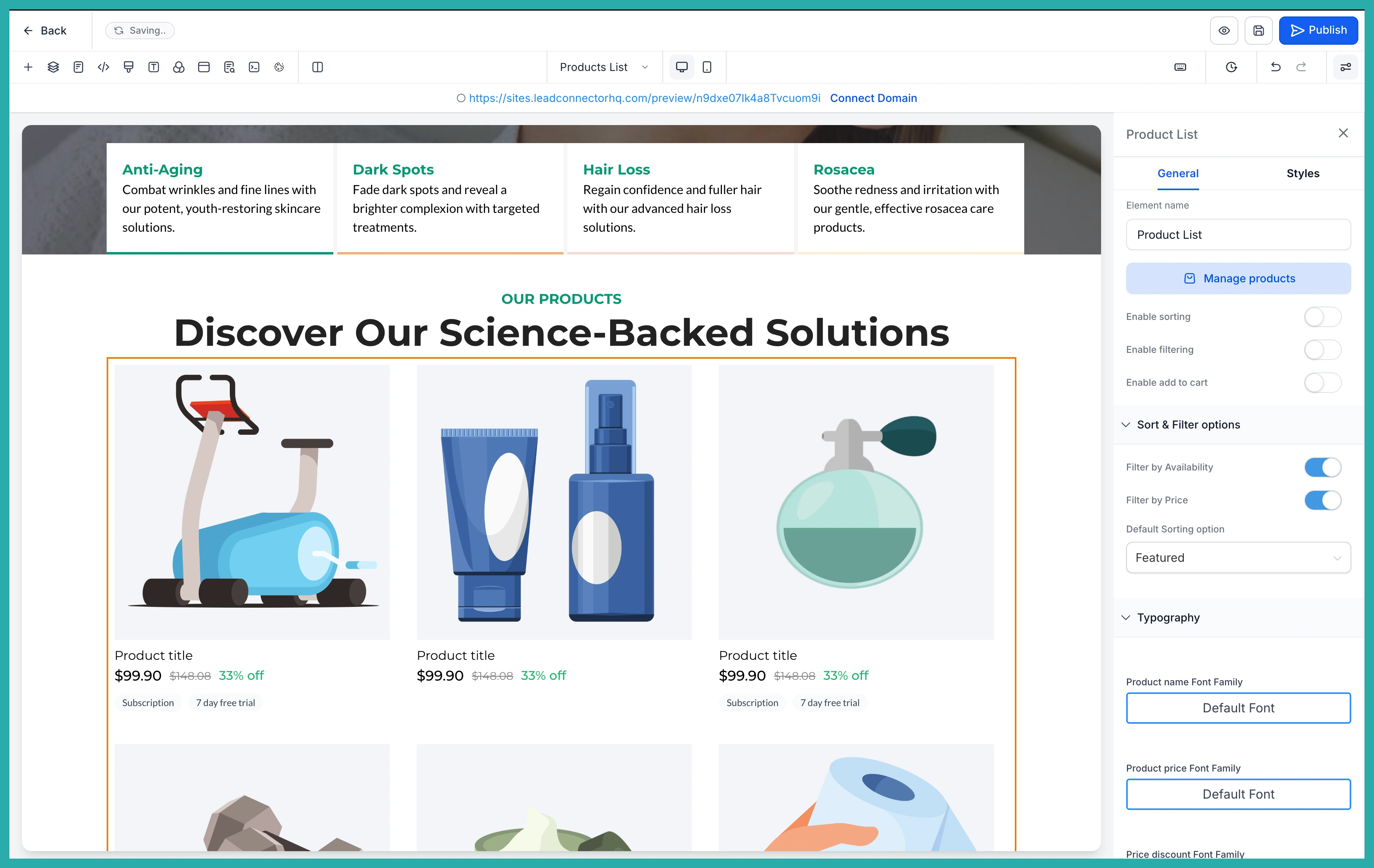
In the screenshot below, you'll see the new look on a product page. The images are simple and consistent, so your eye goes straight to the layout rather than getting distracted by fake product shots.
The placeholder text has been tidied up too. You'll see clear labels like "Product title" and "Collection title" instead of anything that looks like real copy. Again, it's about making it obvious what you still need to fill in.
Better previews while you build
A couple of small but genuinely useful touches while you're working:
- Subscription and Free Trial badges now show below the price on product cards, so you can see how those will actually appear.
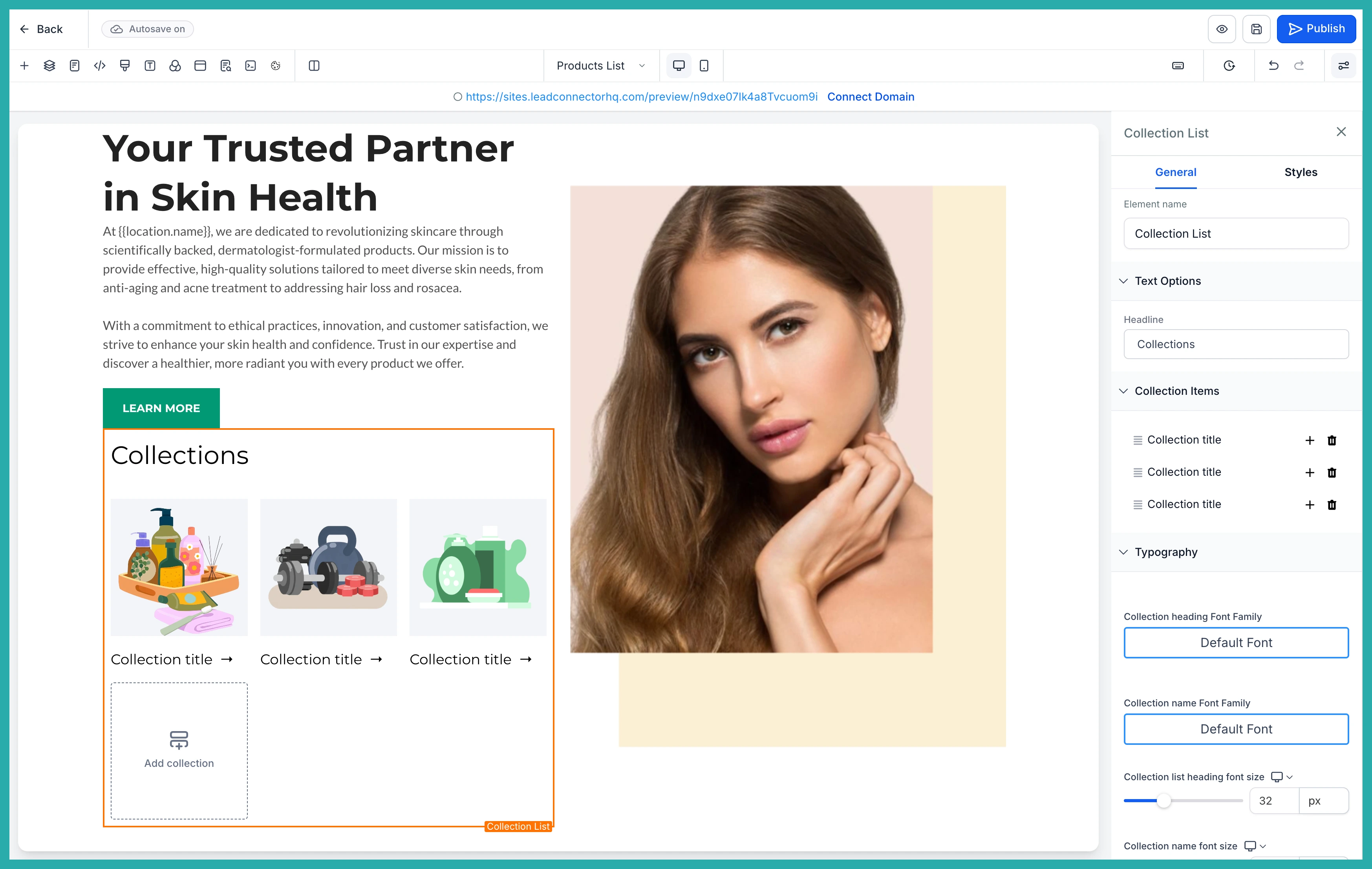
- Collections without an image get a proper product image placeholder instead of a plain gray box.
In the screenshot below you can see how a collection now previews with a real placeholder image rather than an empty gray space.
Worth knowing
This is a visual change only. Nothing about your layouts, your store's functionality, or your live content changes. It only affects the placeholders you see in the builder when no product or collection is connected, and you can switch it off any time to bring back the old placeholders.
Have a build coming up? This makes the editing view a little calmer and a lot clearer, so you can focus on getting your store looking right.
