
Choose What Guest Details You Collect on Your Bookings
When someone books a slot and brings guests along, you've only ever been able to collect a name and email for each one. That's fine sometimes. Other times you really want a phone number, or you just need to know how many people are coming.
Now you can choose exactly what you collect from guests, calendar by calendar.
What you can collect now
Instead of being stuck with name and email, each calendar lets you pick the guest details that suit how you work:
- Name & Email
- Name & Phone
- Name, Email & Phone
- Guest Count Only - just the number of guests, without creating a contact for each one
When you do collect guest details, the system automatically creates or matches a contact for each guest using their email and/or phone number. So your records fill in as bookings come in, without you tidying up afterwards.
What happens to your existing calendars
Nothing changes unless you want it to. Any calendar already collecting guest details will carry on with Name & Email, so your current booking flow stays exactly as it is.
Brand new calendars will default to Name, Email & Phone, so you're capturing richer guest information from the very first booking. You can always change this to whatever fits.
Smarter timezones for guests
There's a small but helpful fix here too. When a guest contact is created during a booking, it now takes on the primary contact's timezone rather than defaulting to your business timezone.
If the guest already exists in your contacts, their timezone stays exactly as it was. This keeps everyone's timing consistent, which saves confusion when you're dealing with a group across different locations.
How to set it up
Open the calendar you want to change, head into its settings, and look for the guest details option. Pick the combination you want to collect. In the screenshot below, you'll see the choices laid out - name and email, name and phone, all three, or just the guest count.
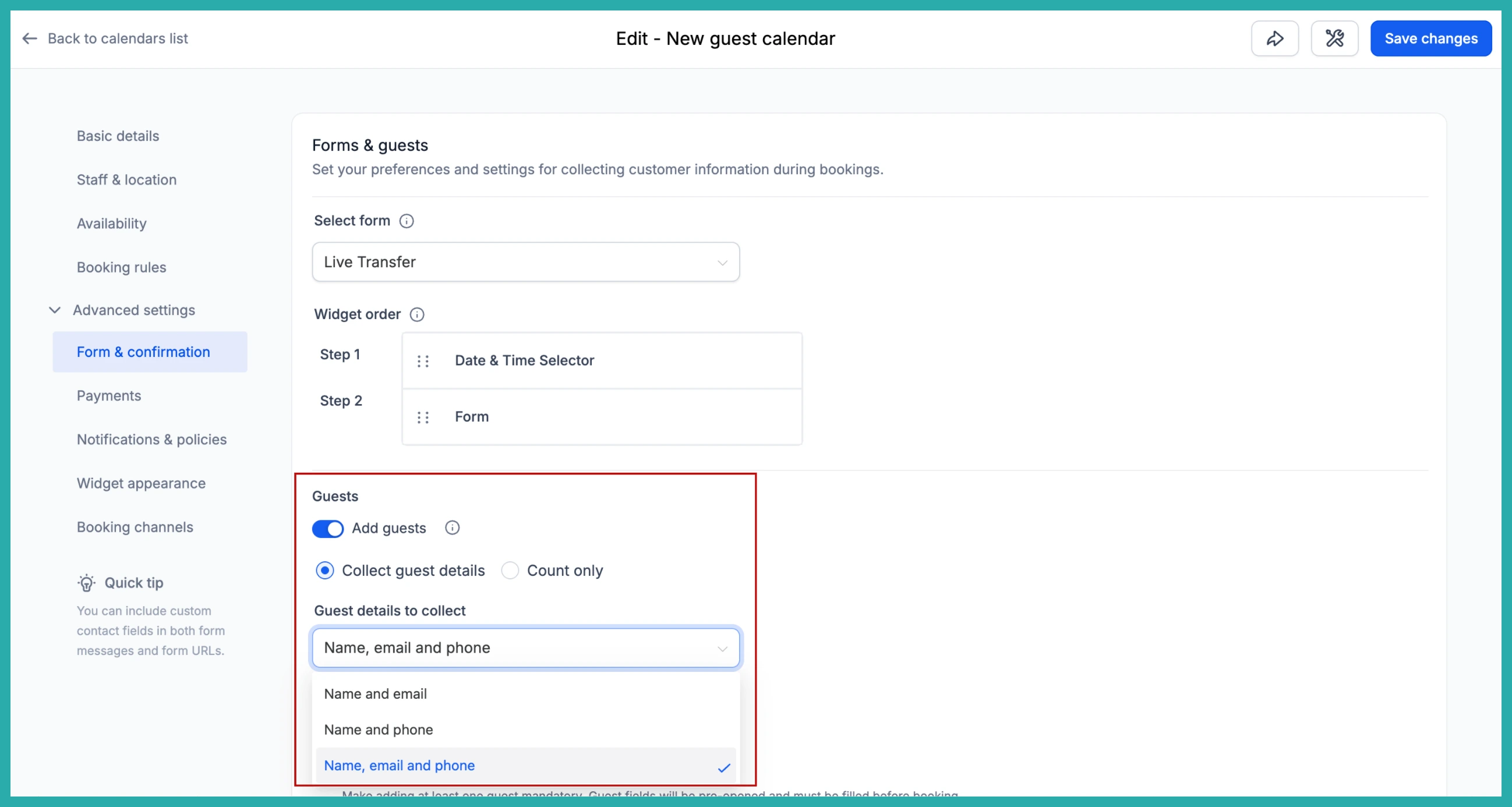
Choose the one that matches what you actually need from your bookings, save, and you're done.
Have a quick think about which of your calendars would benefit from a phone number or a simple headcount, and update them while it's fresh. It takes about a minute per calendar.
