
See your email campaign stats in the mobile app
You send an email campaign, close the laptop, and head out for the day. Then you want to know - did it land? How many opens? Anyone clicking?
Until now, that answer lived on your desktop. The mobile version was dated and thin, so you'd just wait until you were back at your desk to find out.
The Campaigns experience on the mobile app has been rebuilt from the ground up. Same numbers as web, now in your pocket.
What you get
Every campaign shows its status right on the card - succeeded, failed, scheduled, paused, draft - with the dates, so you can scan the whole list in seconds.
Tap into any send and you get the full picture. An overview of who it went to and the headline numbers. A preview of the actual email. And a statistics tab with the same rates web gives you - delivered, opened, clicked, conversions, bounces, unsubscribes - right down to a recipient list you can filter by what each person did.
Here's how it looks on the phone:
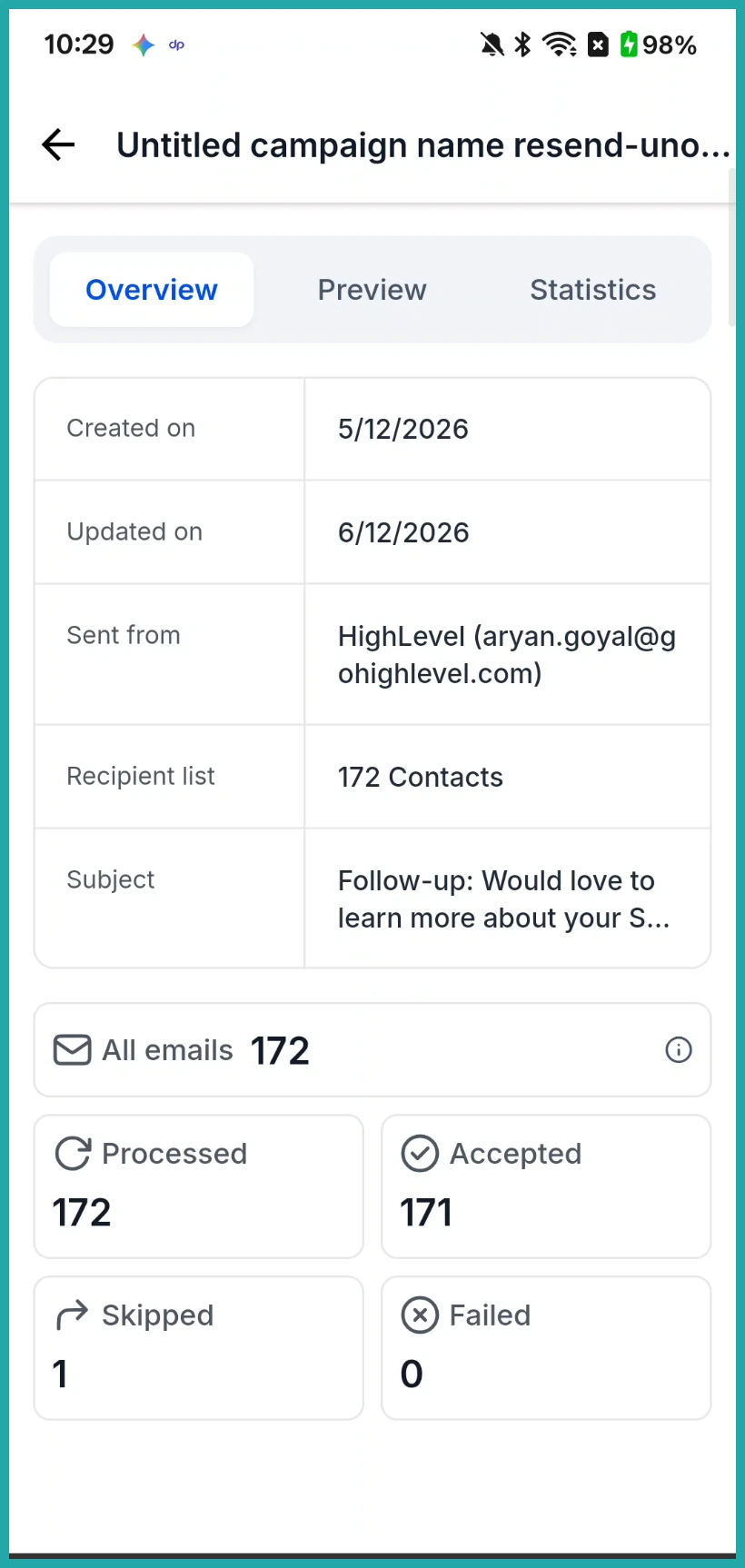
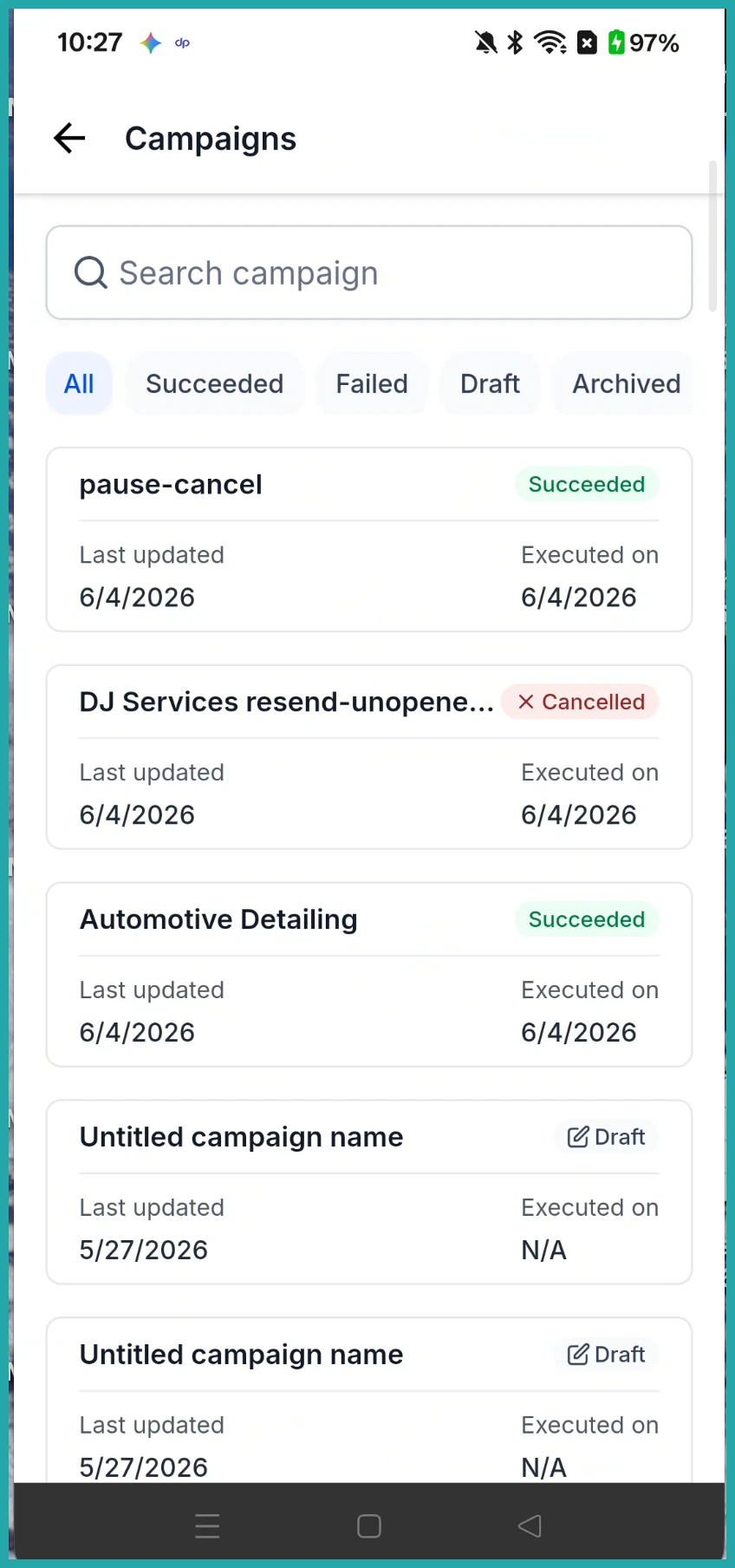
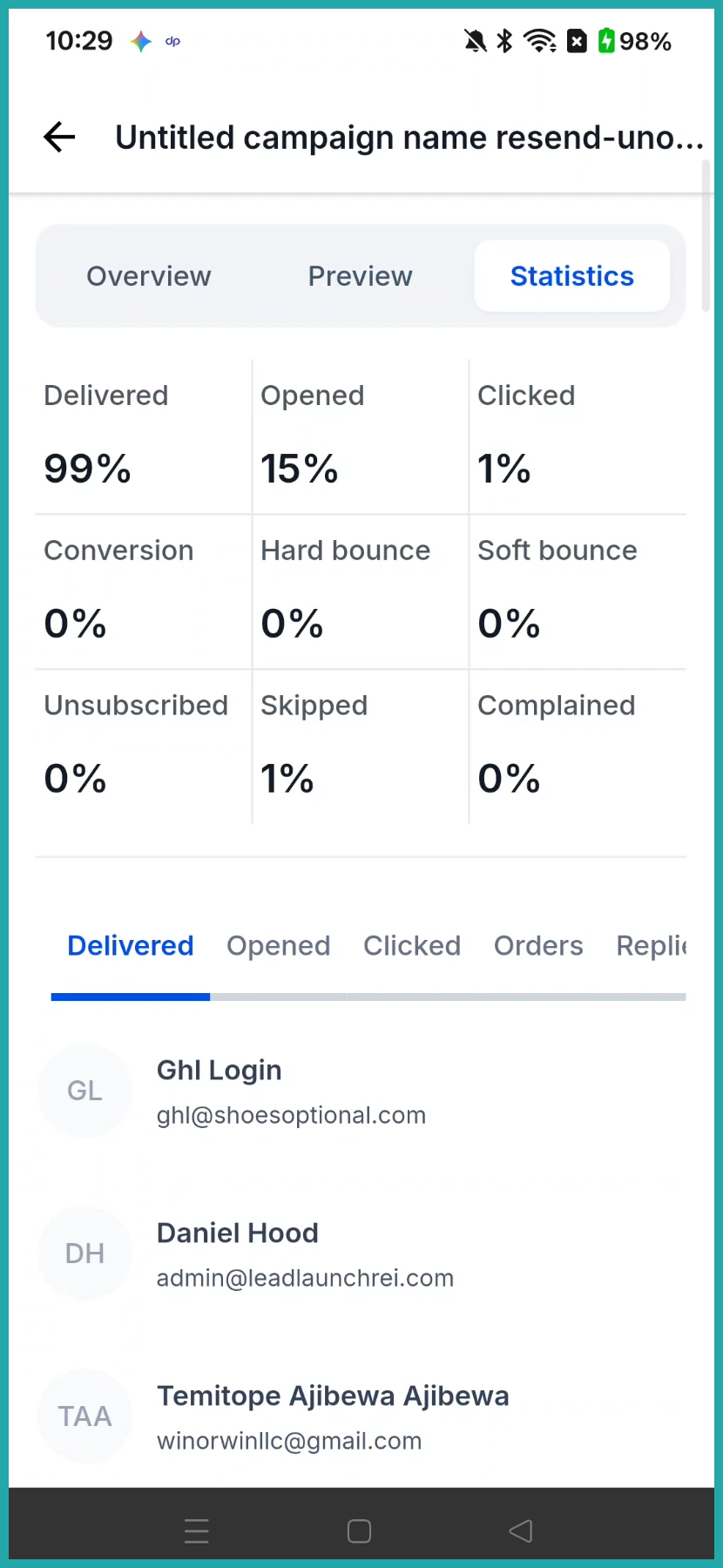
Your business shouldn't be stuck to a desk. If you can only see how things are going when you're sitting in front of the laptop, you're tied to the laptop.
Now the answer travels with you. Check a send over coffee, between school runs, on the train. The full story, not a watered-down mobile version.
How to turn it on
Open the app, tap Campaigns from the home screen, and there's your list. Search by name or tap a status to filter. Tap any campaign to open it, then move between Overview, Preview, and Statistics.
Next time you send a campaign, leave the laptop shut. Open the app and watch it land from wherever you are.
