
Charge a Guest's Saved Card Right at the Table
You run a restaurant on ESC Hub, the meal's done, and the guest just wants to pay and go. Up to now, settling that table meant a bit more fiddling than you'd like. Not anymore.
Take payment now charges cards right from the drawer, and if the guest has paid before, their saved cards are already waiting.
What you get
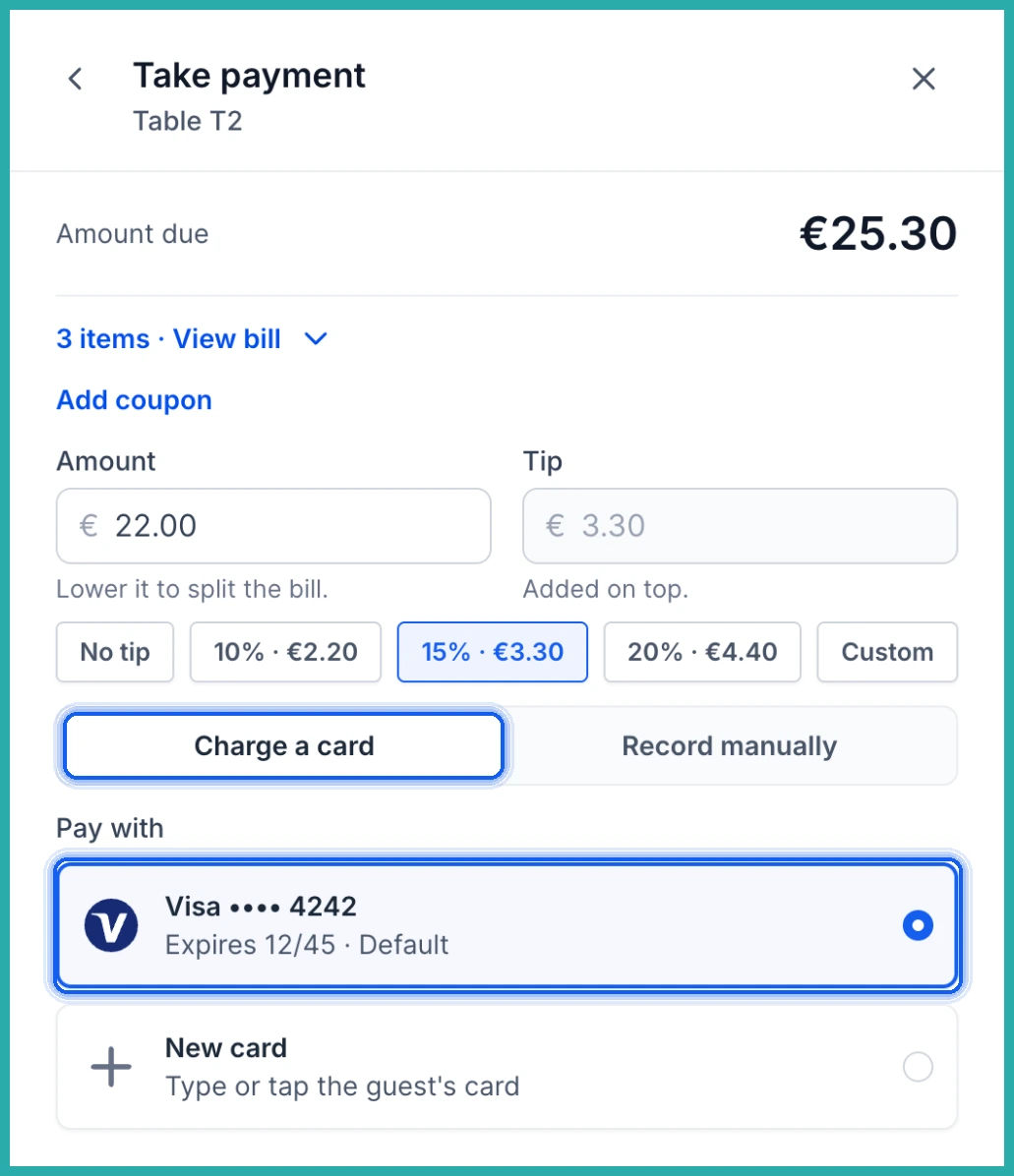
When you open a table or its order and hit Take payment, Charge a card is ready to go. The guest's saved cards show up under Pay with, with their default card already selected. For regulars, that means they pay with a card they've used before, no retyping.
Need a different card? Type or tap a new one any time. And it all works with tips, coupons and split bills. The Charge button always shows the exact amount, so there's no second-guessing.
How to use it
- Open the table in Reservations, then Front of house, or open its order in Restaurant Orders.
- Click Take payment and stay on Charge a card.
- Keep the default card or choose New card, then click Charge.
In the screenshot below, you'll see the saved cards listed with the default already picked, ready for you to charge.
Card payments run straight through your payment provider in ESC Hub, not a separate terminal, so there's less manual entry and your tables turn faster.
This one is available to Founder's plan accounts using Restaurants. Next time a regular's ready to settle, give it a go - tap, charge, table turned.
