
Build Your Own Client Portal Just by Describing It, With AI Doing the Work
A quick heads-up: this one's in Labs
It's an early feature you turn on yourself in Settings > Labs inside your account. It works, but it's still in development - the documentation and support is limited and not everything will behave perfectly yet.
If you like getting your hands on new things early, switch it on and have a play. If you'd rather wait for the finished, fully-supported version, leave it off and we'll let you know when it lands.
Until now, building a client portal meant working inside fixed layouts, or paying someone to write custom code. If what you pictured didn't fit the template, you were stuck.
That changes with Vibe Coding in the Client App Builder. You describe the portal you want in plain English, and AI builds it for you - real, working pages, already connected to your courses, communities, members and files. No code, no templates to wrestle with.
What it actually does
You talk, it builds. You tell the AI about your business, who your members are, and the kind of experience you want them to have. It asks you a few sensible questions back, looks at design ideas, and generates full pages tailored to what you described.
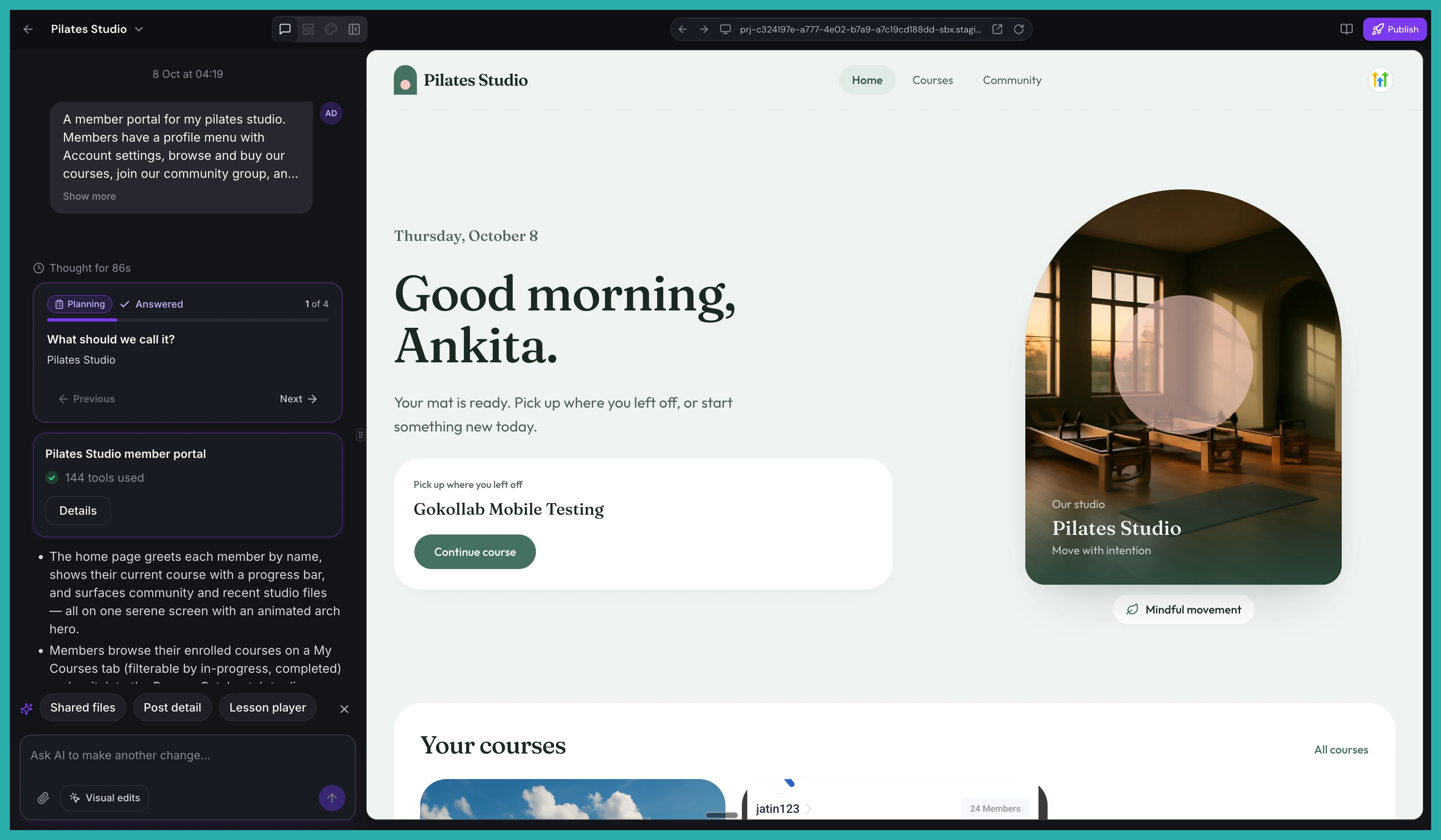
From there you keep refining through conversation. Want a page changed? Describe it. Missing a page? Generate it with one click. You can even click an element directly in the preview and tell the AI what to change about it.
The important part: everything stays connected. Your existing courses, lessons, communities, shared files, appointments and member accounts all work inside the portal you build. You're wrapping your real content in a design that's yours, not rebuilding anything.
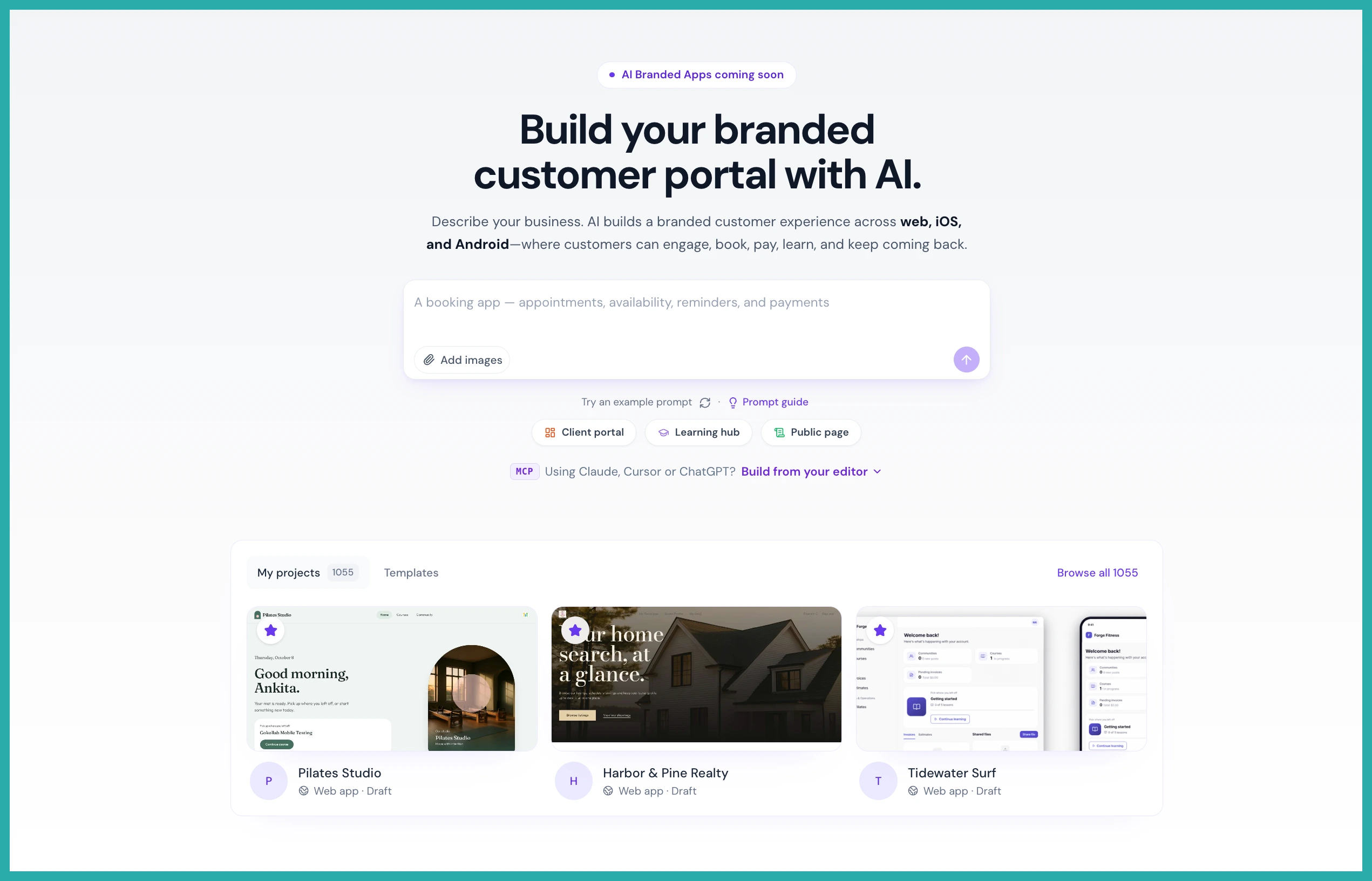
Getting started
Once the Client App Builder is on, open it and choose to create a web experience. Then it's just a conversation:
- Describe your business, your audience, and the portal experience you're after.
- Pick a design system and add your brand images so everything looks consistent.
- Let the AI generate your pages, then look through the preview.
- Refine anything using prompts, or by selecting elements in the preview and describing your changes.
- Publish when you're happy.
In the screenshot below, you'll see how the builder turns a simple description into branded, functional pages for you to work from.
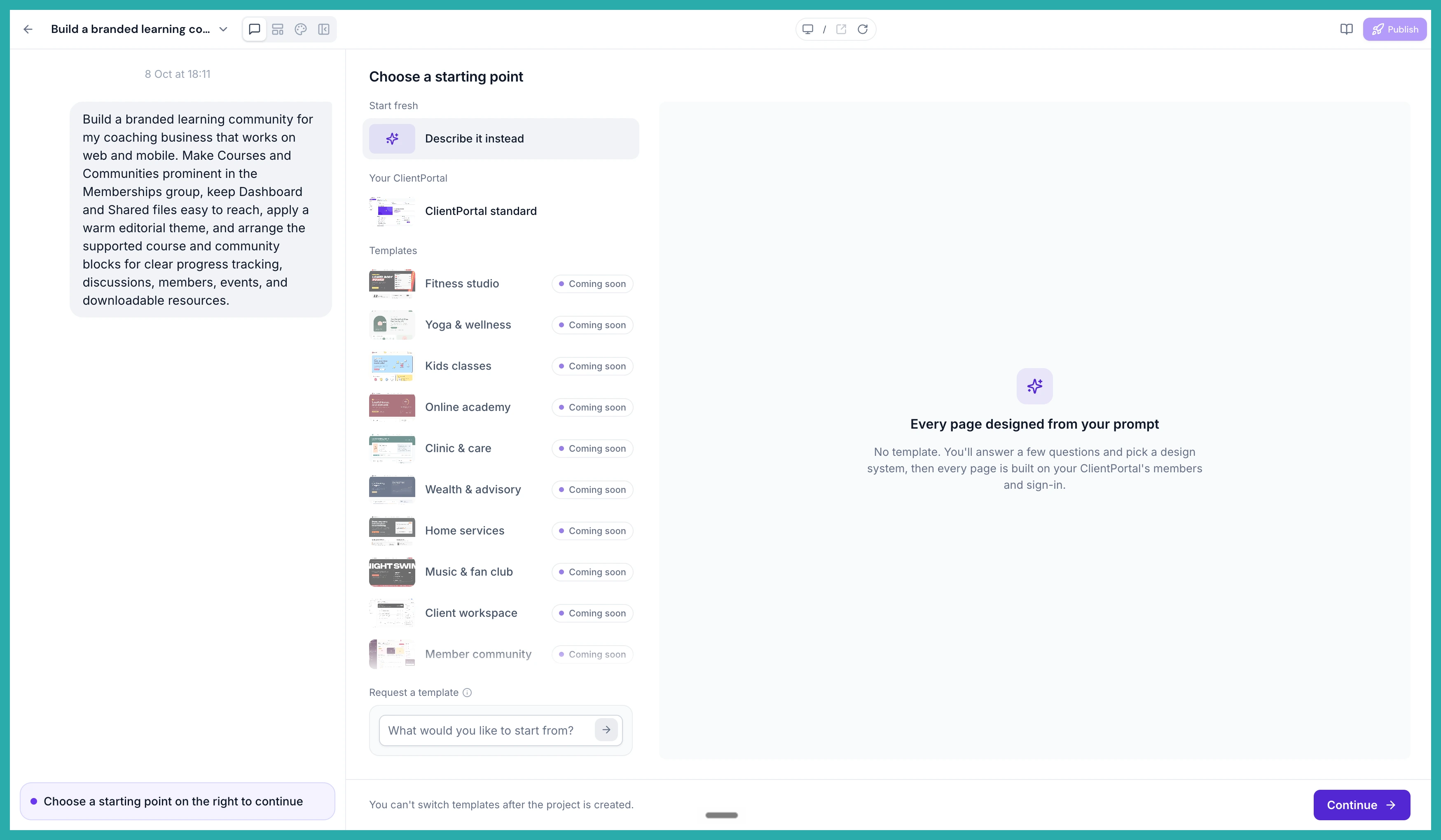
Make it yours and put it live
You can start from scratch or build on top of your existing client portal, whichever suits you. When it's ready, publish it under your own address - you can connect up to 10 custom domains, so members arrive at a portal that looks entirely like your brand.
There's also a Dark Mode for the builder itself. Switch between Light, Dark or System while you work, and it won't touch how your actual portal looks to members.
This is early, and there's more coming - ready-made industry templates and faster generation are on the way. But if you've ever wished your portal could look and work the way you pictured it, this is your chance to just describe it and watch it take shape. Have a play and see what you build.
