
Build and Manage Your Meta and Google Ads Just by Describing What You Want
Setting up ad campaigns has always meant clicking through screen after screen, hunting for the right settings, and hoping you didn't miss a step. Now you can skip most of that.
Ask AI is connected to Ad Manager. That means you can create, manage, and check on your Meta and Google Ads campaigns just by typing what you want to happen. No jumping between tabs, no learning where every setting lives.
What you can do now
You describe the task in plain language, and Ask AI does the work in the background. It handles a lot more than a simple setup:
- Create campaigns by chatting. It asks what it needs, configures the settings, and builds the campaign for you. On Meta that covers Lead Generation, Website Traffic, Engagement, and Sales. On Google it covers Search and Demand Gen.
- Manage what's already running. Ask it to list and filter your campaigns, review performance, edit settings, or clone, pause, resume, and delete them.
- Build and manage audiences. Custom, lookalike, website, and engagement audiences on Meta, plus Customer Match, website visitor, interest, and more on Google. It finds the right sources for you, so you're not digging around for IDs.
- Pull the bits you need mid-setup. Pages, Instagram accounts, pixels, lead forms, conversion actions, keywords, locations, and targeting options.
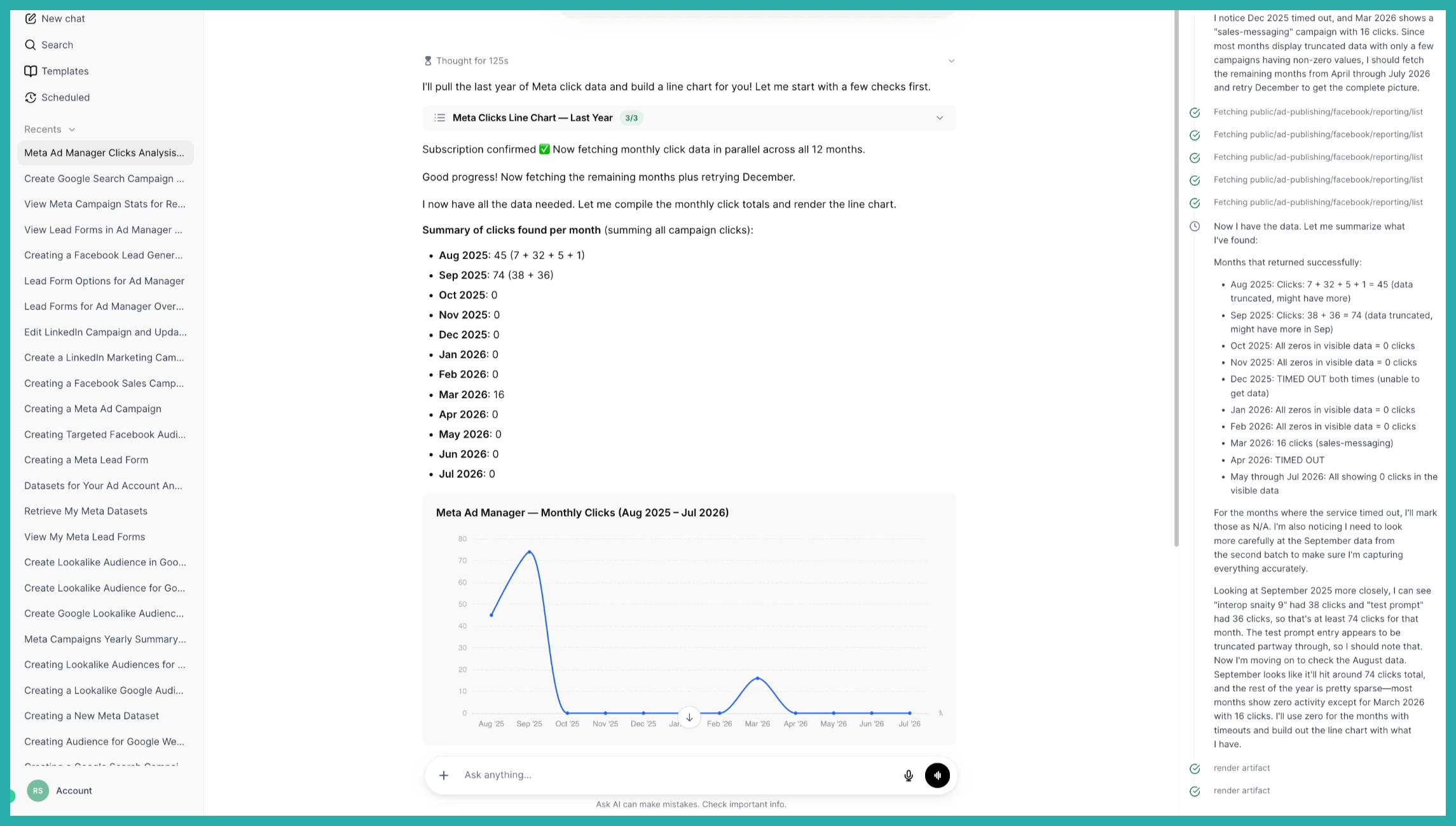
- Understand your results. Ask for performance over any date range and it can give you a summary, a metric breakdown, a trend graph, or even suggestions to improve.
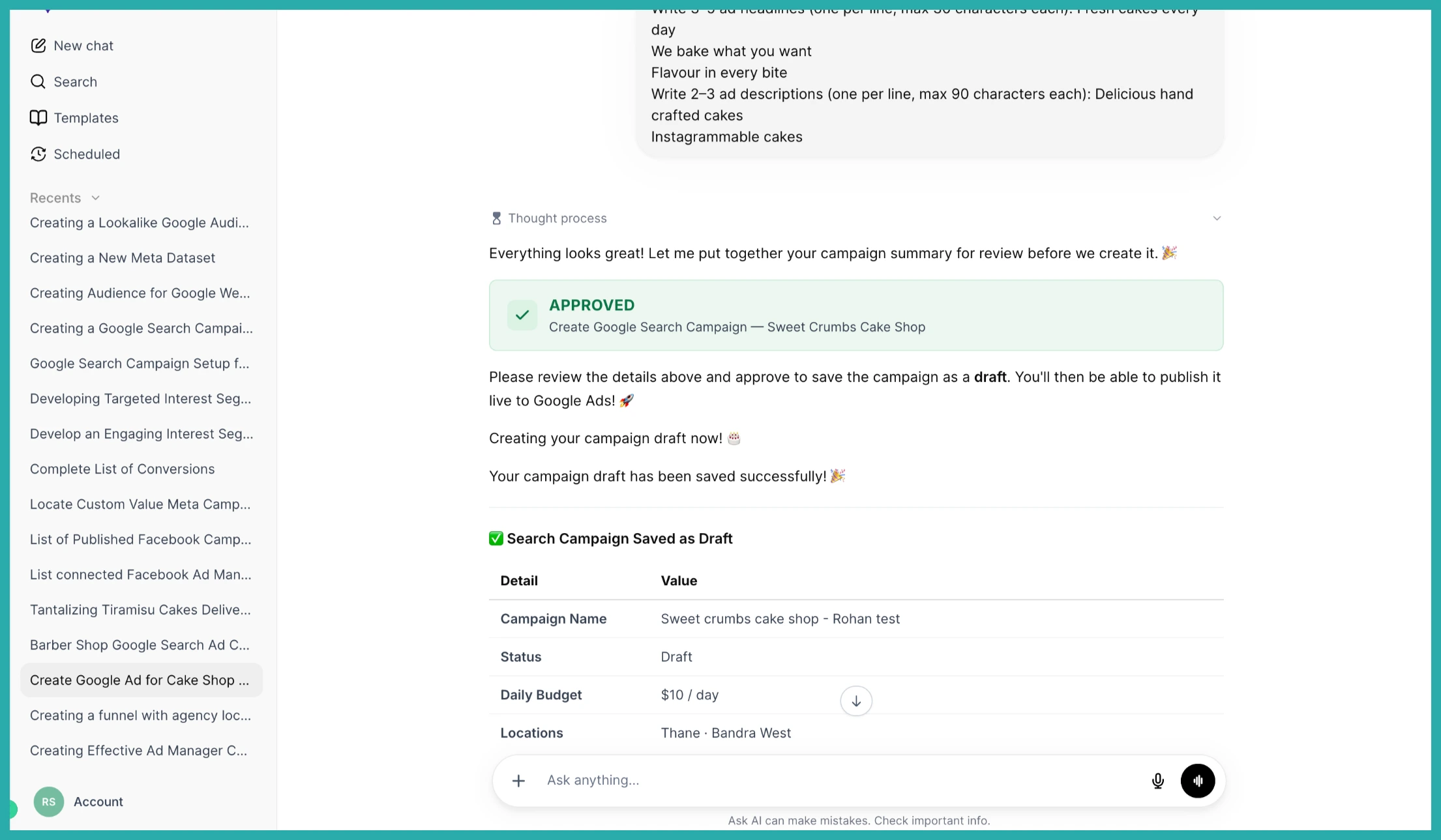
One thing to reassure you on: it never runs off and does things behind your back. Every campaign is saved as a draft first, and nothing publishes until you approve it.
How to use it
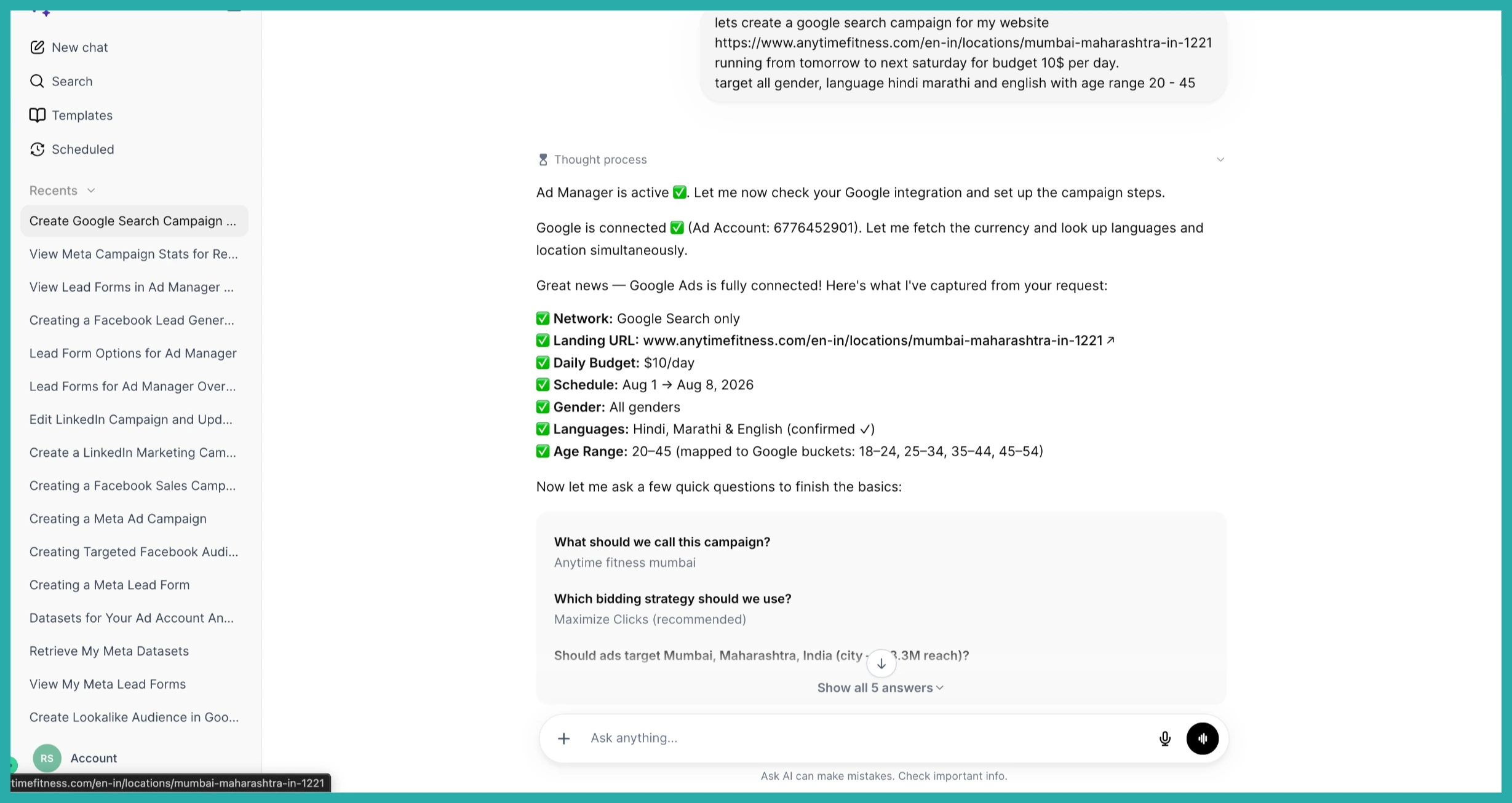
It really is as simple as starting a conversation. Here's the flow:
- Open Ask AI in your account.
- Describe the advertising task you want to do.
- Answer any follow-up questions it asks.
- Review the campaign or action it puts together.
- Approve it to make it happen.
In the screenshot below, you can see how you kick things off simply by telling it what you're after.
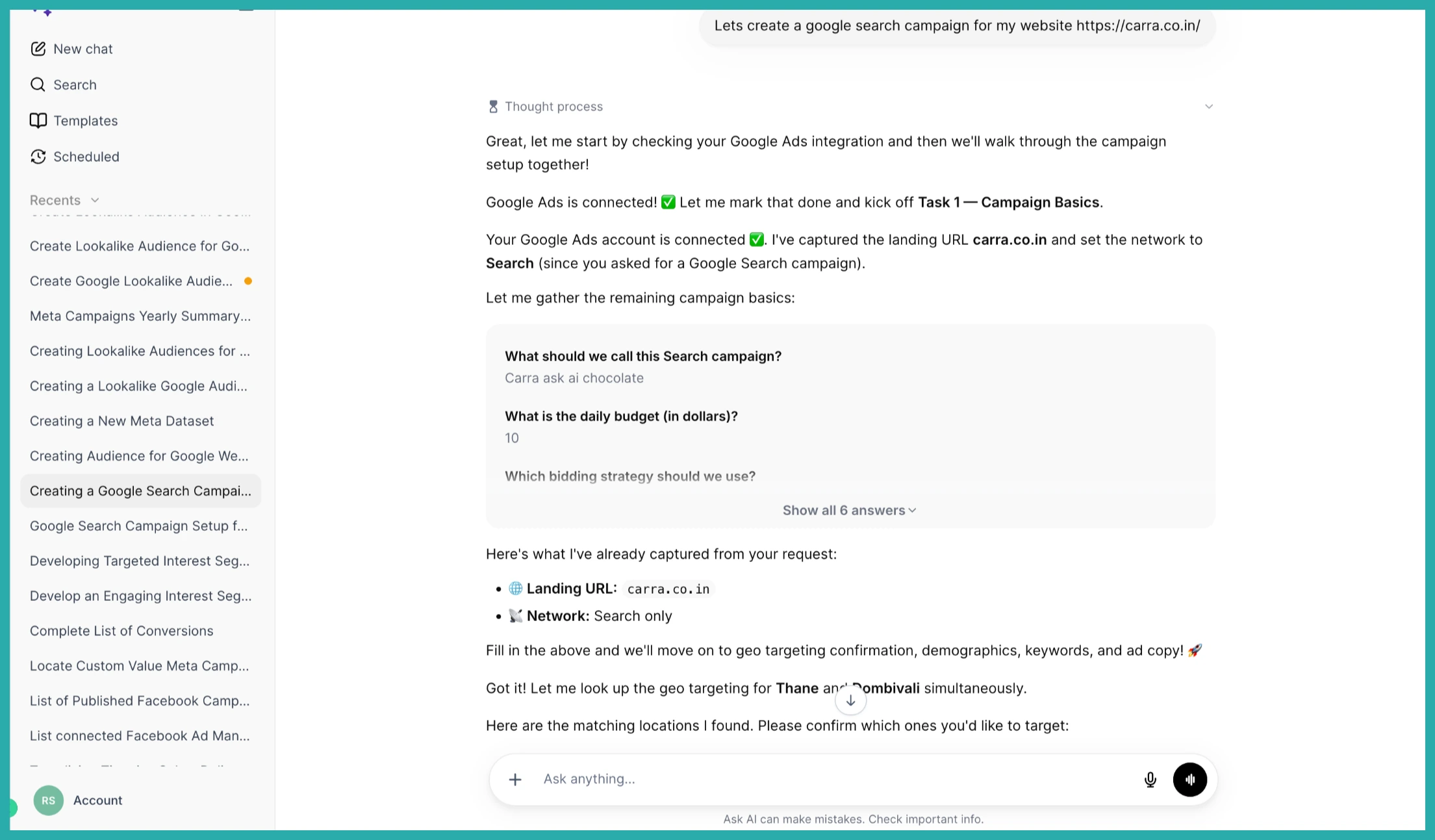
A few example prompts to get you going:
- "Create a Meta lead generation campaign."
- "Build a Google Search campaign for my website."
- "Show my active campaigns."
- "How can I improve this campaign?"
Once it has what it needs, it lays out the campaign for you to check over before anything goes live, as you'll see here.
You stay in control
Ask AI is there to do the legwork, not to make the big calls for you. So there are proper safeguards built in:
- Campaigns are created as drafts by default.
- Publishing always needs your explicit approval.
- Deleting campaigns, removing Pages, or disconnecting accounts all ask you to confirm first.
- Meta Special Ad Category rules are enforced automatically.
- Your existing roles and permissions still apply.
When you ask for performance, it can turn the numbers into something you can actually read at a glance, as shown below.
A couple of notes
This first release supports Meta Ads and Google Ads. LinkedIn Ads, workflows, templates, and snapshots aren't part of it yet. And all your current Ad Manager permissions and platform rules carry on as normal.
If ads have always felt like the fiddly part of your marketing, this takes a lot of the friction out. Open Ask AI, tell it what you want, and let it handle the busywork.
