
Meta Special Ad Categories: compliance warnings as you build
If you run Meta ads for anything in housing, jobs, credit, finance, or politics, you've probably hit this wall. Meta has strict rules about who you're allowed to target for those. Break one without realising, and your campaign gets knocked back at publish.
The annoying part was never knowing until it was too late.
Ad Manager now warns you while you're building, not after.
What you get
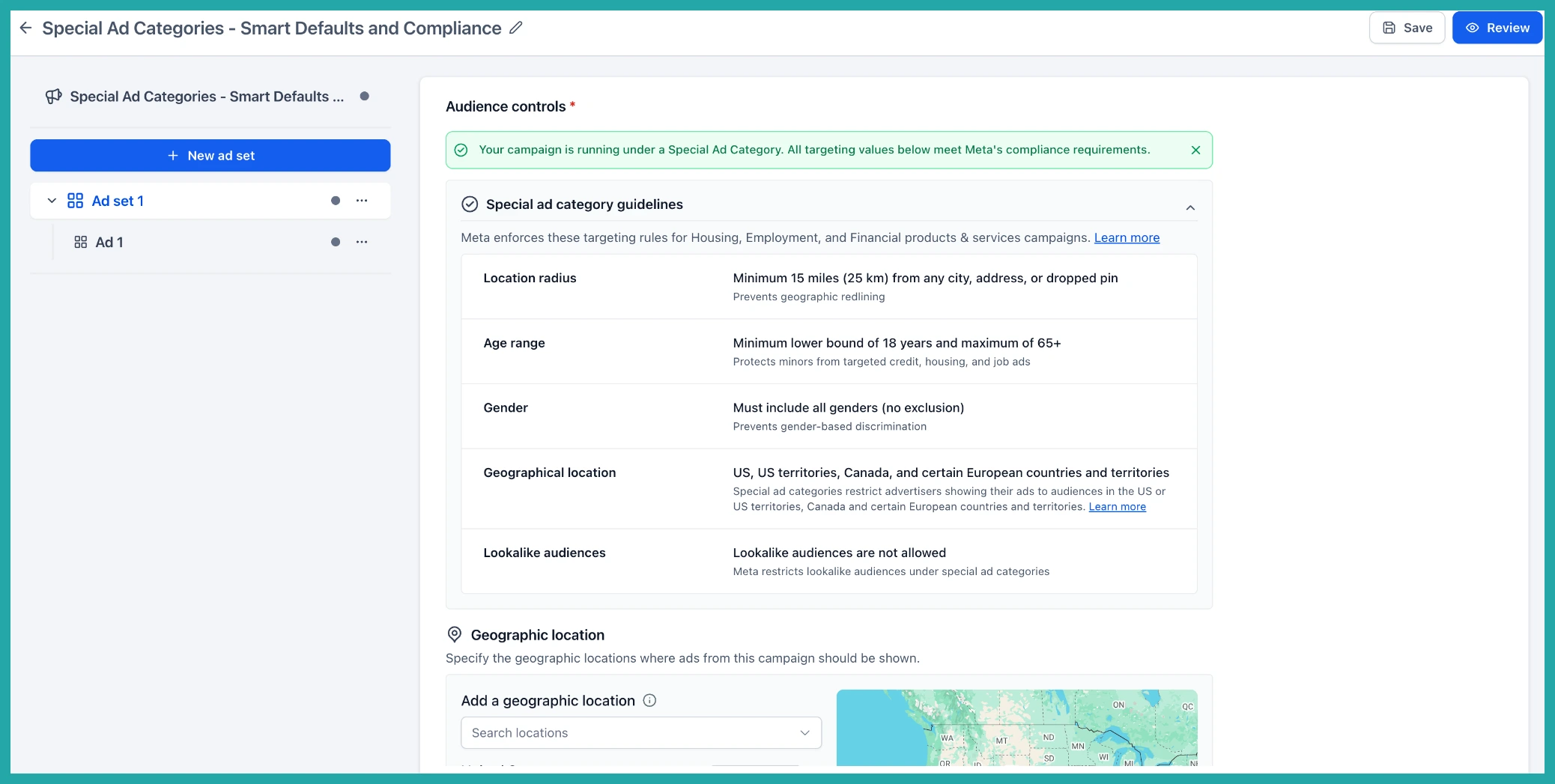
Pick a Special Ad Category and ESC Hub starts guiding you straight away. You get a clear notice at the campaign level.
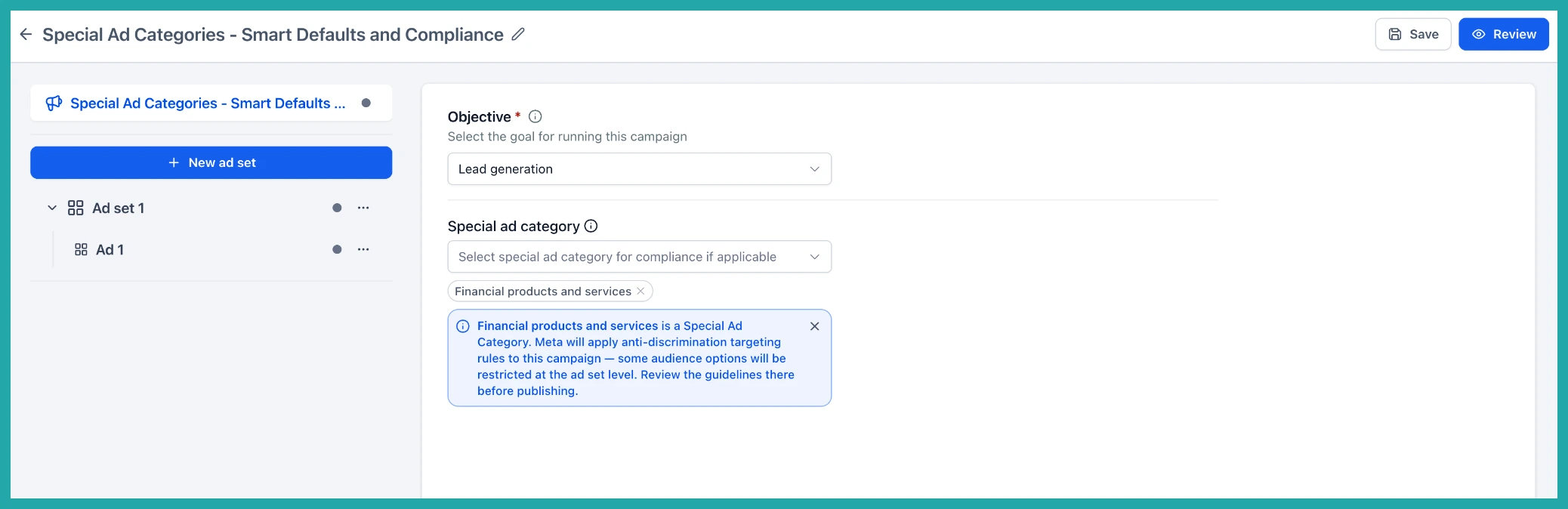
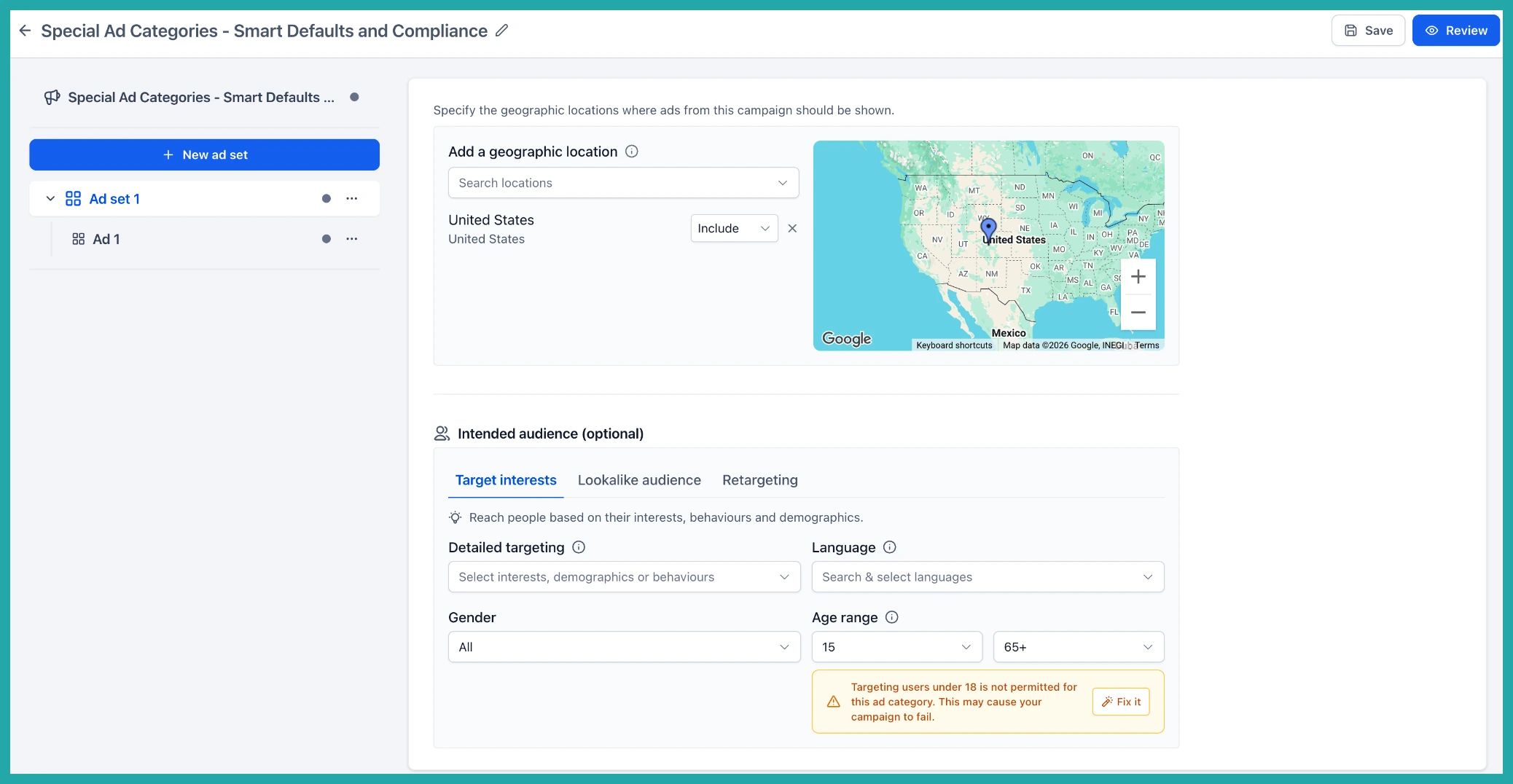
Over in your audience targeting, a banner tells you whether your values are compliant or need a look, with the rules right there in a panel you can open. Anything that might trip Meta's restrictions gets flagged next to the actual field.
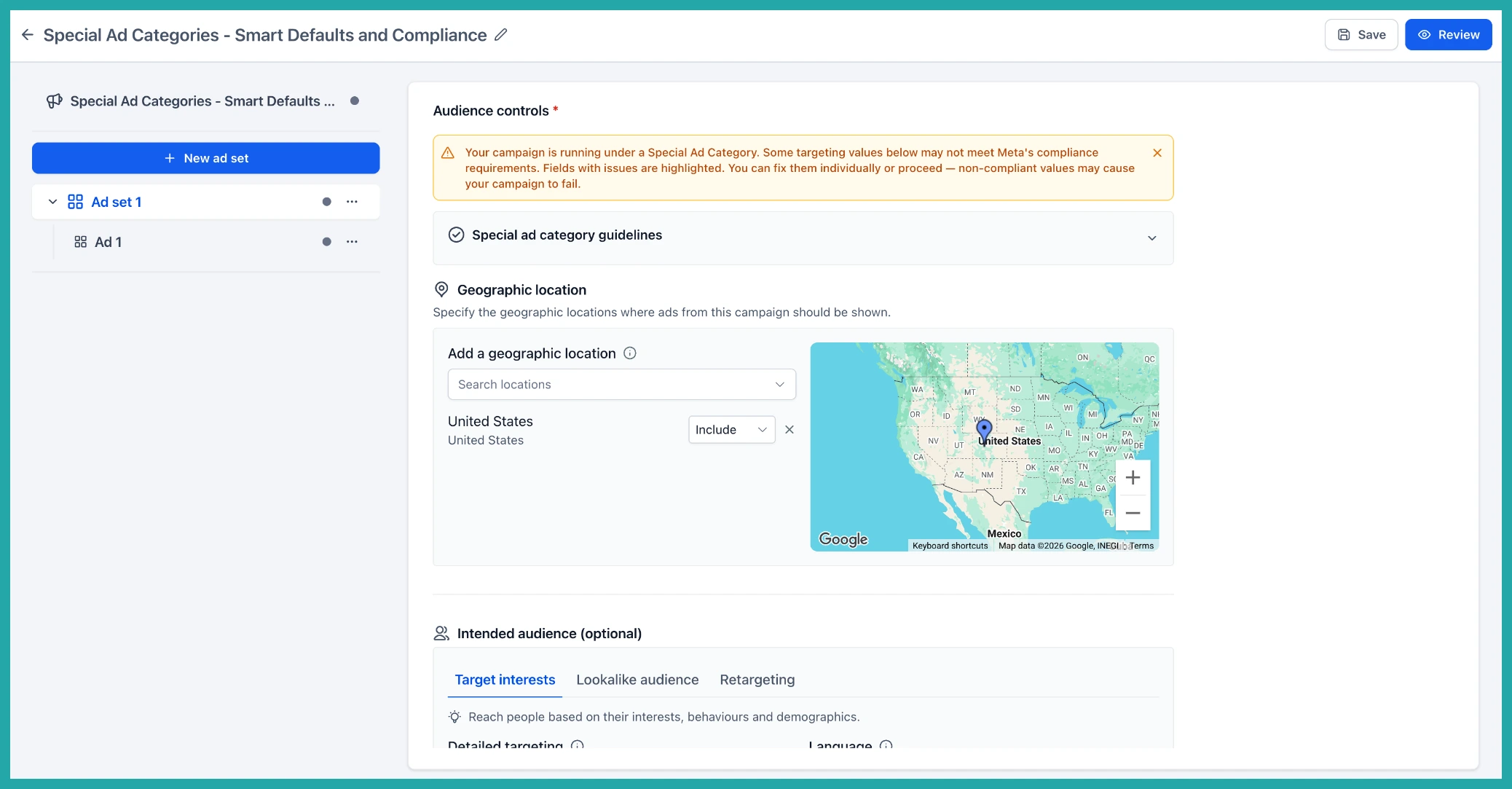
And when something's off, there's a Fix it button that swaps in a compliant value for you. One click.
A rejected campaign is more than an inconvenience. It's your launch stalled, your timing gone, and you back at the start trying to work out what you did wrong.
This moves all of that to the front. You see the problem while you're building, fix it on the spot, and publish knowing it'll actually go out.
It won't block you, by the way. If you want to proceed anyway, you can. It just makes sure you're not flying blind.
How to turn it on
Create or edit a Meta campaign in Ad Manager and choose your Special Ad Category. Read the notice that appears, then open the Audience section of your ad set. Check the compliance banner, fix anything flagged with Fix it or by hand, and carry on to publish.
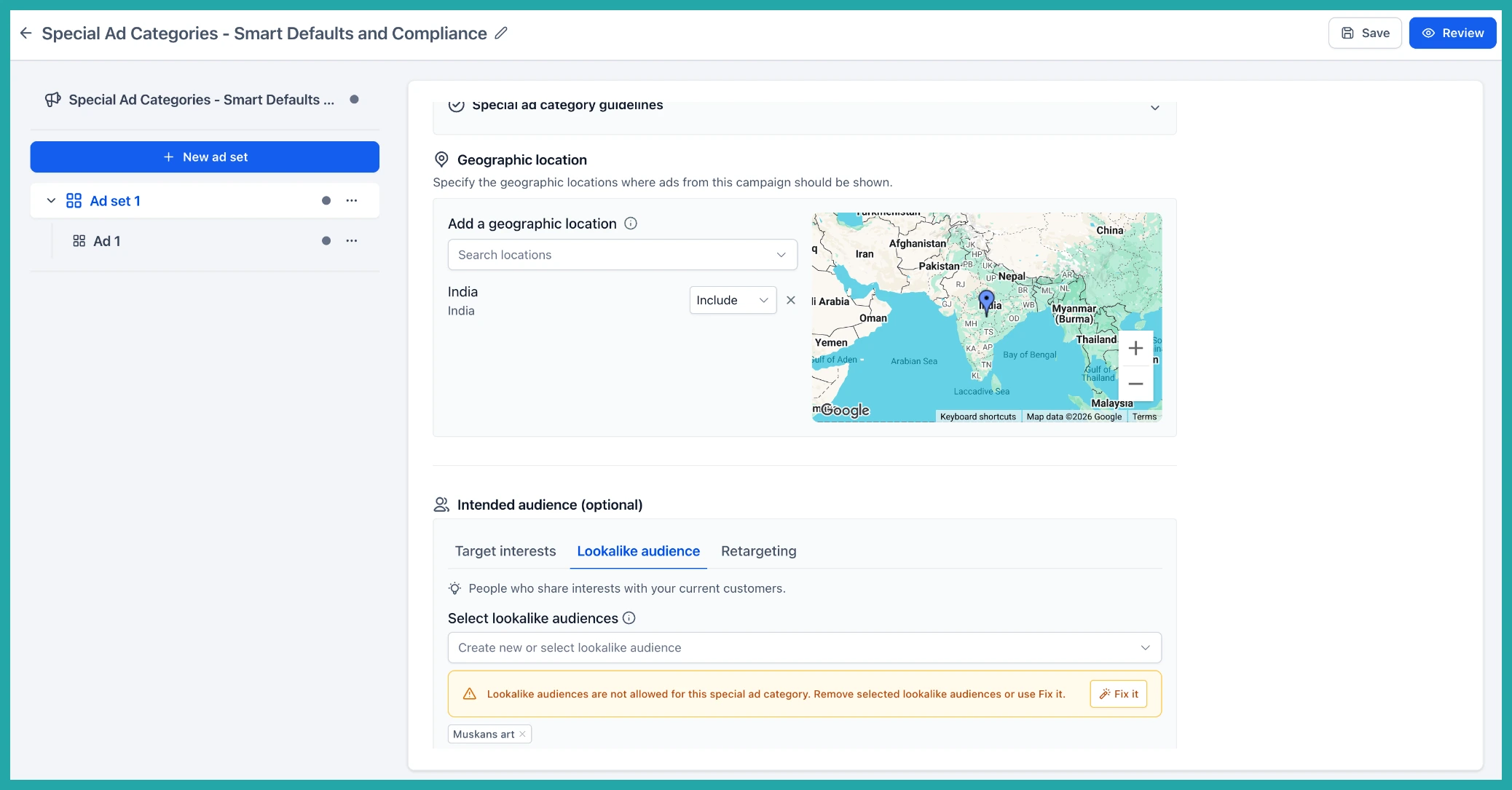
Running ads in one of those categories? Next time you build one, watch for the banner - it's about to save you a rejection.
