
Build Your Own Branded Mobile App Using AI, No Code Needed
A quick heads-up: this one's in Labs
It's an early feature you turn on yourself in Settings > Labs inside your account. It works, but it's still in development - the documentation and support is limited and not everything will behave perfectly yet.
If you like getting your hands on new things early, switch it on and have a play. If you'd rather wait for the finished, fully-supported version, leave it off and we'll let you know when it lands.
A branded mobile app used to mean hiring developers or squeezing your business into a fixed template. Now you can describe the app you want, choose your branding, and let the Client App Builder design and build it for you. No code, and it connects straight to the Client Portal you already use.
Your members, courses, communities, files and appointments stay exactly where they are. Only the experience around them becomes yours.
Describe the app you want
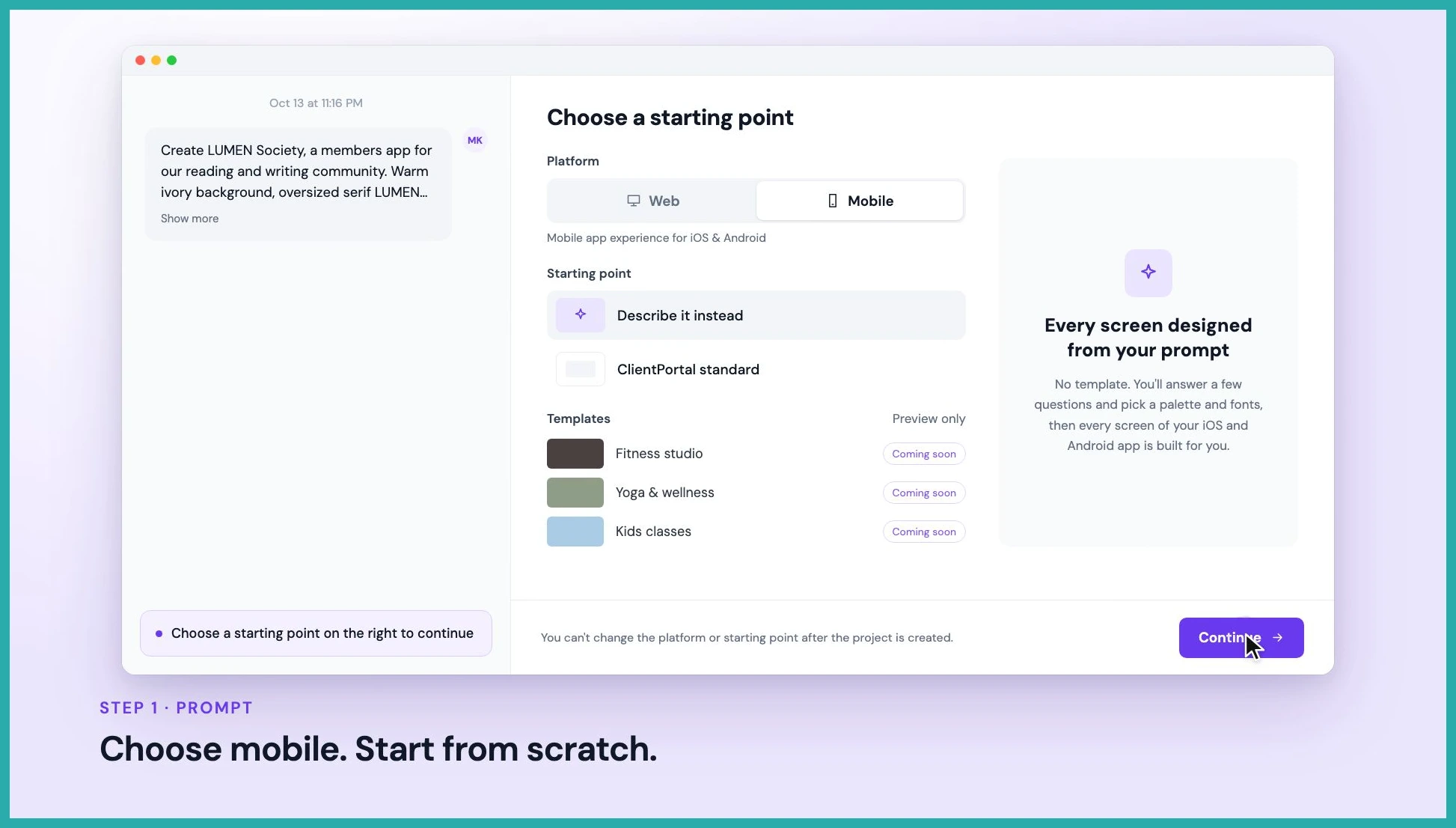
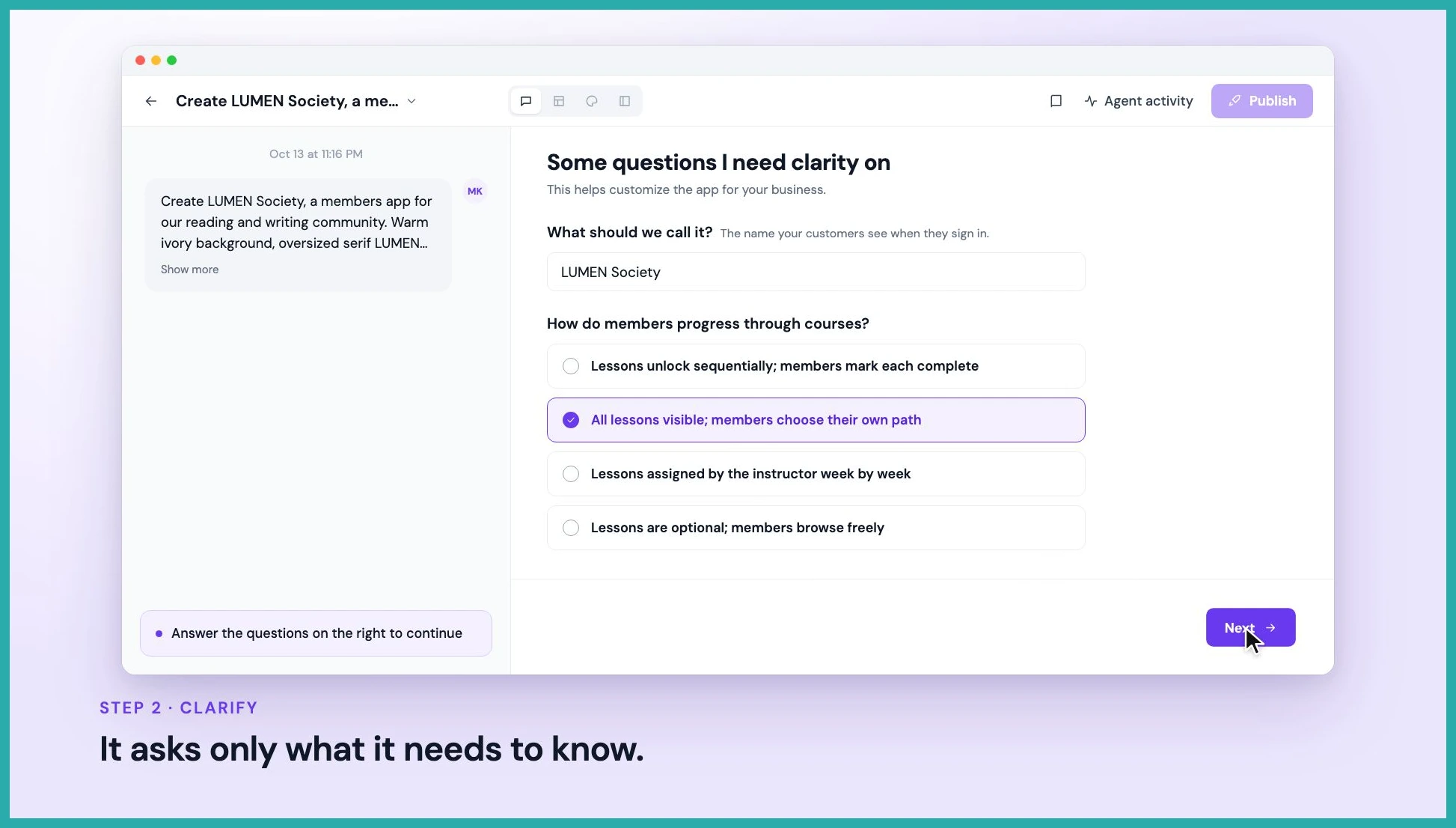
Open the builder and choose Mobile as your app type. Then tell it, in plain language, what your business is, who it's for, and the features you want. The AI reads your description and generates the screens, layout and functionality to match.
In the screenshot below, you'll see the builder ready for your description. Treat it like explaining your business to a helpful friend - the more detail you give, the closer the first version lands.
Make it your brand
Next, pick a design system and a brand board. This is where your logo, colours and images come in, so the app looks like it belongs to you rather than a generic template.
Preview it on a phone
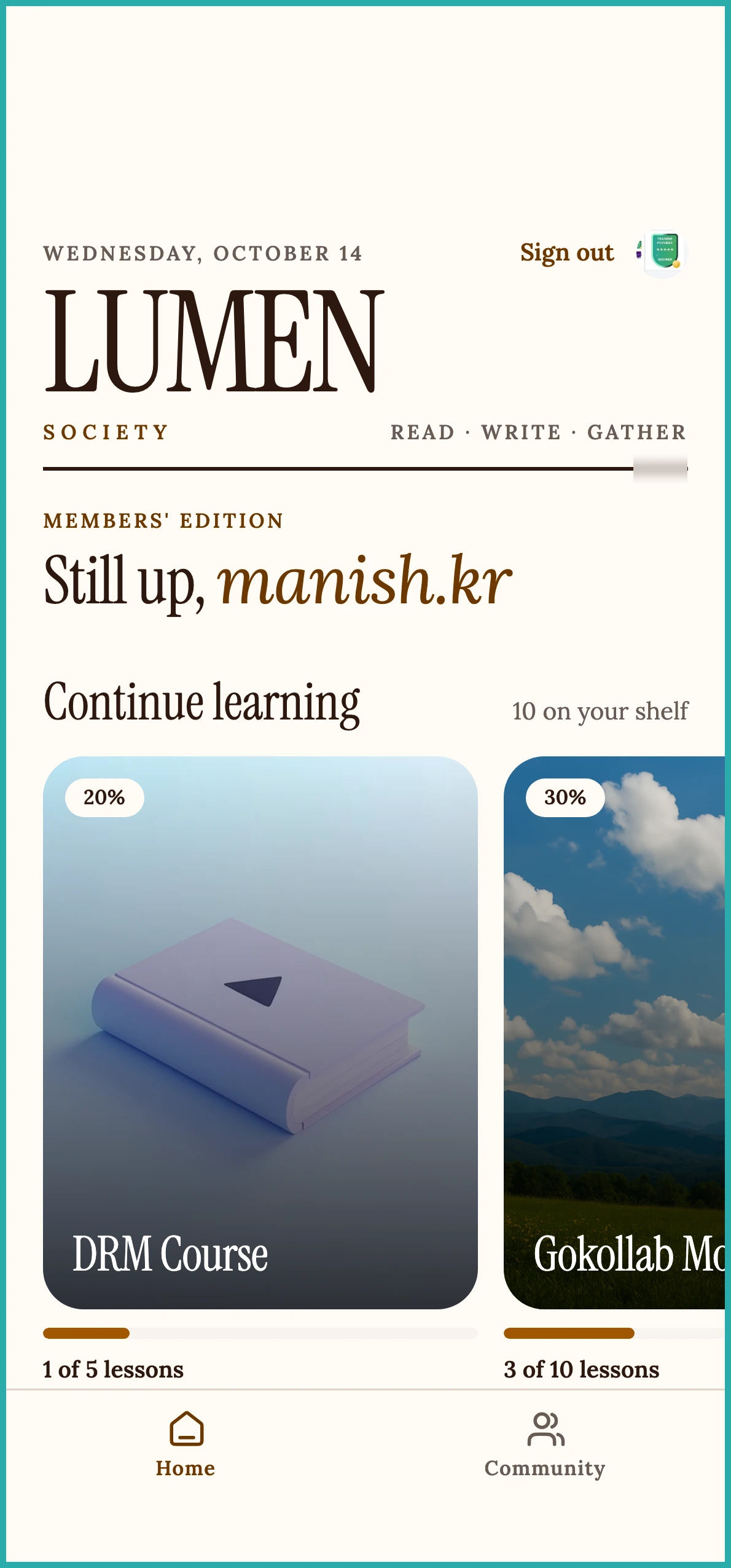
Before you publish anything, you get a live mobile preview. You can see how your app looks and behaves on an actual phone screen, so there's no guessing.
In the screenshot below, the preview shows your branded home screen with your content pulled in. Sign-in, sign-up and member onboarding with join codes are already built, so people can get into the app and reach their courses, communities and appointments.
Refine it through conversation
Not quite right? You don't start over. Just type what you want changed - move a screen, adjust a layout, add a feature - and the AI updates it without losing the design you already have. You can keep going until it feels like yours.
It also supports native mobile features like camera and photo access, plus custom objects if you want members managing records directly from the app.
Publish your Android app
When you're happy, click Publish and the builder generates an installable Android app for you. You'll see the build progress as it works, and any errors flagged clearly if something needs a second look.
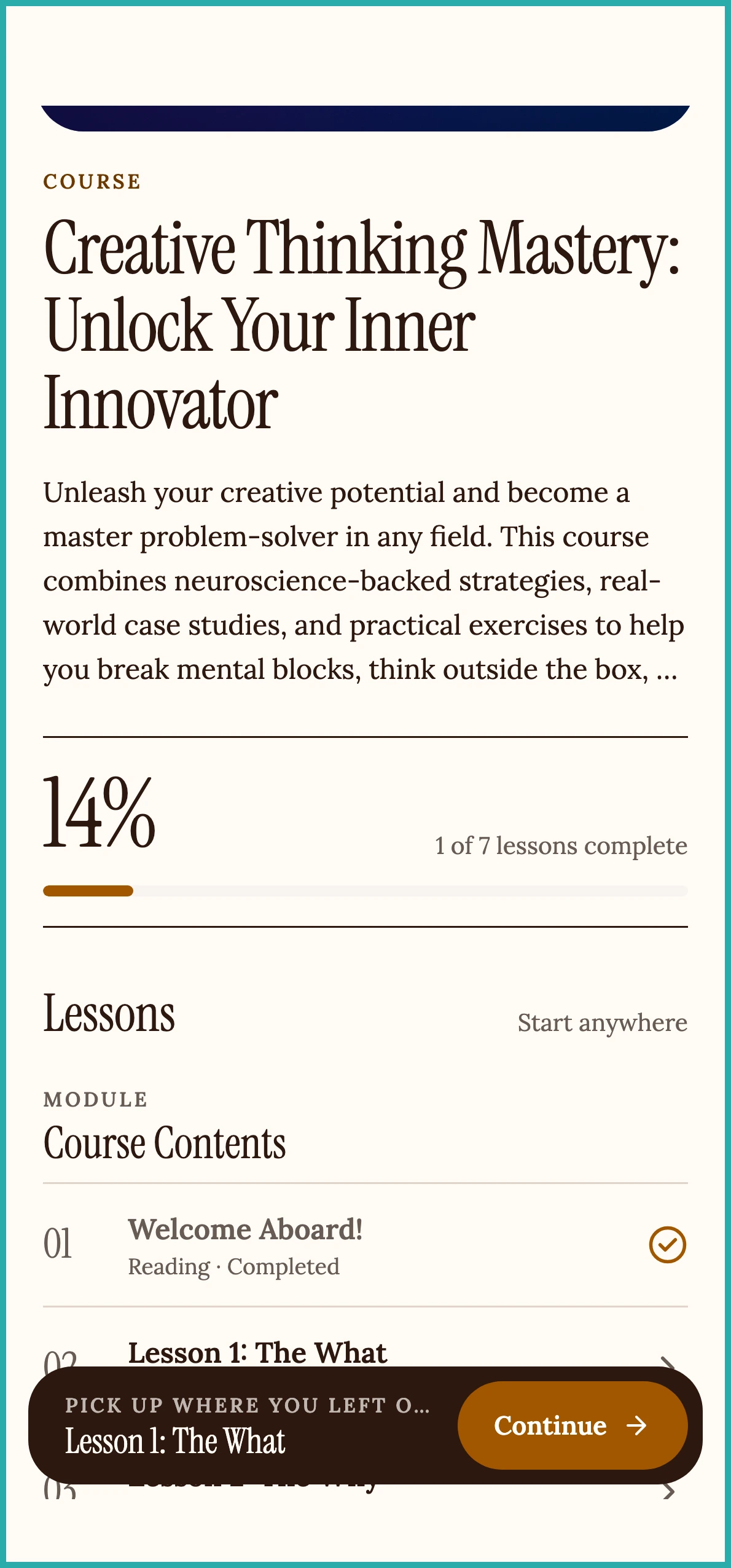
For now this covers Android publishing. iOS, ready-made templates and faster builds are on the way. If you've been wanting a mobile home for your members, this is a genuinely easy way to try one - go describe your app and see what it builds.
