
Your Brand Fonts Now Carry Straight Into Your Mobile App
A quick heads-up: this one's in Labs
It's an early feature you turn on yourself in Settings > Labs inside your account. It works, but it's still in development - the documentation and support is limited and not everything will behave perfectly yet.
If you like getting your hands on new things early, switch it on and have a play. If you'd rather wait for the finished, fully-supported version, leave it off and we'll let you know when it lands.
You've put real work into picking the right fonts for your brand. Then you build your mobile app and the typography doesn't quite match everything else you've made. Close, but not the same.
That gap is gone. Your Brand Board fonts now carry straight into your mobile app, so your heading and body text look the same as your website, funnels and Client Portal.
Choosing your brand fonts while you build
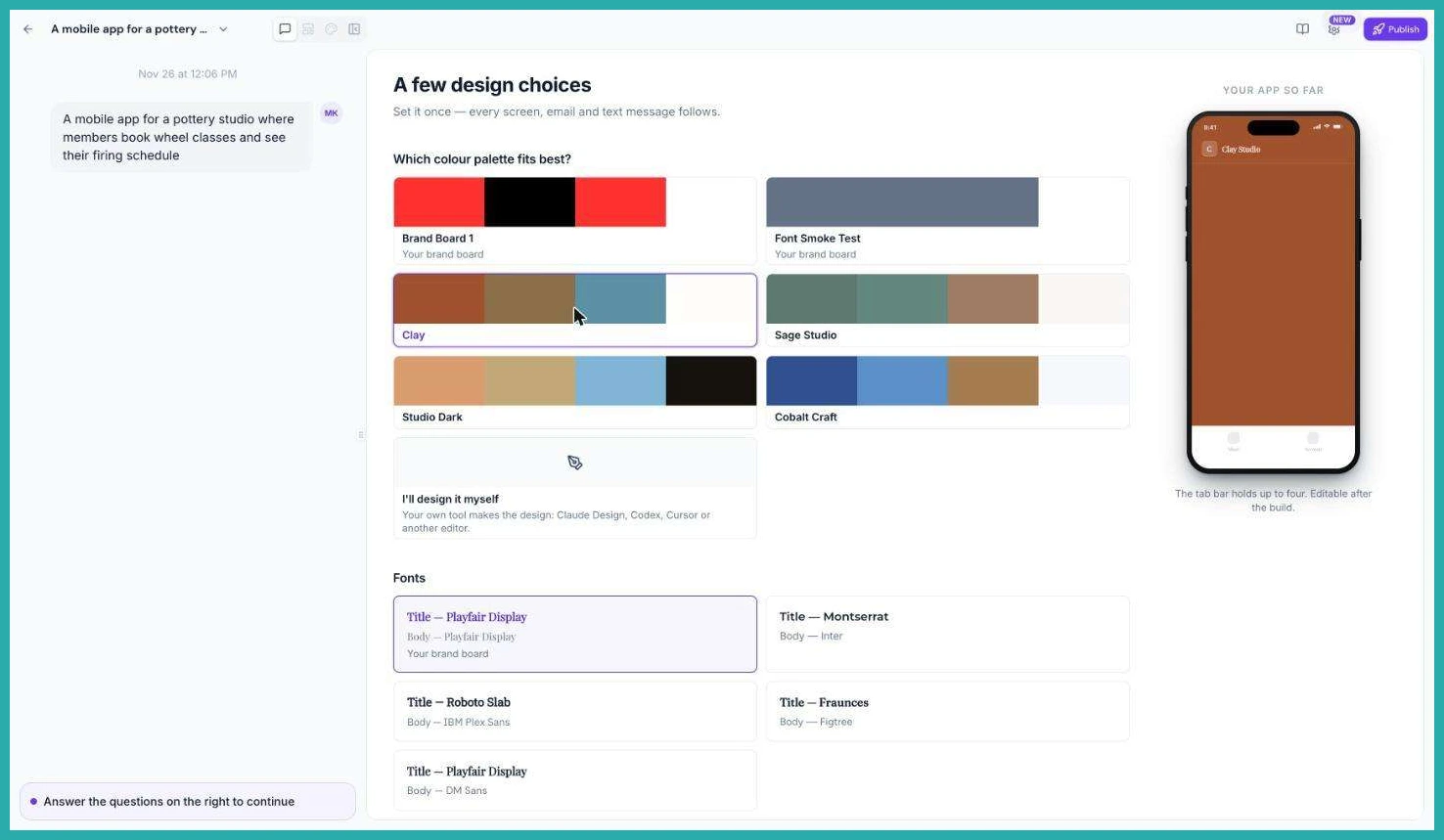
When you start creating your app in Client App Builder, you'll reach the step called A few design choices. This is where the magic happens.
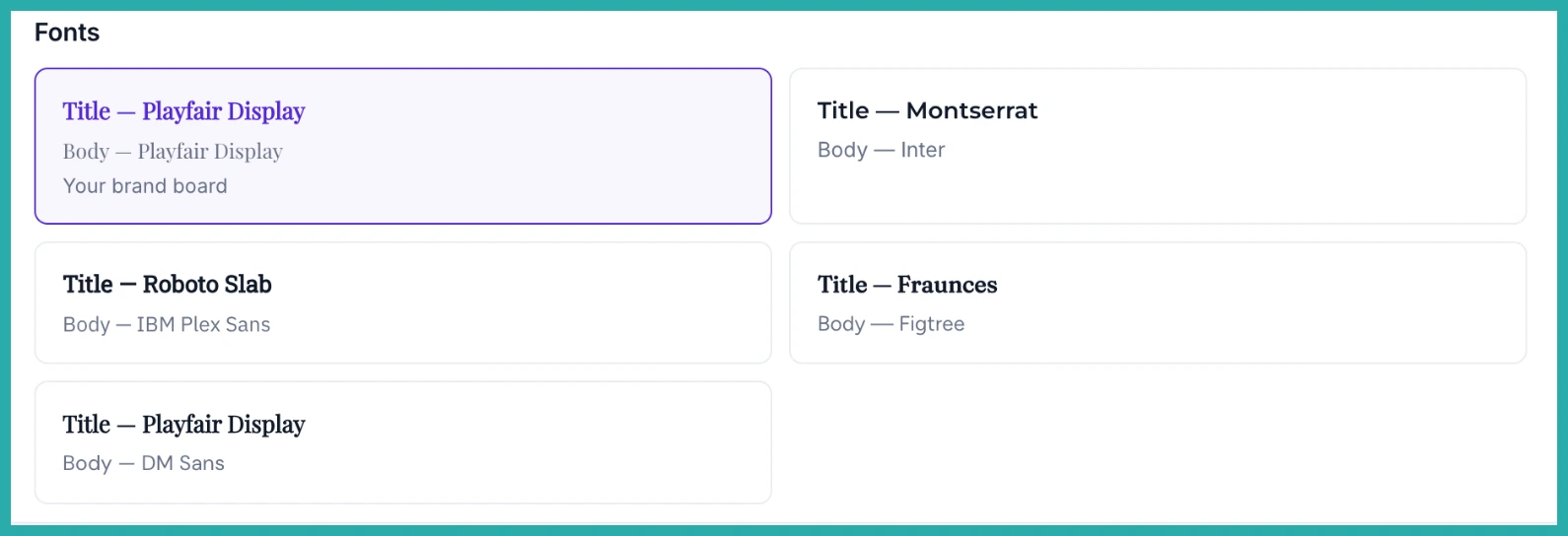
In the screenshot below, you'll see your Brand Board's heading and body fonts offered up as a recommended option. Pick Your brand board font and the system knows exactly which fonts to use.
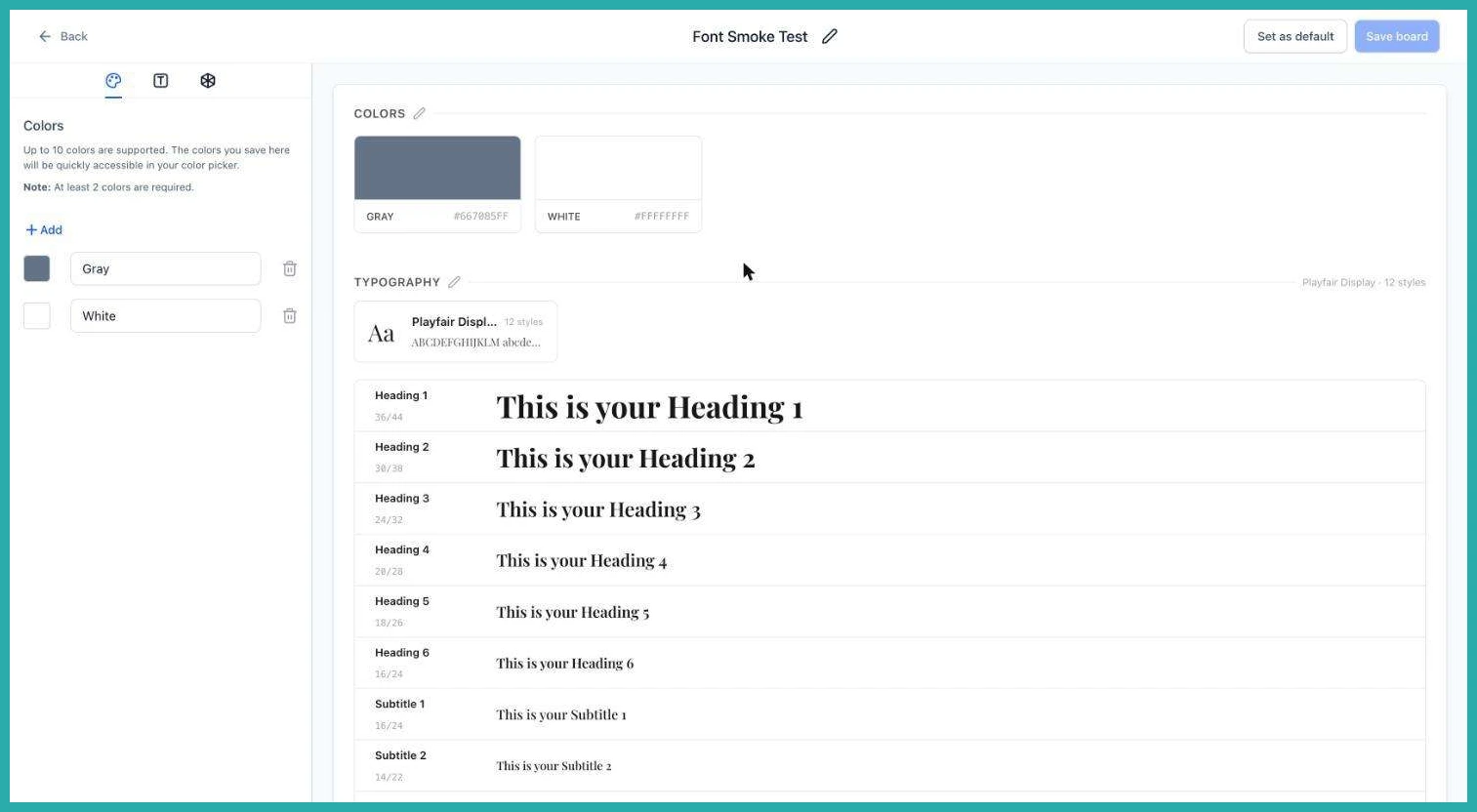
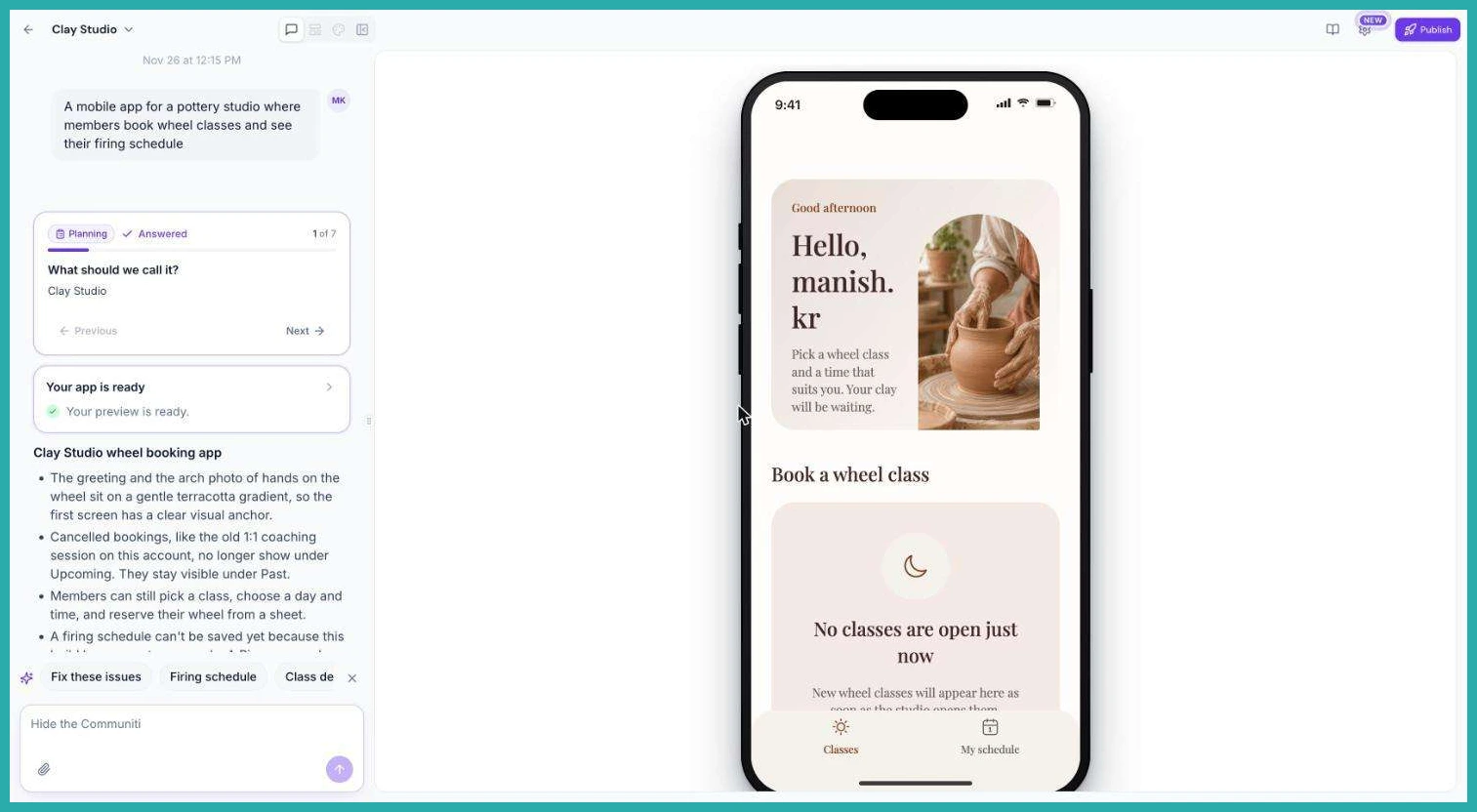
From there, just keep building. Your chosen fonts are applied automatically to headings and body text throughout the app, including the preview you see as you work. No selecting fonts screen by screen.
Your fonts stay put as you refine with AI
If you tidy up your app using AI prompts, your brand typography stays intact. The AI adjusts things like styling, spacing and font weights, but it won't swap out the fonts you chose. Your brand identity holds steady while the rest gets polished.
Changing fonts later
Want to switch things up after your app is built? Open the Mobile Customizer. In the screenshot below, you'll see your Brand Board fonts listed and labelled (Brand Board) right alongside the other font options, so you can pick between them whenever you like.
One thing to know
For a font to carry across, it needs to be available through Google Fonts. Any fonts that aren't supported, including ones you've privately uploaded, will fall back to a built-in alternative that's as close as possible.
If you've already got your Brand Board set up, this is one less thing to configure. Build your app, pick your brand fonts once, and your look stays consistent everywhere your business shows up.
