
Your Booking Forms Can Now Control What Happens After Someone Books
You've been able to attach a custom form to your bookings for a while, and the show/hide field logic has always worked during booking. But everything that happened after someone booked - the confirmation page, redirects, custom messages - was still controlled by your calendar settings, not your form.
That gap is now closed. Your custom form can take full control of the booking experience from start to finish, once you switch it on.
What landed
When you enable one new setting, the post-booking rules built into your custom form take over. That means:
- Redirect someone to a specific URL based on their answers
- Show a personalised confirmation message
- Disqualify a lead who isn't the right fit
- Let the form's On Submit action decide the confirmation experience instead of the calendar
All of it driven by what your customer actually answers while booking.
Turning on form control
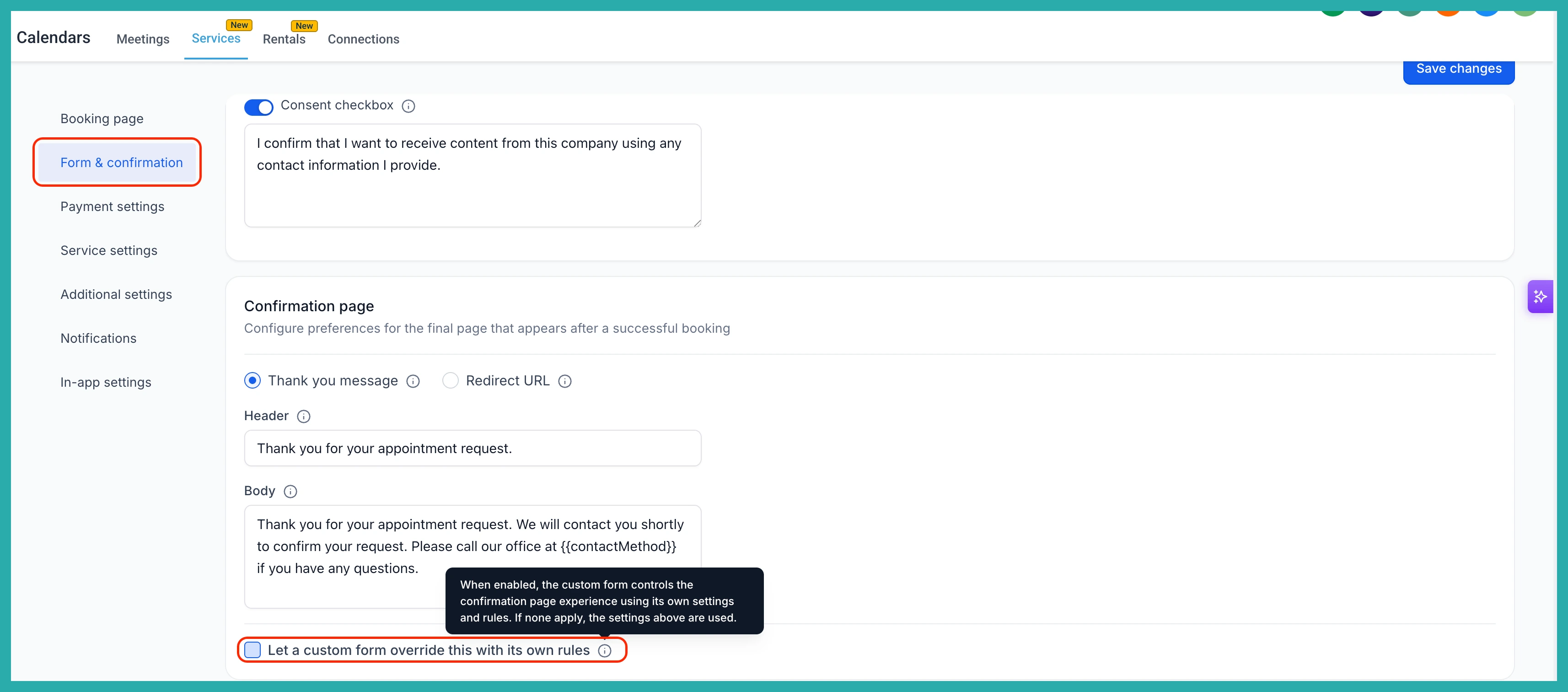
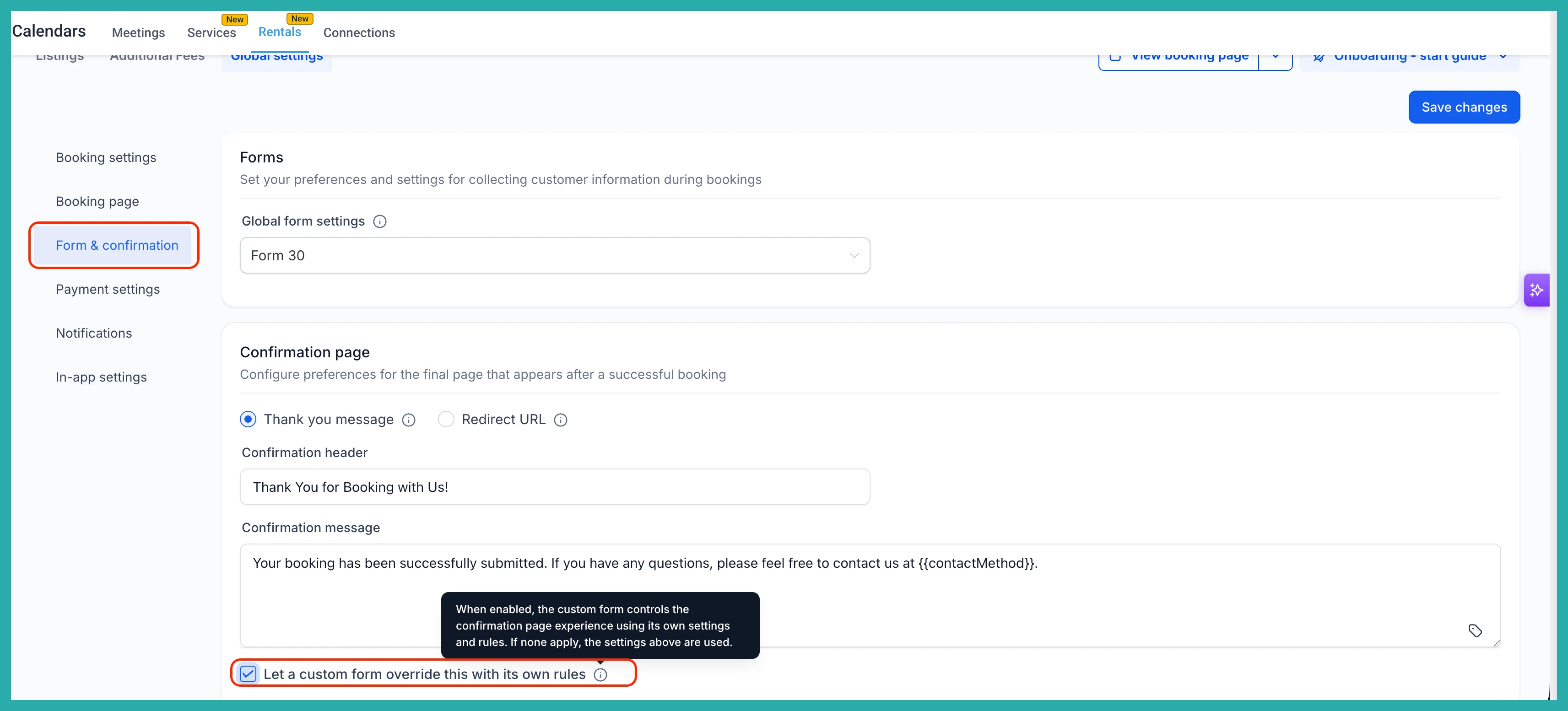
Head to Services or Rentals, then open Global settings and go to Form & confirmation. Pick a custom form under Global form Settings.
Now, under the Confirmation page section, tick the box that says "Let a custom form override this with its own rules." There's a tooltip right there that spells out exactly what enabling it does, so you're never guessing.
That single checkbox activates full form control across all your listings and services in one place.
Checking it at the listing level
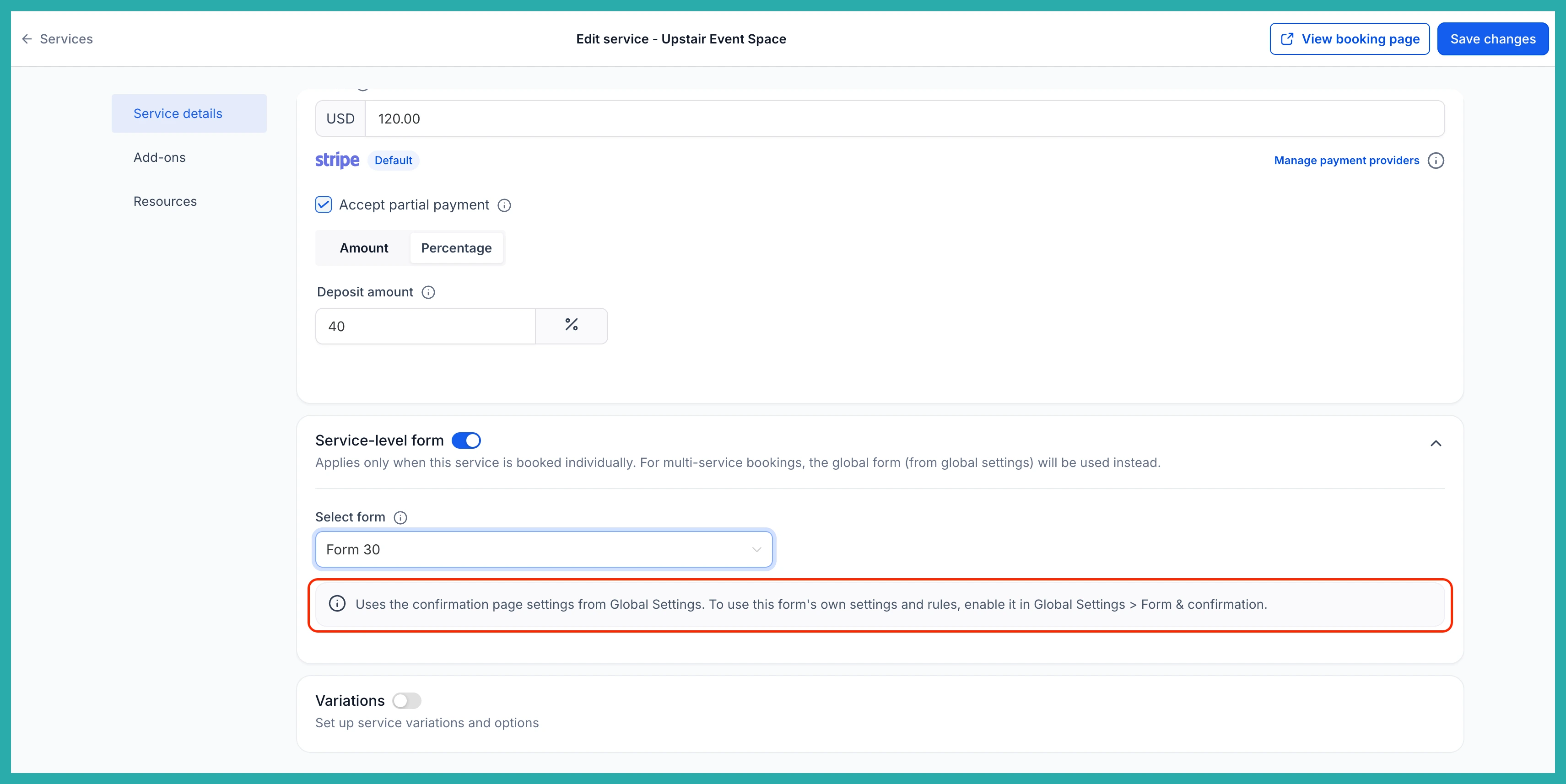
When you select a custom form on an individual listing or service, a new inline banner appears and tells you if and exactly how that form's rules will behave. No hunting through settings to work out what will happen - it says it plainly, right where you're working.
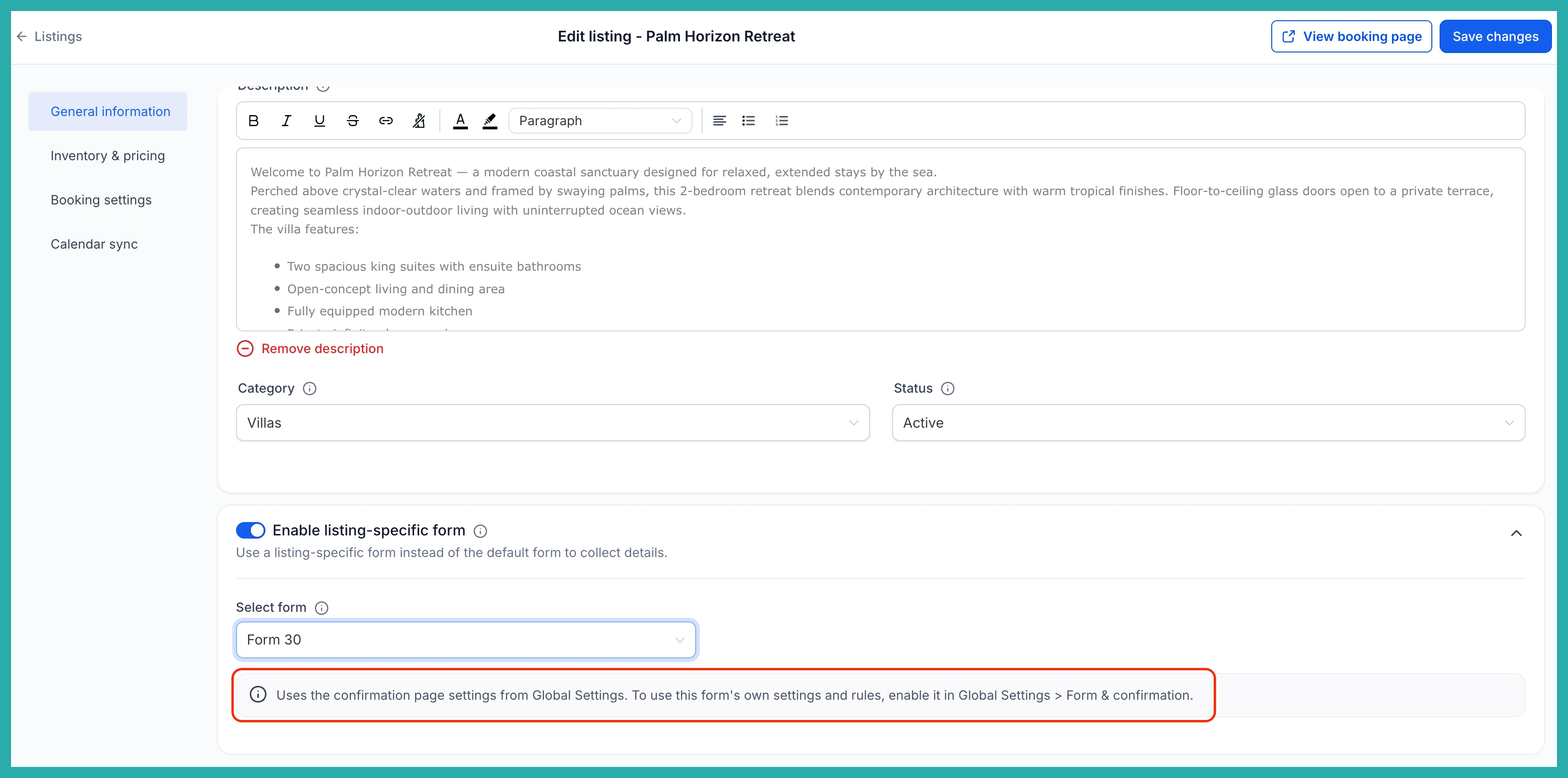
The show/hide field conditions from your form still apply automatically during booking, so there's nothing extra to set up for those.
Nothing breaks if a form has no rules
Here's the part that keeps existing setups safe. If your attached form doesn't have any applicable post-booking rules, the confirmation page falls back to whatever you've set in Global Settings. So you can attach a form without worrying that it'll leave customers stranded on a blank page.
If you've been wanting your booking flow to send different people to different places, now it can. Switch it on, check the banner, and let your form do the work.
