
Clients Can Now Book Your Rentals Straight From the Client Portal
If you rent out anything - equipment, vehicles, spaces, a studio, a trailer - you've probably been sending clients a separate booking link for it. One more link to manage, one more place for them to get lost.
That friction is gone. Rentals now live right inside the Client Portal, next to their meetings and service bookings.
What you get
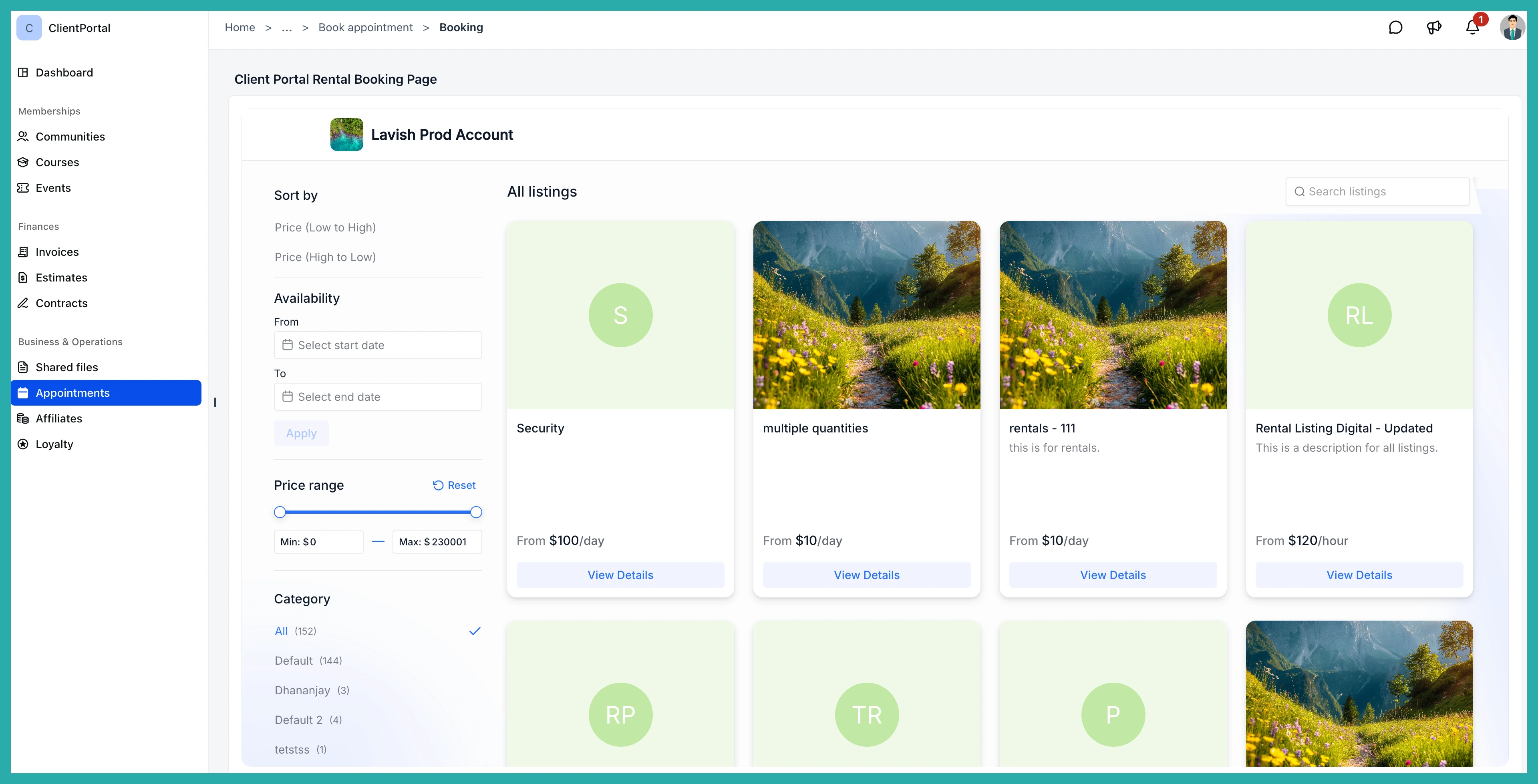
Your clients can now browse your available rentals, pick their dates and times, and book - all without leaving the portal. Their details get pre-filled, so there's less typing and fewer steps to finish a booking.
If they need to cancel an eligible booking, they can do that from the portal too, based on the rules you've set.
And everything they've booked with you - meetings, services, and rentals - now sits together under Appointments, split into Upcoming and Past. One place for them to look, instead of three.
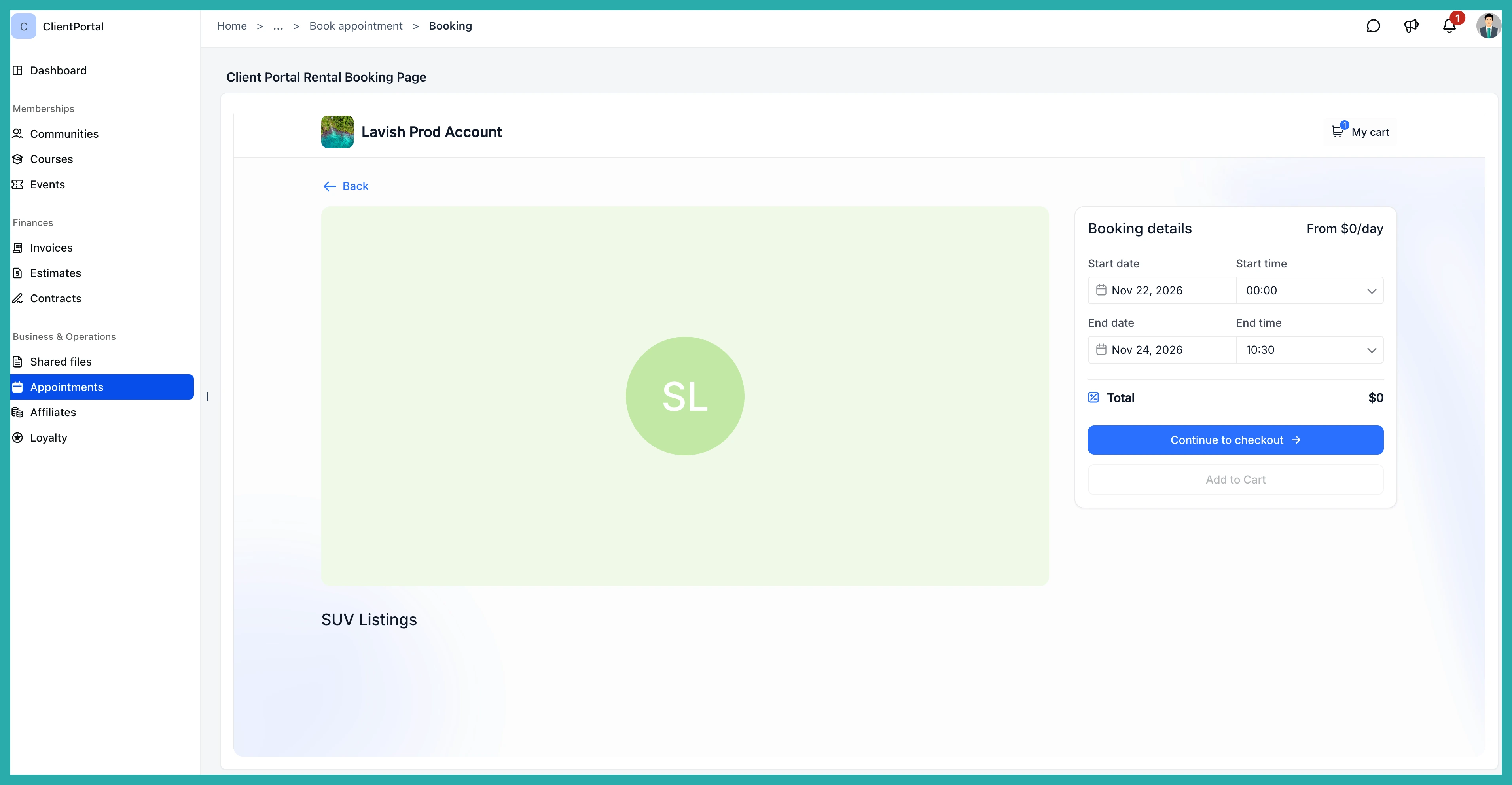
You stay in control of what's visible. If you'd rather not offer rental booking through the portal, you simply leave it switched off. Your call.
How to turn it on
There are two quick things to set, and then you're done.
Step 1: Enable rental booking
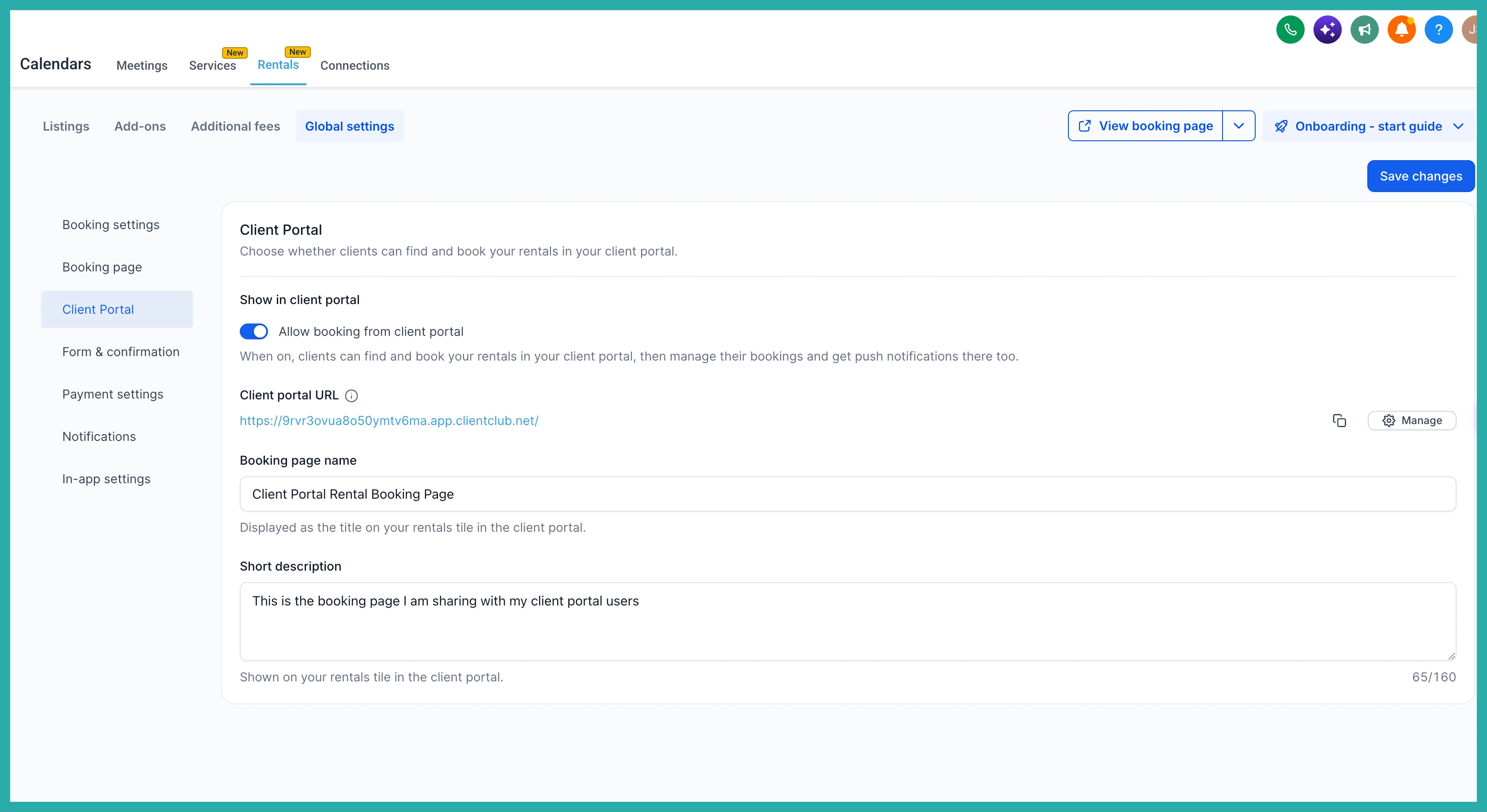
Go to Calendars, then Rentals, then Global Settings. Under Client Portal, switch on Allow booking from client portal, and click Save changes.
In the screenshot below, you'll see that same setting saved and ready. That one toggle is what opens rentals up inside the portal.
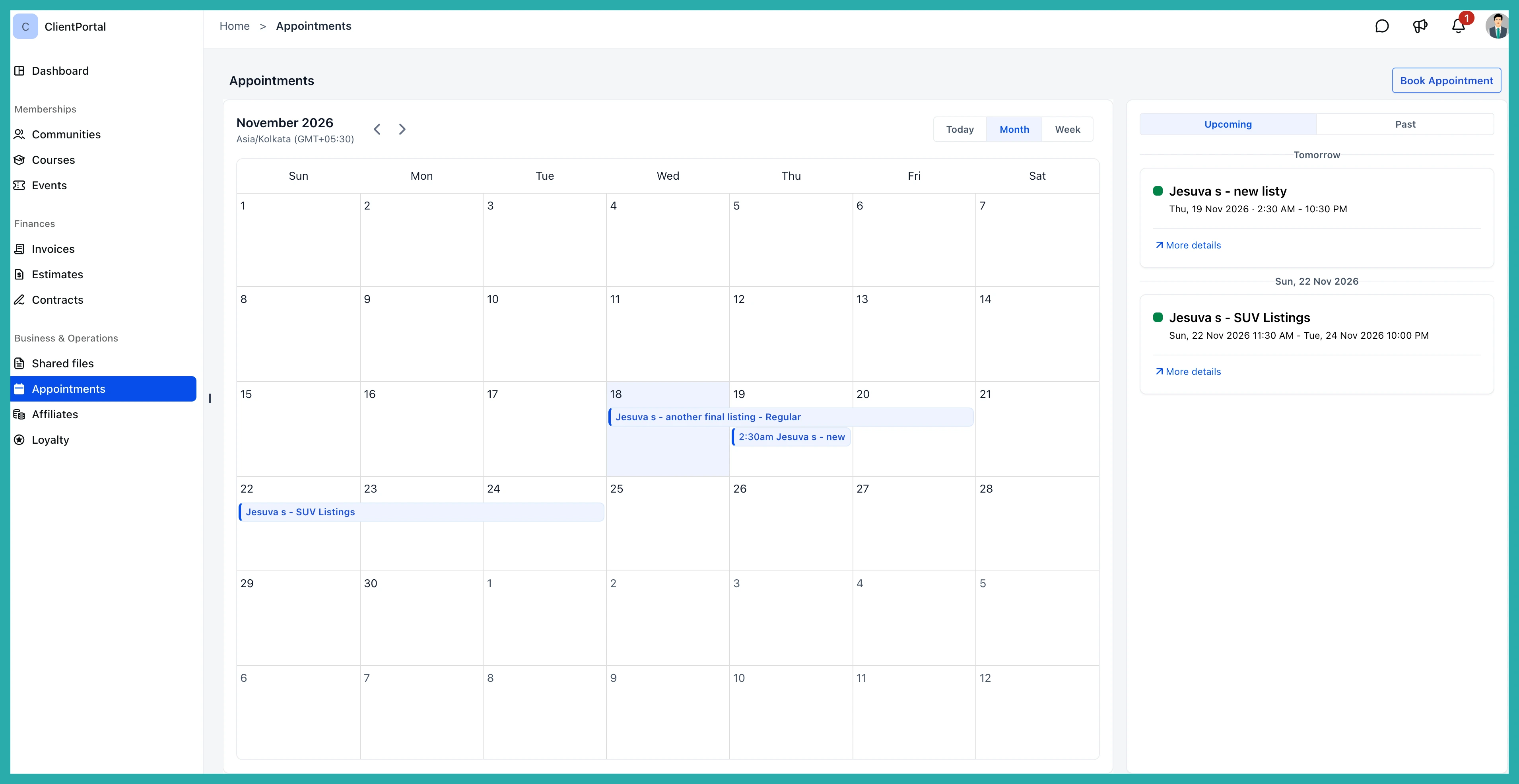
Step 2: Check Appointments is switched on
So clients can actually see and manage their bookings, head to Memberships, then Client Portal, then Settings, then App Permissions. Make sure Appointments is enabled.
That's the whole setup. Once both are on, your clients can discover and book your rentals the same way they book everything else with you.
A quick note on availability: this works for any account with Rentals enabled and is supported in the new Client Portal look.
If you rent anything out, go flip those two switches now - it takes about a minute, and it saves your clients chasing a separate link every time.
