Blog Post Delete and Restore Is Now Available in ESC Hub
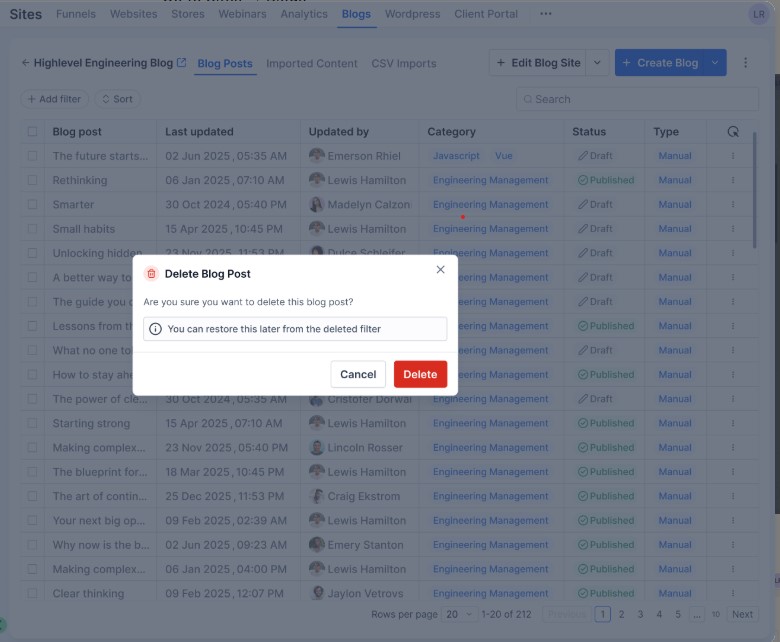
Deleting a blog post in ESC Hub no longer means it's gone for good. A new Delete and Restore feature means deleted posts are now recoverable for up to 30 days - so an accidental deletion doesn't have to mean lost content.
What's changed
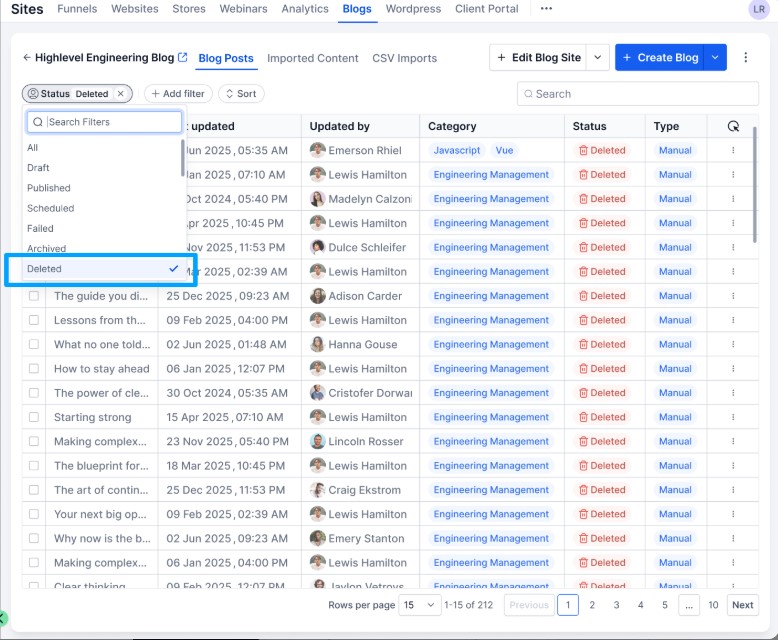
When you delete a blog post, it is now marked as Deleted and hidden from your main post list - but it stays fully recoverable for 30 days. A dedicated Deleted filter lets you:
View all deleted blog posts in one place
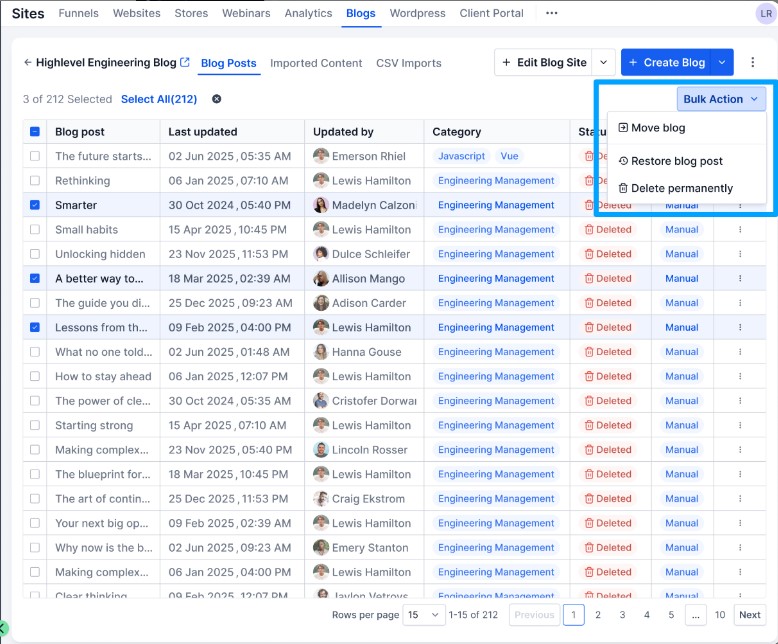
Restore a post with a single click, bringing it back with its original content and status intact
Permanently delete a post when you're ready for it to be gone for good
How to access it
To delete a post, go to Sites - Blogs, open the three-dot menu on the post, click Delete and confirm. To view and restore deleted posts, open the Deleted filter from your blog posts list. You can also bulk restore or permanently delete multiple posts from there.
Why it matters
Accidental deletions happen - especially when you're managing a growing content library. Having a 30-day recovery window means you can manage your blog with more confidence, without needing to contact support to retrieve something you didn't mean to remove.