
Ask Your Calendar Why a Time Slot Isn't Bookable, and Get a Straight Answer
You set up a calendar, someone tries to book, and the time they want just isn't there. No error, no explanation. Just a slot that won't show.
Working out why used to mean digging through settings or opening a support ticket and waiting.
Now you can just ask.
What you get
Calendar AI - the same assistant you already use to build calendars by chatting to it - can now troubleshoot your availability too. You ask, in normal words, why a slot isn't bookable, and it tells you exactly what's blocking it.
You can ask about a specific time, like "why isn't 5 PM on Aug 8 available on my Sales Call calendar?" and it names the reason straight back.
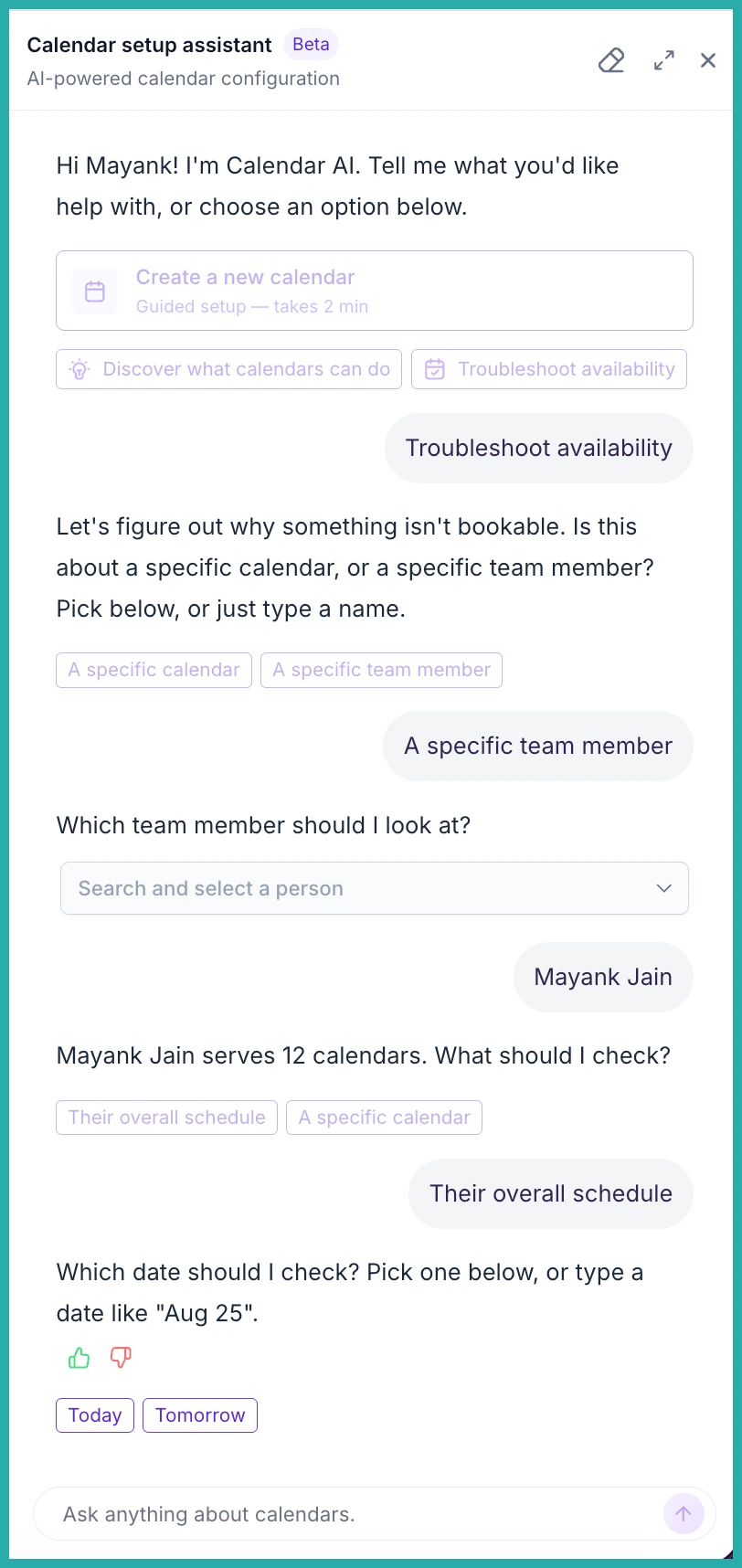
You can ask about a person instead: "why isn't Jane available on Friday?" It checks across every calendar Jane works on, and if she covers more than one, it asks which you mean.
Ask about a whole day and you get a tidy summary instead of a slot-by-slot list. Something like "mornings are outside business hours, 2 to 3 PM is a specific conflict." If you want the fine detail, just ask a follow-up.
It won't make things up
This is the part I like most. If Calendar AI can't produce a clean answer, or something goes wrong on its end, it says so plainly and points you to the full Troubleshooting View. It never guesses or invents a reason. Every answer you get is one you can trust.
It's also sensible about names. If you just type a name, it works out whether you mean a calendar, a team member, or both, and only asks you to clarify when there's genuine confusion. When your question is already clear, it just answers.
How to use it
There's no setup. It's already live in your account.
- Go to Calendars and open the Calendar AI launcher.
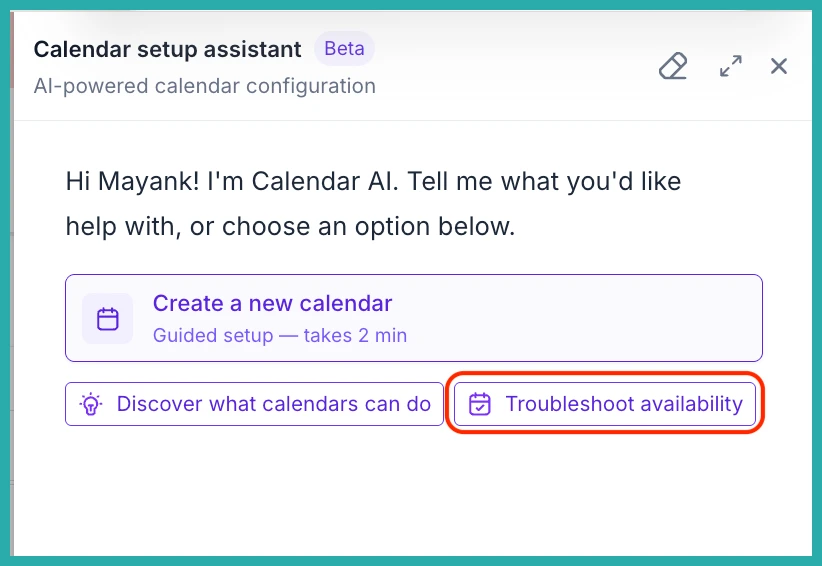
- Select the Troubleshoot availability chip, or just type a plain-language question about a slot, a whole day, a calendar, or a team member.
- Read the answer. If it needs one more detail from you, it'll ask.
In the screenshot below, you'll see the launcher and where to start your question.
And here's the kind of answer you get back - the actual reason a slot is blocked, in plain words.
Next time a booking slot goes missing and you can't see why, don't go hunting. Just ask, and you'll have your answer in seconds.
