
Ask AI on Your Phone Now Gives You Charts, Tables and Actions You Can Tap
You don't run your escape rooms from a desk. You're on the floor, between groups, on a supplier call, miles from your laptop. And until now, the AI assistant on your phone couldn't really keep up. You got flat text, no history to go back to, and no way to act on what it told you.
That has changed. The mobile Ask AI has been rebuilt so you can get real answers and take real action from wherever you happen to be standing.
What landed
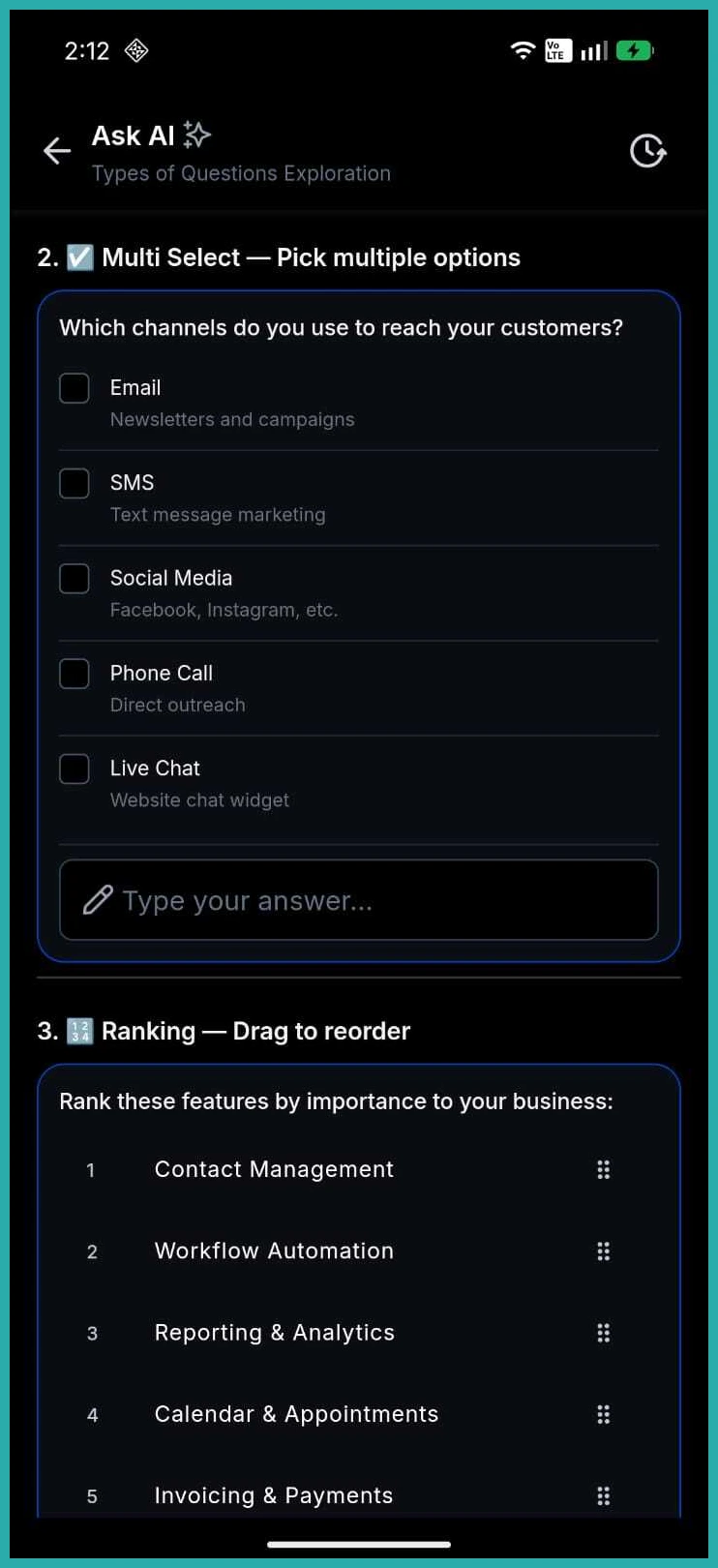
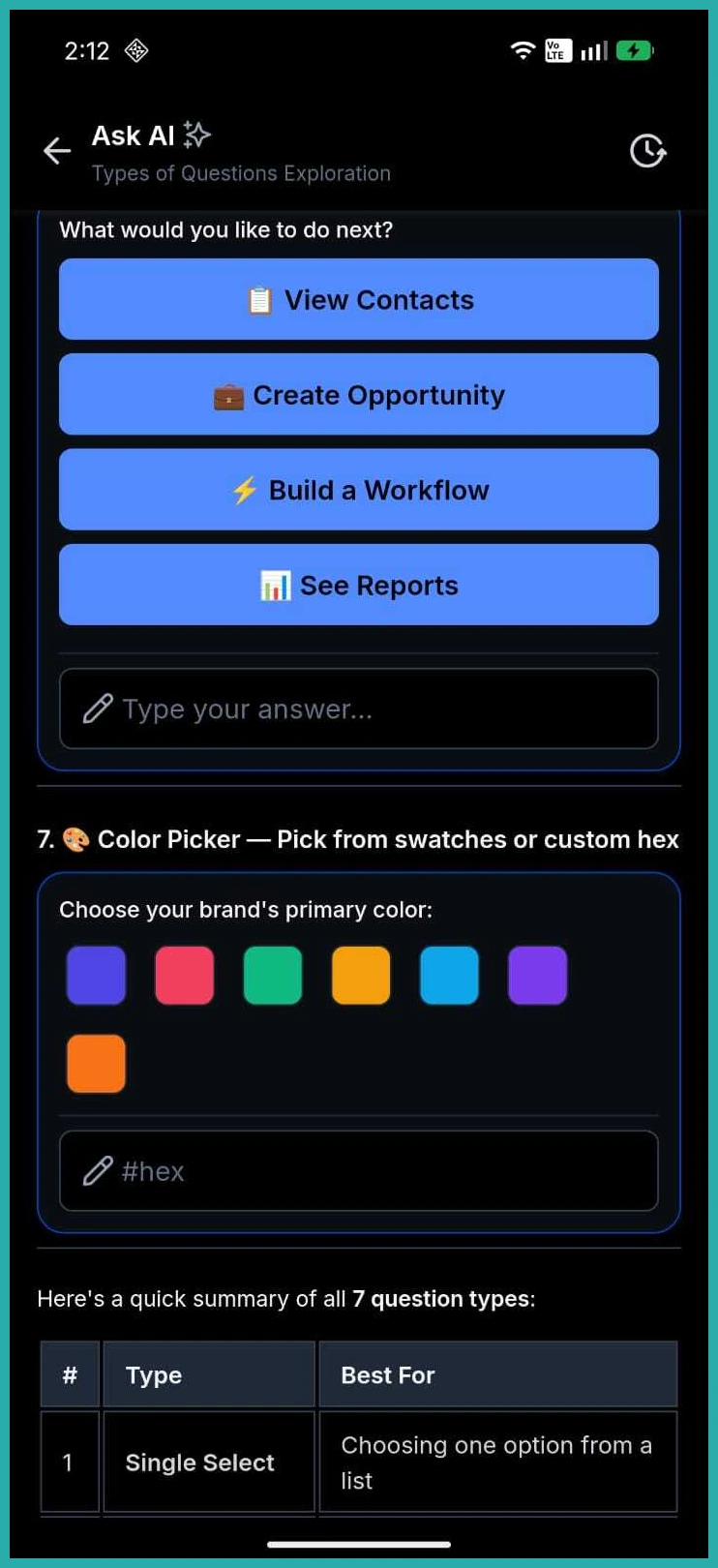
Ask AI now brings the full assistant experience to your phone. Answers stream in as the AI works, your whole conversation history is searchable, and ten different response types render natively and respond to touch. Charts, data tables, code blocks, approval flows, step-by-step question wizards and more, all on the screen in your hand.
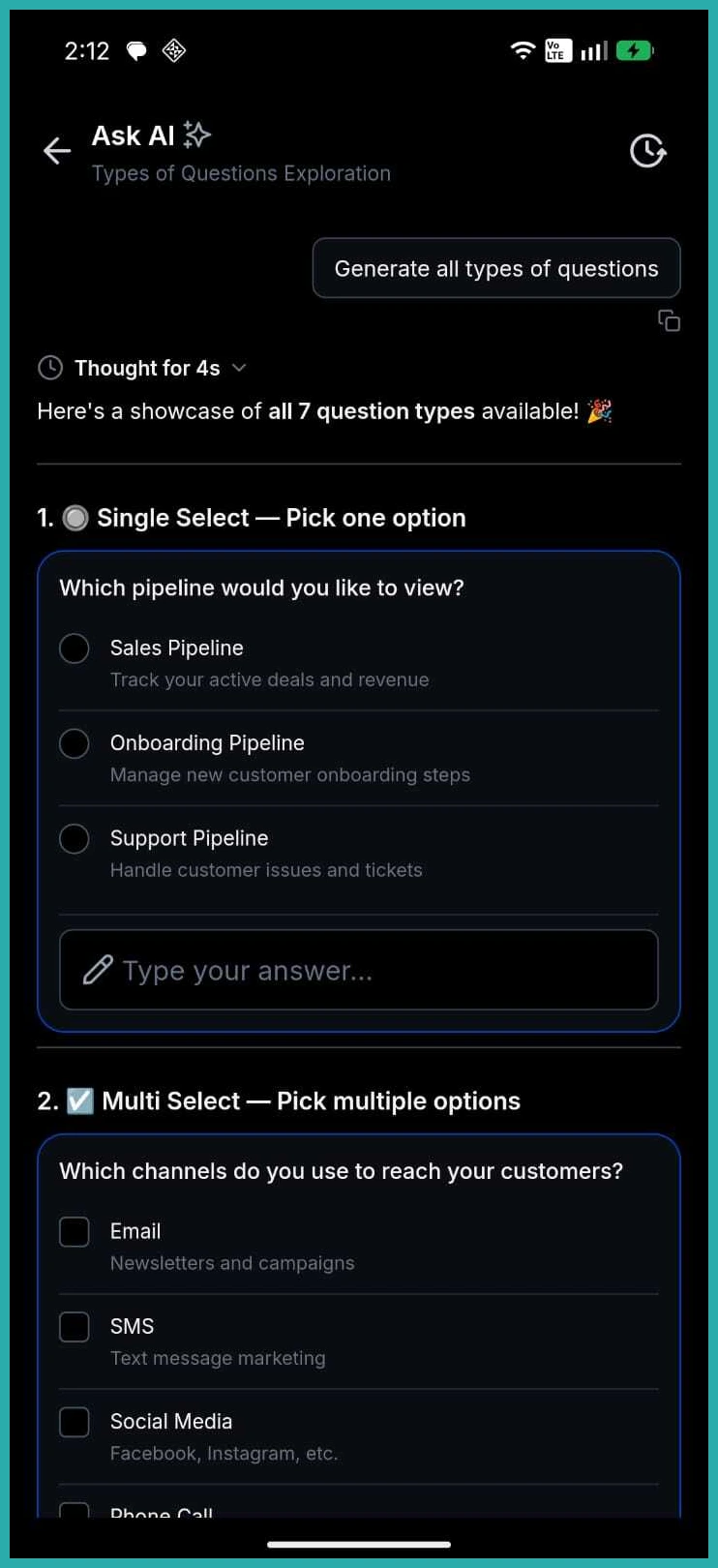
So instead of waiting until you're back at a computer to make a call, you can decide and act on the move.
Decide on the move
Ask a question about your numbers and you don't just get a paragraph back. You get interactive charts and data tables you can tap and explore. That means real insight into your business between meetings, on site, anywhere.
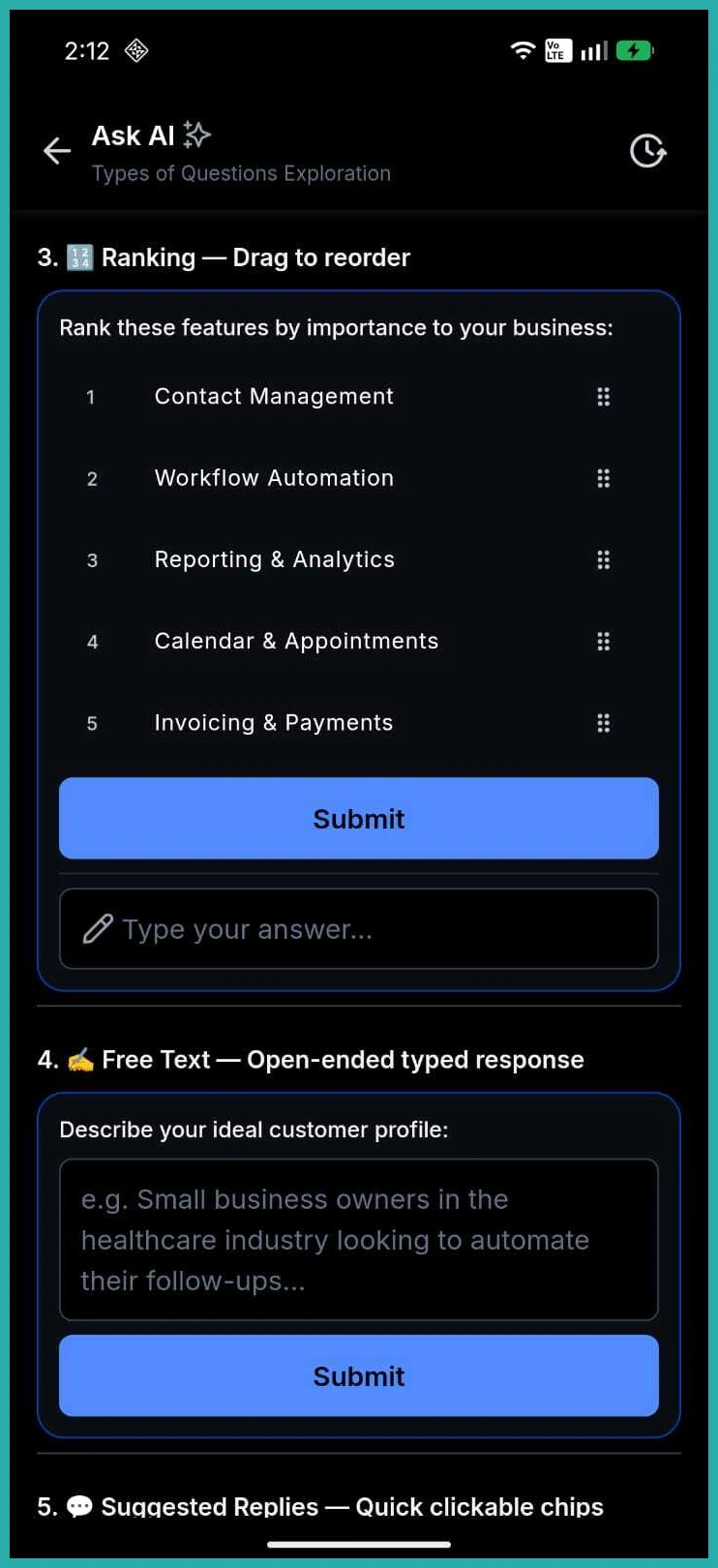
Answers stream in real time, and a live thinking indicator shows you the AI's reasoning as it works rather than leaving you staring at a blank screen waiting for the final answer.
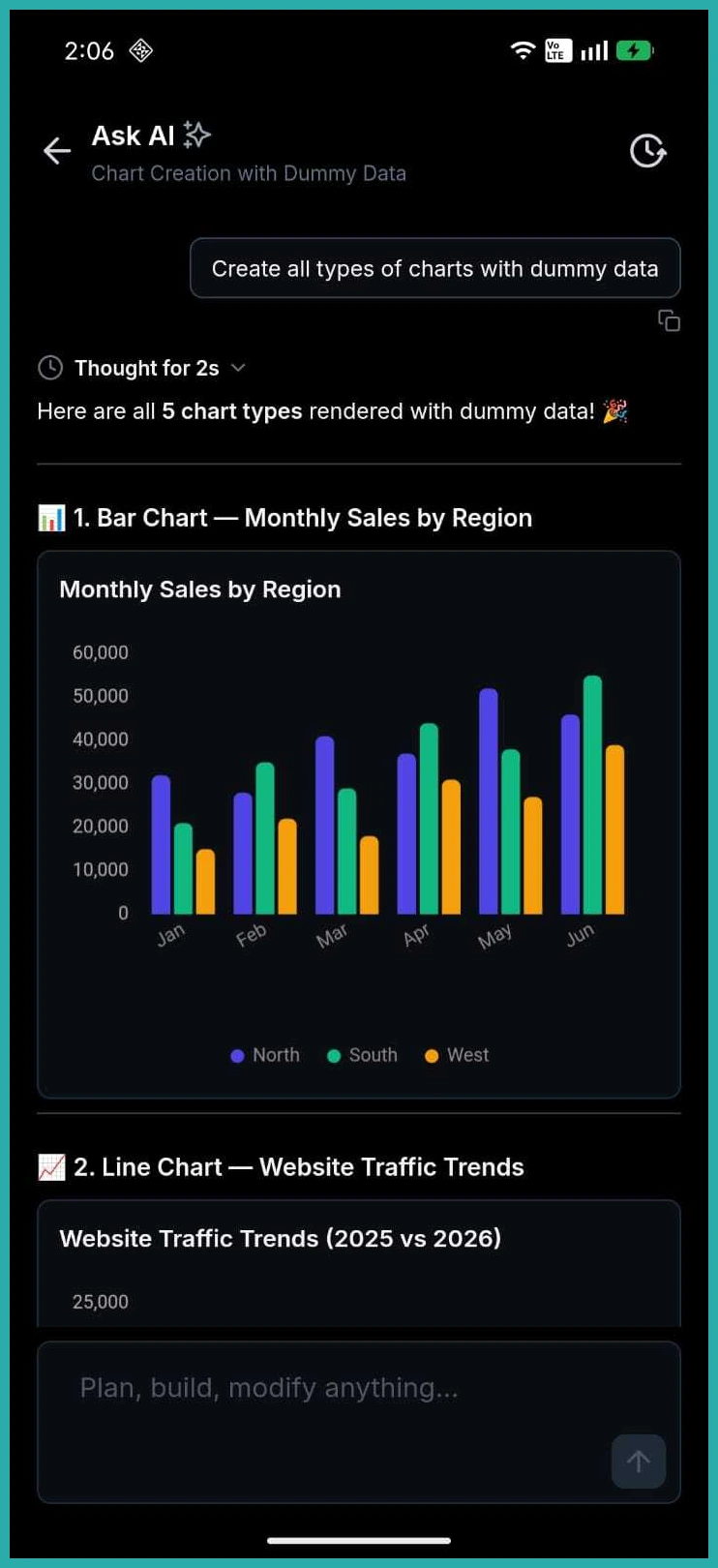
Act, don't just ask
This is the part that saves you the trip back to the desk. Approval flows and multi-step question wizards let you complete structured tasks straight from your phone. You follow the prompts, make your choices, and it's done.
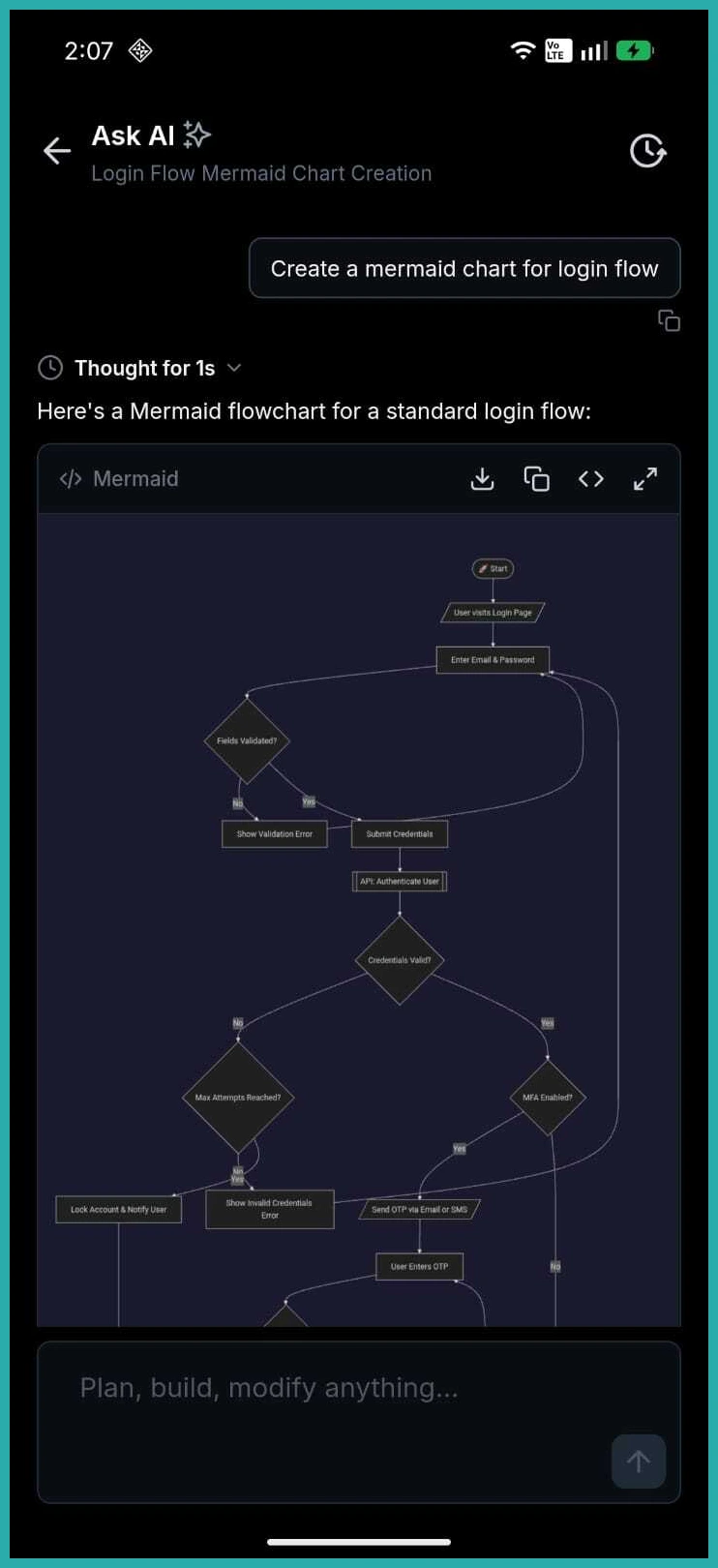
You can also tap Sources to see exactly what a web search turned up, so you can trust what you're looking at.
Never lose a thread
Every conversation is saved and searchable. Pick your phone back up an hour later and you can resume any session right where you left off, no retyping the whole question.
How to get started
- Open the mobile app and tap Ask AI.
- Type your question in the composer bar.
- Interact with what comes back - tap charts, copy code, follow a wizard, or tap Sources to see where the answers came from.
A couple of things worth knowing: it supports full dark mode and matches your device theme automatically, and you can pick your model in settings.
Next time you've got a question and you're nowhere near your laptop, just pull out your phone and ask. You'll get an answer you can actually do something with.
