
Ask AI Is Now One Tap Away With a Home Screen Widget
You're between clients, on a job, or staring at a receipt you want to make sense of. You reach for Ask AI, and first you unlock your phone, find the app, open it, start a new chat, then decide how to ask. By the time you're ready, you've lost your train of thought.
There's now a much shorter path. You can drop an Ask AI widget straight onto your home screen, and start a fresh chat in a single tap.
What you get
The widget gives you three ways in, all sitting right on your home screen.
- Chat bar: opens a new chat with the keyboard ready, so you can start typing straight away.
- Voice: opens a new chat in hands-free voice mode, handy when you're on the move.
- Camera: opens your camera, attaches the photo to a new chat and waits for your question.
That last one is the standout winner for anyone working with things in front of them. Snap a document, a product, a job site or a receipt, and ask about it on the spot. No taking a photo first, then hunting for the attach button.
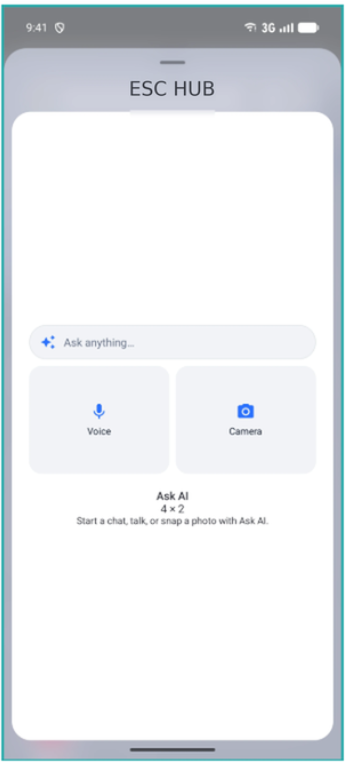
The widget matches your app too. It uses your language and your brand colours, in both light and dark mode, so it looks like part of the furniture rather than something bolted on. If you tap it while signed out, your request is picked up again once you sign back in, so nothing gets lost.
How to add it to your home screen
It takes about a minute, and it's the same idea as adding any widget to your phone.
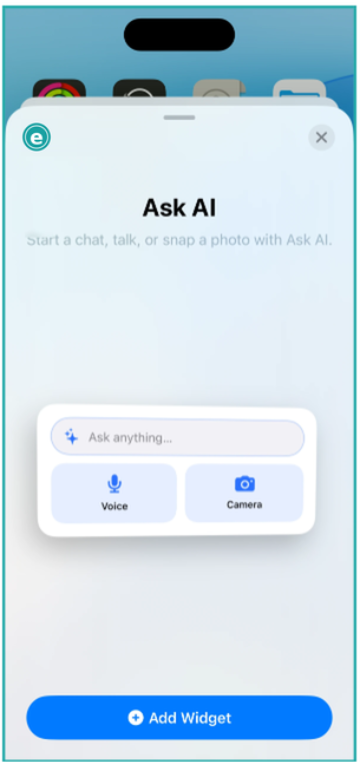
- Long-press an empty spot on your home screen, then tap + on iOS, or Widgets on Android.
- Search for your app, pick the Ask AI widget and add it to your home screen.
- Tap the chat bar, Voice or Camera to start a fresh Ask AI chat.
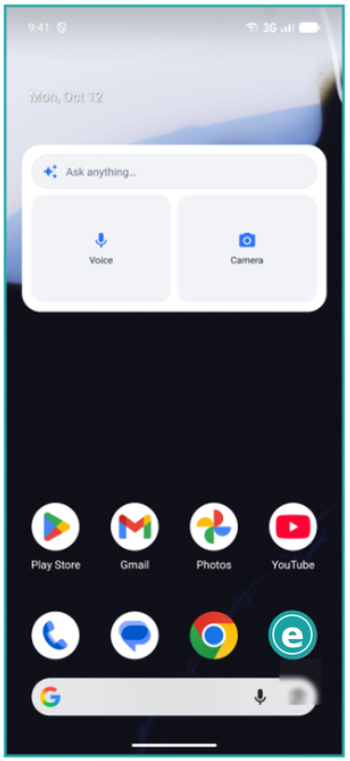
Once it's in place, Ask AI is always one tap away. In the screenshot below, you can see the three entry points sitting ready, so you choose how you want to ask before you even open a chat.
A couple of notes
This is available on app version 4.27.0 and later, on iOS 16.6 and up, and on Android, for accounts with Ask AI switched on.
If you're running a White Label app, the widget is opt-in and off by default. You turn it on per company with the "Ask AI Home Widget" switch in your service dashboard.
Give it a spot on your home screen today, and the next time you need a quick answer you'll be typing, talking or snapping a photo in seconds.
