
Ask AI now reads any contact for you - one tap for a full relationship summary
You open a contact in the middle of a call, and you need to know where things stand - fast. Up to now that meant digging through conversations, appointments, deals and tasks, one tab at a time.
On the Escapepreneur® mobile app, Ask AI now does that digging for you. Tap it from any contact and you get a summary of the whole relationship already on screen.
What you get
There's a new Ask AI icon at the top of every contact. Tap it and you see a summary card built from your real data, not written by AI. It pulls together:
- Last message: which channel, and how long ago
- Next appointment: with its status, including your own custom ones, plus a "+N more" when others are coming up
- Biggest open deal: its pipeline and stage, and how many days since it last moved
- Open tasks: with a badge for anything overdue
Tap any row to jump straight into that record on its usual screen. Everything you can see is already filtered to what you have permission to view.
Three buttons that do the work
Below the card you get three things to tap:
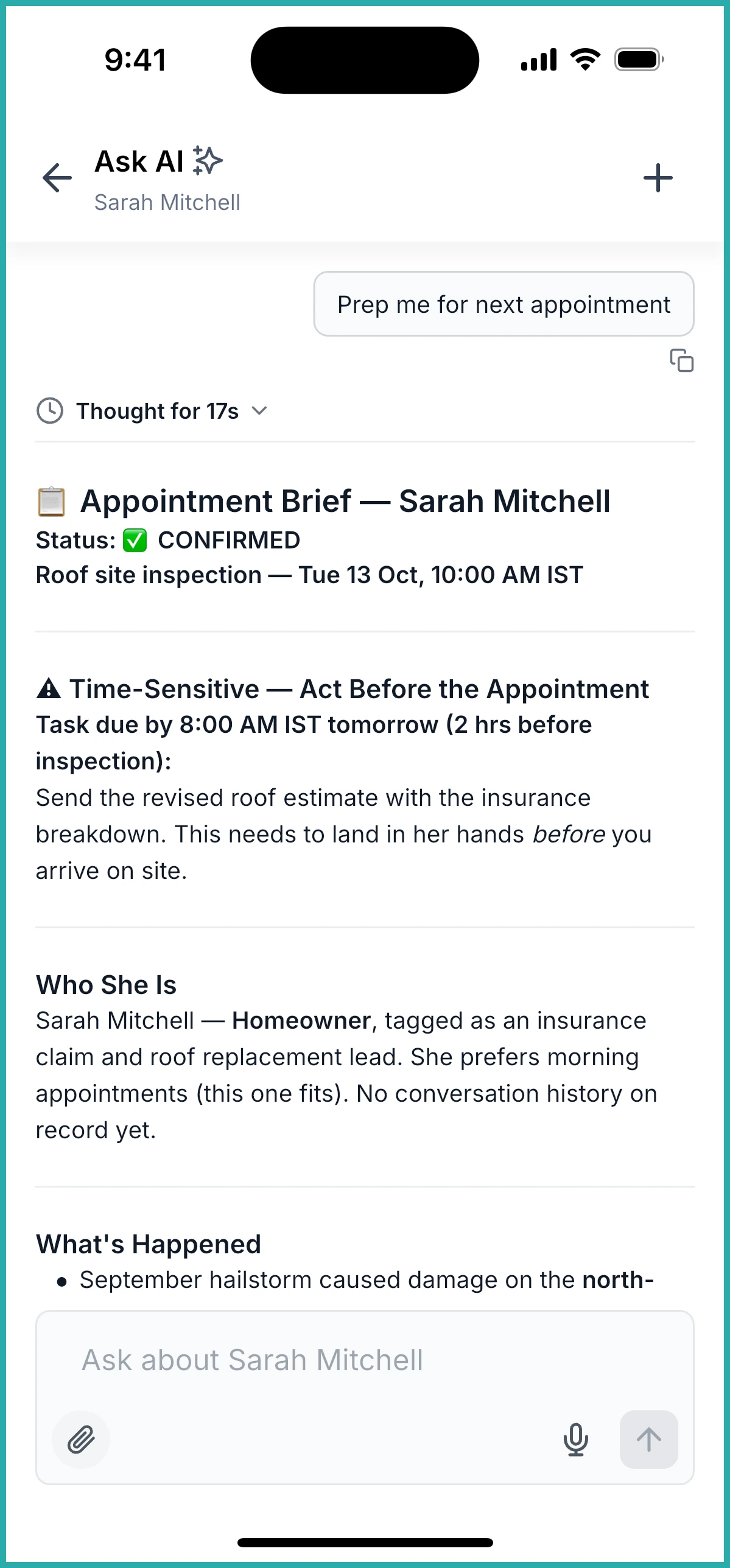
- Prep me for next appointment - a short briefing before you walk in. It shows when there's an appointment in the next 7 days.
- Summarize this contact - a quick recap, offered for every contact.
- Dictate to add a note - speak your words and Ask AI turns them into a proposed note, and a task if one's needed.
Nothing gets saved until you approve it. AI only runs when you ask, and it reads the contact's latest records each time, so it keeps up with changes you make during the chat.
How to use it
Open any contact from Contacts, Conversations or search. In the screenshot below, you'll see a normal contact detail screen.
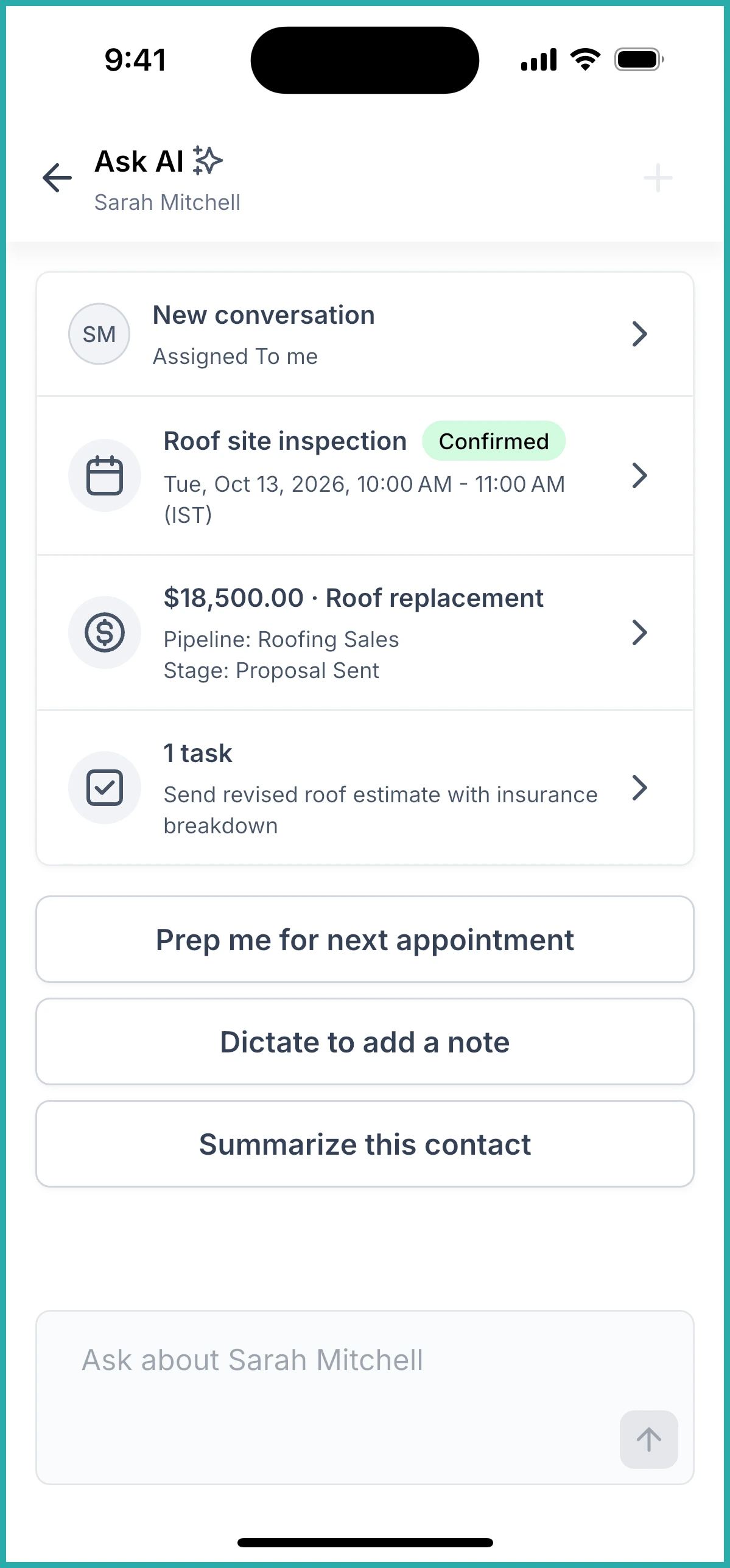
Tap the Ask AI icon in the top bar. The summary card appears with the last message, next appointment, biggest open deal and open tasks all in one view.
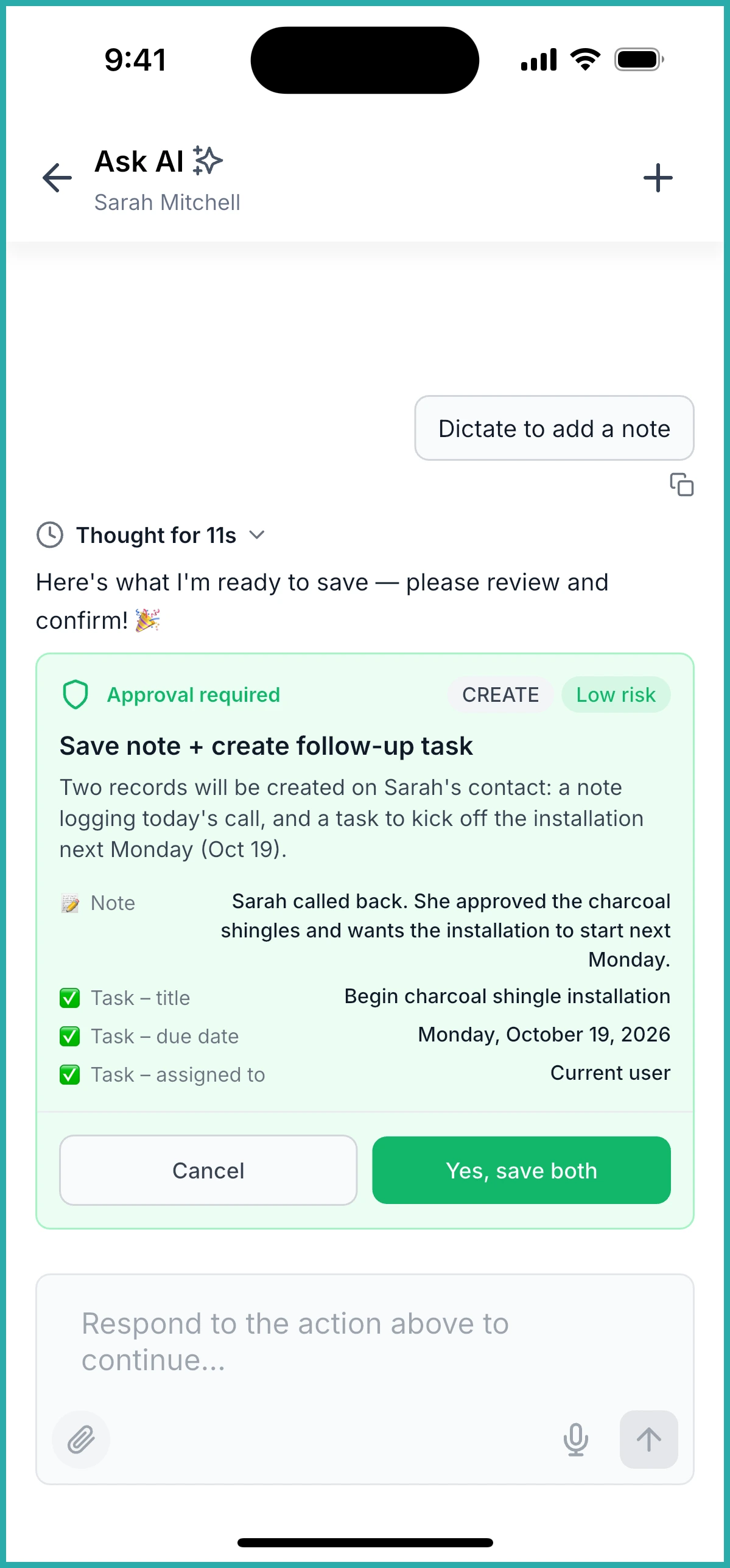
From there, tap a button like Prep me, Summarize or Dictate, or just type your own question about the contact. When you dictate a note, you'll see the proposed note before anything is saved, and you approve it in one tap.
A few honest notes
It works on iOS and Android for anyone who has Ask AI access, with no separate permission to turn on. If your account calls contacts something else, like "patient", the app uses that word. Deal amounts show as plain numbers with no currency symbol. And voice mode isn't in a contact chat yet, so use "Dictate to add a note" for hands-free notes.
Each time you open Ask AI from a contact, a fresh chat starts. After your first message, tap the + in the top bar to start over on the same contact.
Next time you're heading into a meeting, open the contact and tap Prep me. You'll walk in knowing exactly where you stand.
