
One QR Code That Sends People to the Right App Store Automatically
If you've ever promoted an app, you know the awkward part. iPhone people need one link, Android people need another, and you end up either printing two QR codes or sending everyone to a landing page cluttered with download buttons.
That's sorted now. You can create a single App QR Code, and it works out what device someone is on and sends them to the right place on its own.
What you get
One QR code that does the deciding for you. When someone scans it, the system checks their device and routes them automatically:
- iPhone or iPad goes to the Apple App Store
- Android goes to the Google Play Store
- Anything else goes to a fallback link you choose
So the same code can go on your flyers, your website, your business card, and your posts, and everyone lands where they should.
How to set it up
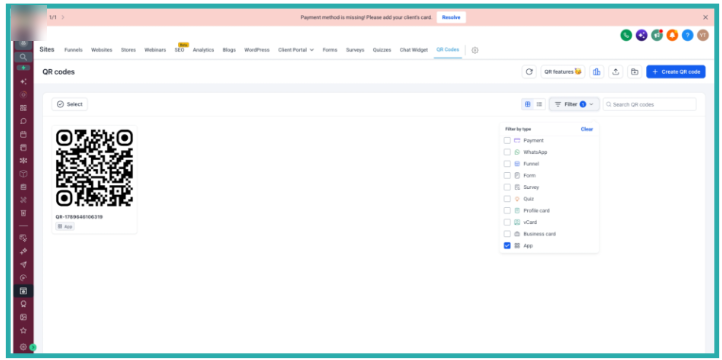
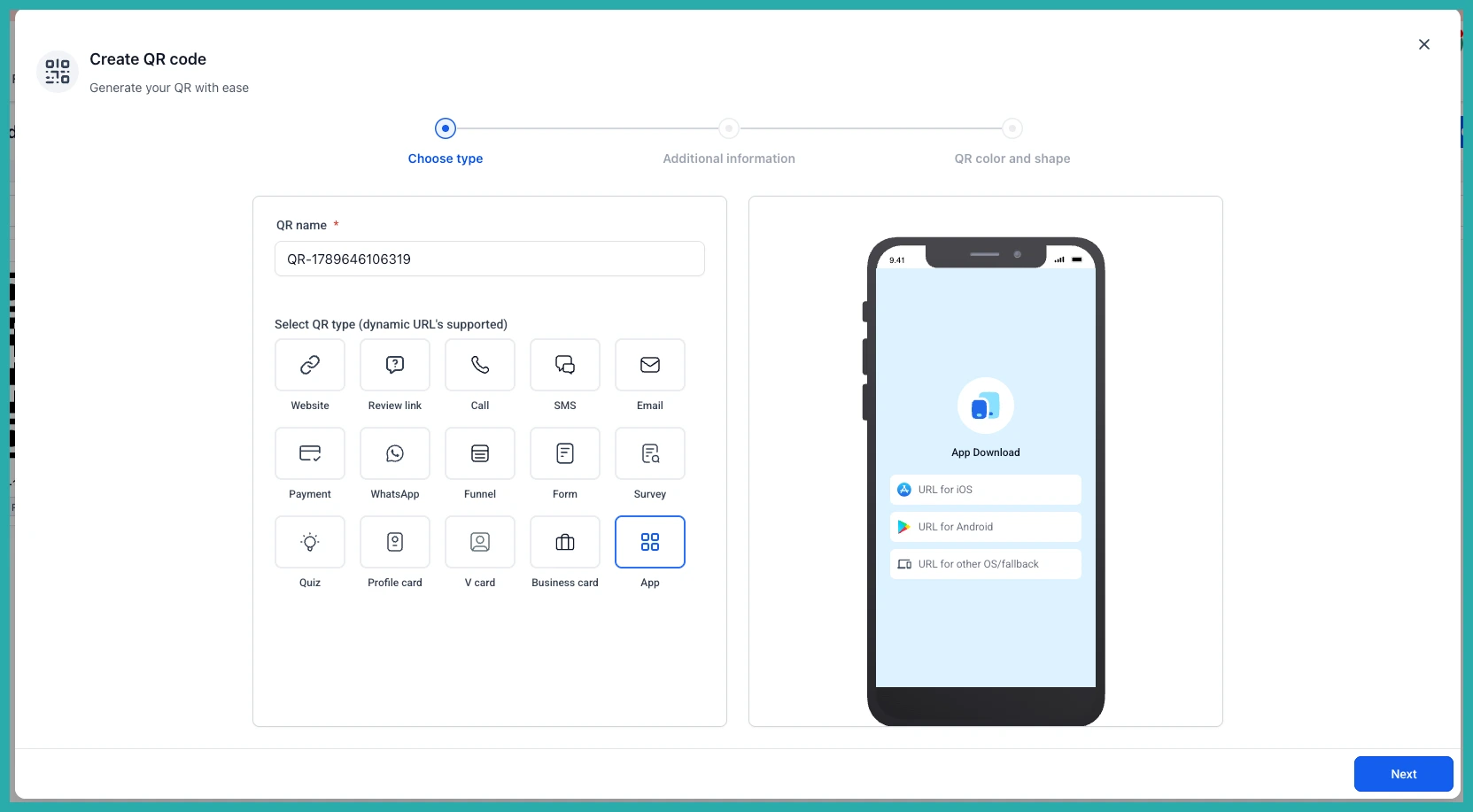
Go to QR Codes and click Create QR Code. When you pick the type, you'll now see App as an option. Choose that.
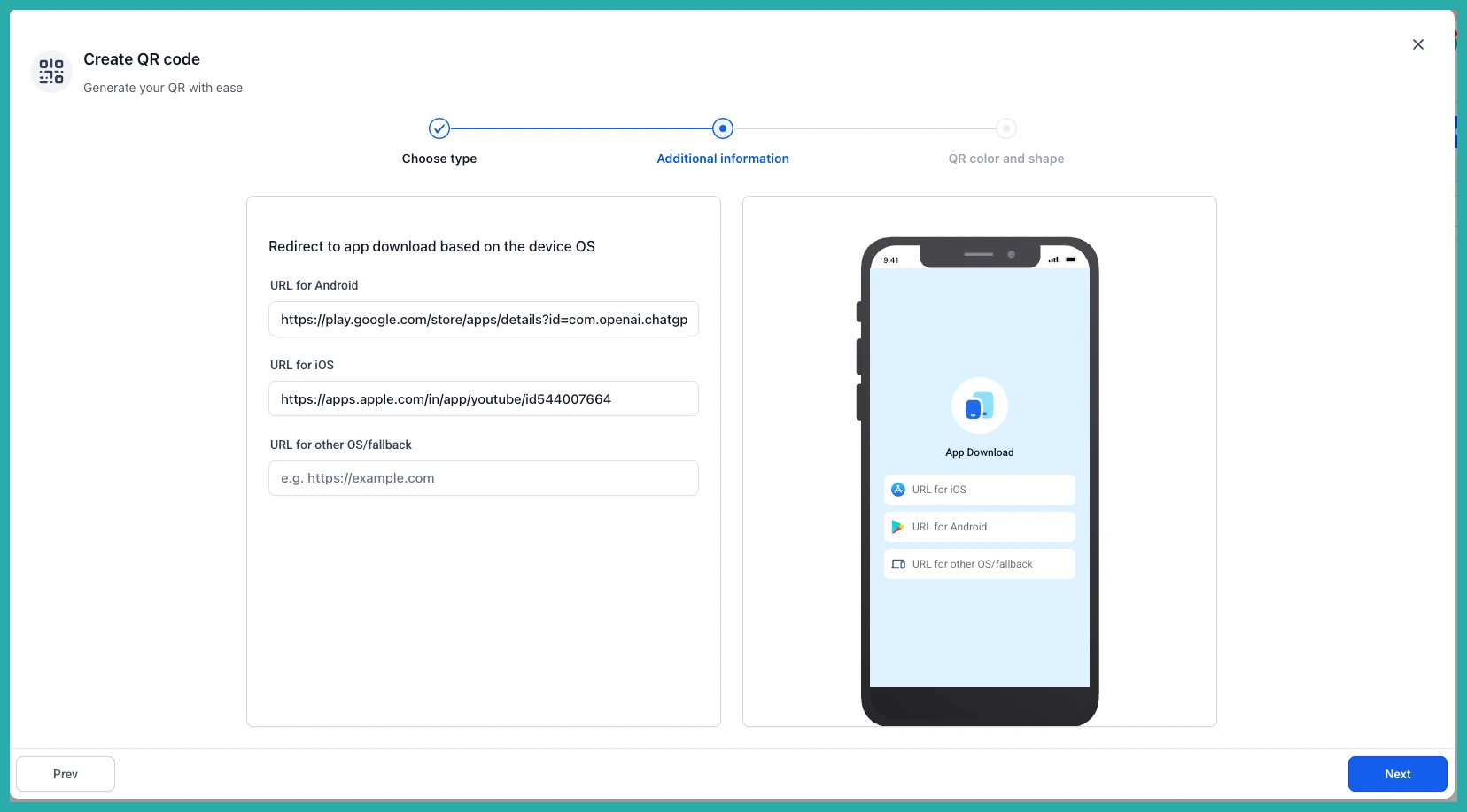
Next, fill in your links. There are three fields:
- App Store URL for your iOS users
- Play Store URL for your Android users
- Other Devices URL as a fallback for anything the system can't identify
In the screenshot below, you'll see where each link goes. The fallback is optional, but I'd add one so nobody hits a dead end.
From there, the design and customisation steps are exactly as they've always been. Style it, add your colours or logo, and save.
That's the whole thing. One code, printed once, and it handles the rest without fuss for every person who scans it. If you've got an app you're pointing people to, this is a five-minute job that saves you a lot of fiddling.
