
AI Studio Now Lets You Pick Which AI Model Builds Each Message
Up to now, every message in AI Studio ran on the same models, whether you were building a full multi-page site or just tweaking a single line of copy. There was no way to bring a heavier-hitting model to a tricky build, or a faster, cheaper one to a quick edit.
That's changed. You can now choose which AI model builds each message - Claude, GPT or Gemini - or leave it on Auto and let AI Studio pick for you.
What you get
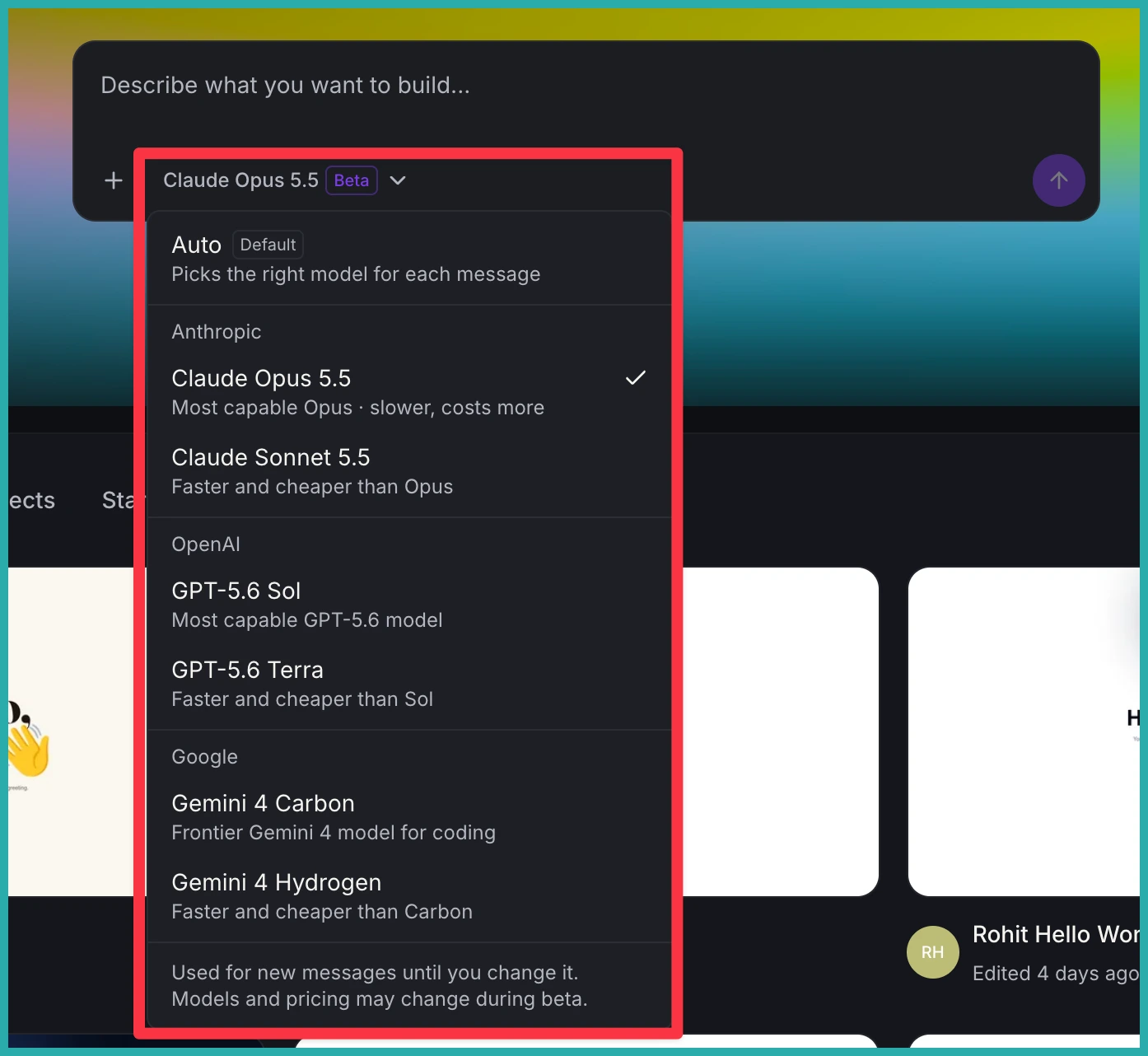
There's a new model picker right in the composer. You'll see an Auto · Beta chip under the chat box, both on the AI Studio dashboard and inside the builder. Click it and you get a menu of models, grouped by provider, each with a one-line note on what it's best at.
Six models are available at launch:
- Claude Opus 5.5
- Claude Sonnet 5.5
- GPT-5.6 Sol
- GPT-5.6 Terra
- Gemini 4 Carbon
- Gemini 4 Hydrogen
Auto stays the default, so if you'd rather not think about it, nothing changes. Auto picks the right model for each message on your behalf.
How it works day to day
Your pick sticks until you change it. Start a new project and it opens on whatever you last used from the dashboard, so you're not resetting every time.
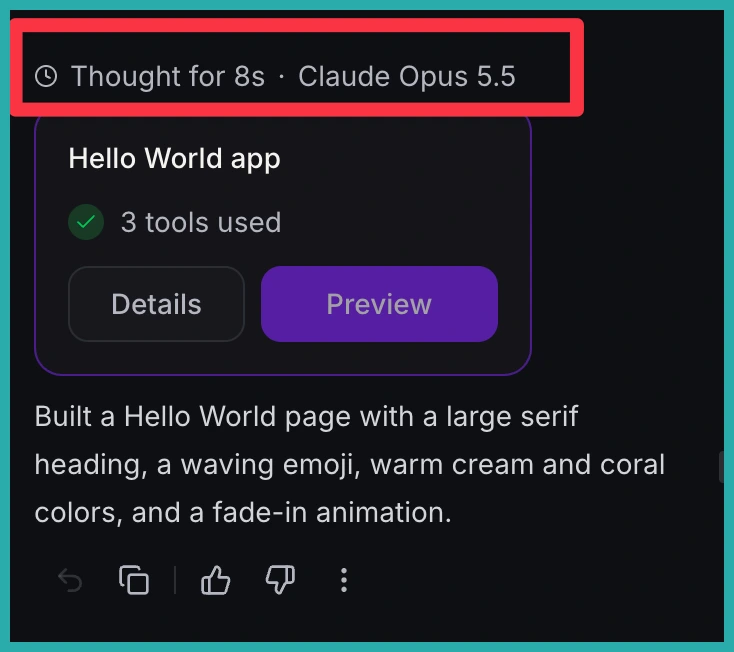
Every finished turn gets labelled with the model that ran it, something like · Claude Opus 5.5, so you can always see what did the work.
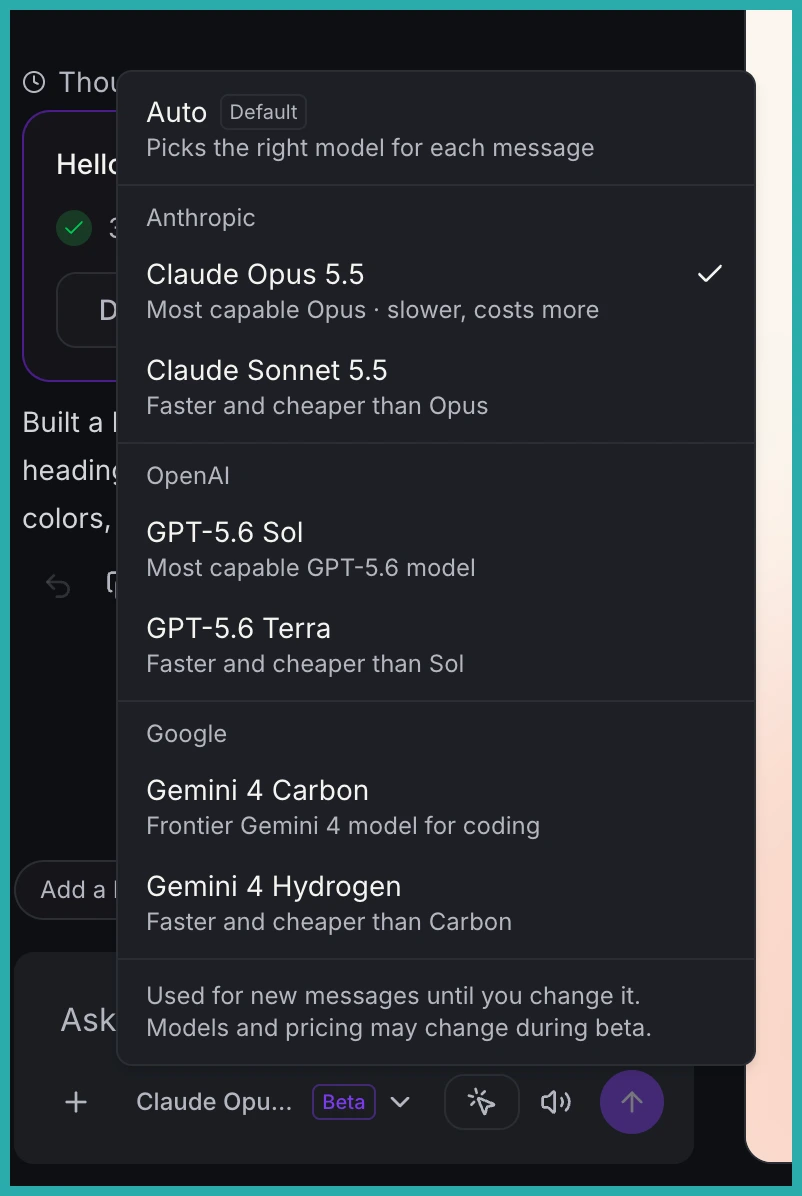
The picker locks while a turn or build is running and unlocks the moment it finishes, so you can't accidentally switch mid-job. And new models can be added or hidden without you needing an app update, so fresh options reach you as soon as they're ready.
How to get started
- Go to AI Studio in your account, then open a project or start from the dashboard.
- Click the Auto · Beta chip under the chat box and choose a model.
- Send your message. It builds on the model you picked, and the finished turn shows that model's name.
Good to know
This one's in beta. It's available to accounts on the AI Employee plan, and to agencies on the Founder Plan. Other accounts keep running on Auto and won't see the picker.
On billing: usage is charged at the cost of whichever model ran it, so premium models like Claude Opus 5.5 cost more per message than the faster ones. Worth keeping in mind when you reach for the heavy hitters on a quick edit. Models and pricing may shift during beta.
One last note - if you ask AI Studio a question, the answer continues on the model the turn was already using.
Have a play with it on your next build. Try a capable model on something tricky, a faster one on a quick tidy-up, and see what suits the way you work.
