
Your AI Agent Now Suggests Your Next Reply, So You Type Less
You ask your agent something, it answers, and then you sit there wondering what to type next. Not a huge deal, but it adds up across a day of back-and-forth.
Your Managed Agents can now take that bit off your plate. After each response, they suggest relevant follow-up messages for you, so continuing a conversation is a tap or a keypress instead of starting from a blank box.
What you get
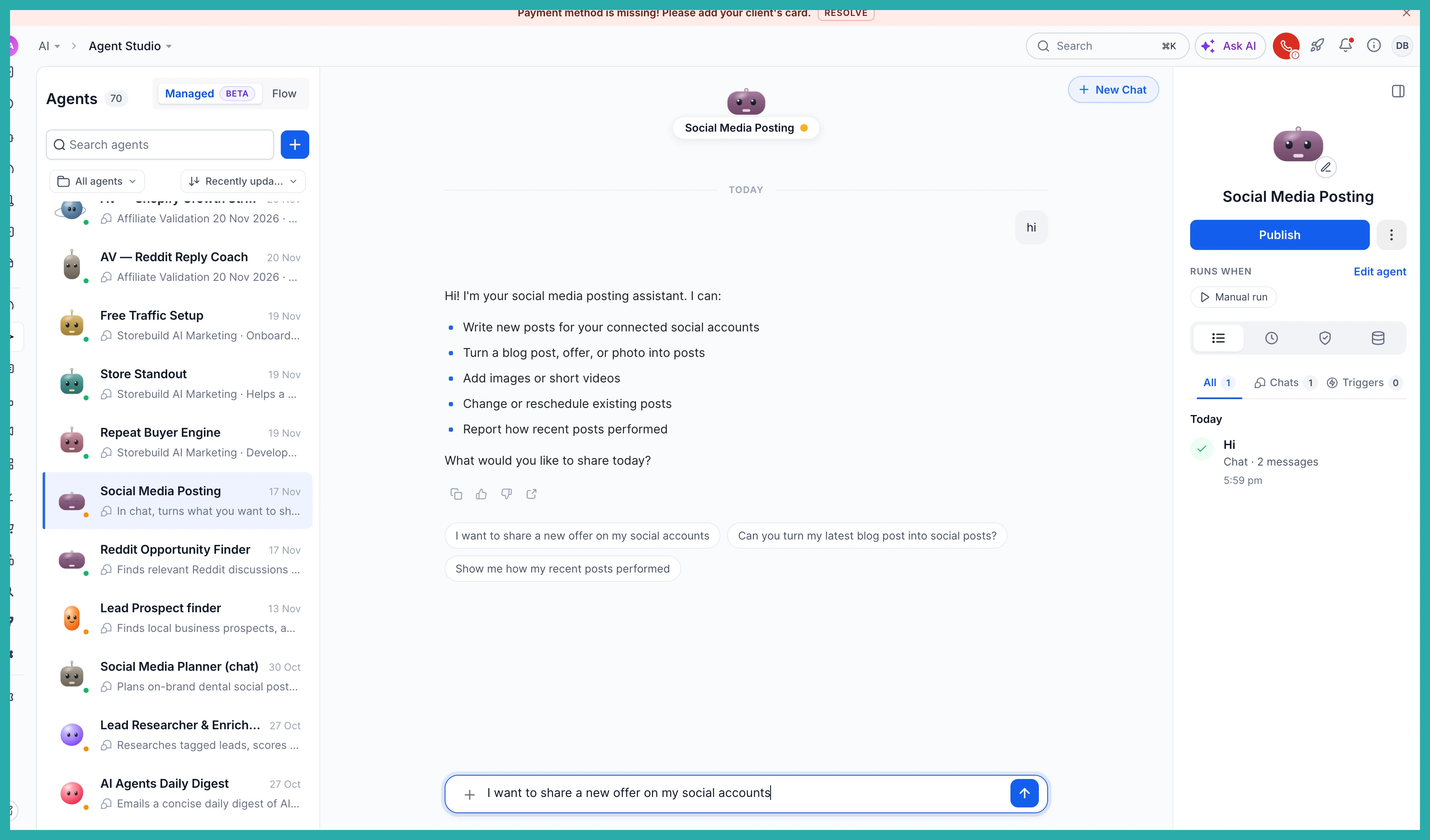
After your agent replies, you'll see up to three suggested follow-ups, each one tailored to what you've been talking about and shown in your language. They're there to point you toward useful next steps your agent can help with.
The top suggestion shows up as grey text right in the chat box. Press Tab to accept it, or click any of the other suggestions to drop it straight into the box.
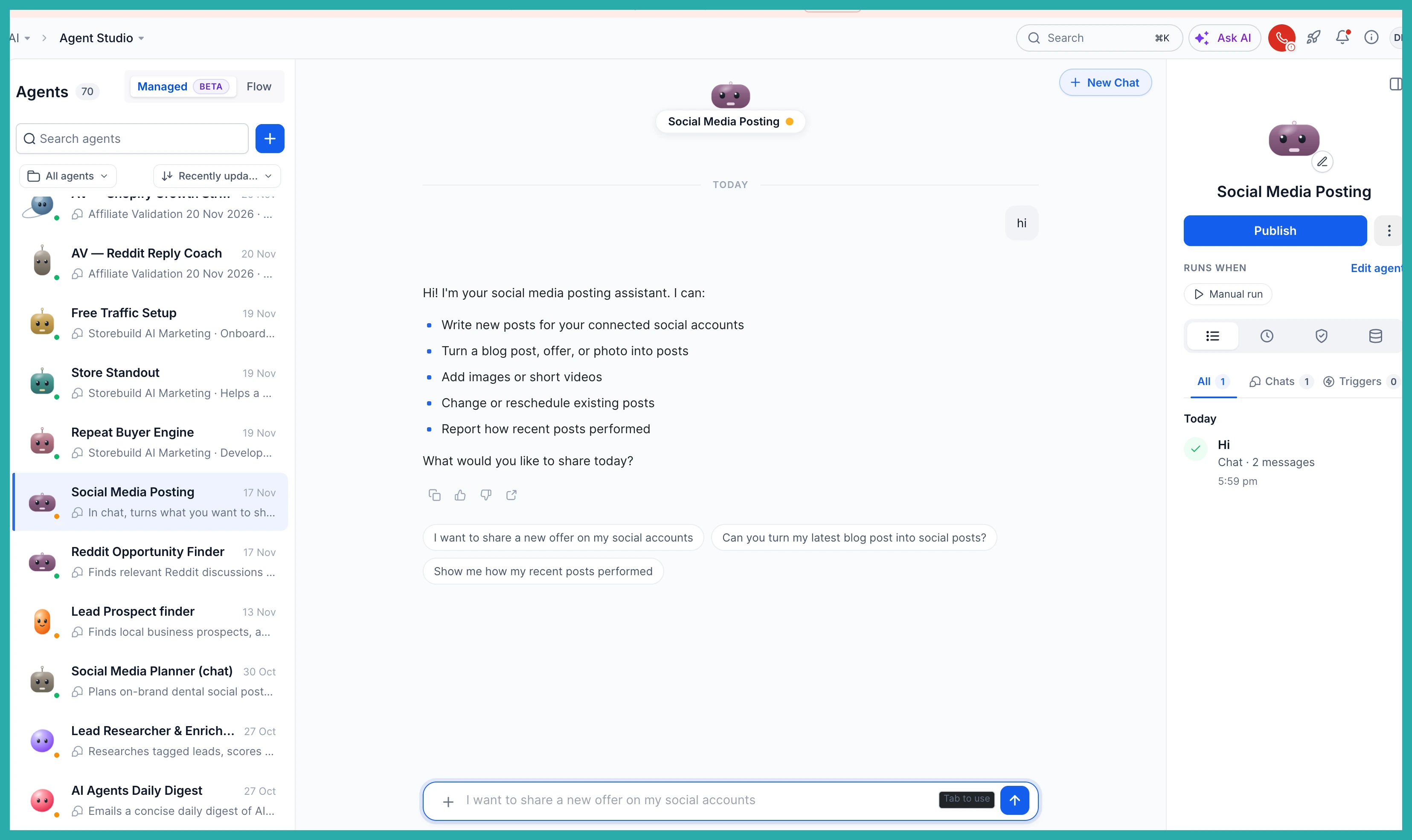
You stay in charge the whole time. Nothing sends on its own. You can edit a suggestion before you send it, tweak the wording, or ignore the lot and type your own. If you close the chat and come back, the suggestions are still waiting for you.
How to use it
- Go to AI Agents, then Agent Studio, then Managed Agents.
- Open an agent and start a conversation.
- Once the agent responds, click a suggested reply or press Tab to accept the top one.
- Edit it if you want, then send.
A couple of honest notes. This lives in Managed Agents Chat for now, so it won't appear in trigger executions or the Builder Test panel. And the good part: suggested replies don't count toward your Managed Agents usage, so leaning on them costs you nothing extra.
Next time you're mid-conversation with your agent, watch for that grey text and give Tab a try. It's a small thing that saves you a surprising amount of typing.
