
Add Role Badges to Your Staff So Clients Pick the Right Person to Book
When a service has more than one person who can deliver it, your clients are often staring at a plain list of names with no idea who's the right fit. Junior or senior? Specialist or generalist? They can't tell, so they guess.
Now you can give each staff member a short role tag - something like "Lead Therapist" or "Senior Consultant" - and it shows up as a neat little badge right where clients choose who to book with.
What you get
A single, simple role tag on each staff member's card. No full bios to write, no design work. Just a clear label that helps people pick the right person.
- Create reusable badges once, then pick from them for anyone else with the same role.
- One text tag per staff member, up to 30 characters.
- Choose a colour for each badge so roles stand out at a glance.
- Staff without a tag show no badge at all, so their card stays clean.
- Edits show up the next time the booking widget loads, and it looks the same on desktop and mobile.
How to set it up
Go to Services, then Staff, and edit the staff member you want to tag.
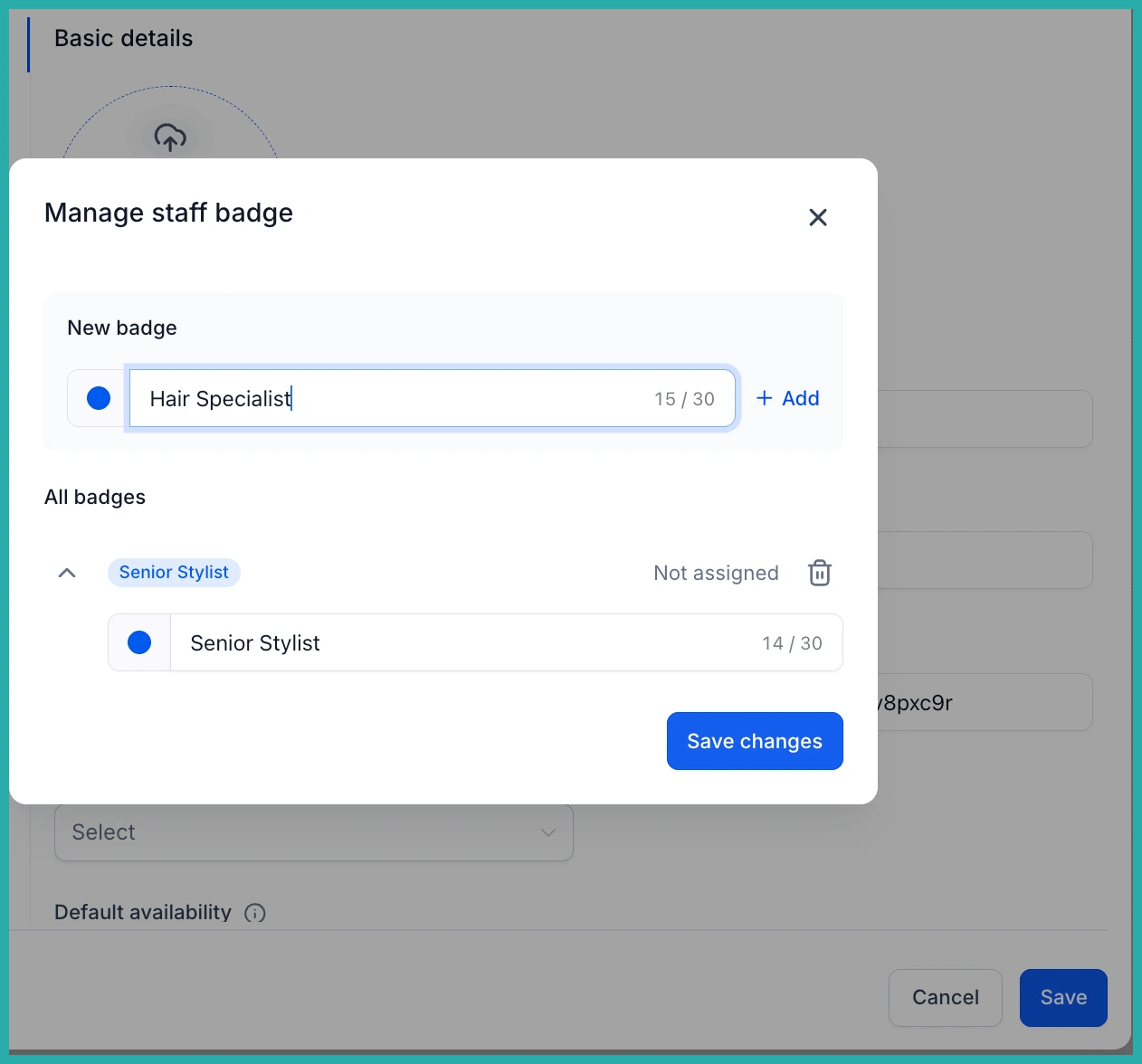
Under the Basic details tab, find the Staff badge dropdown.
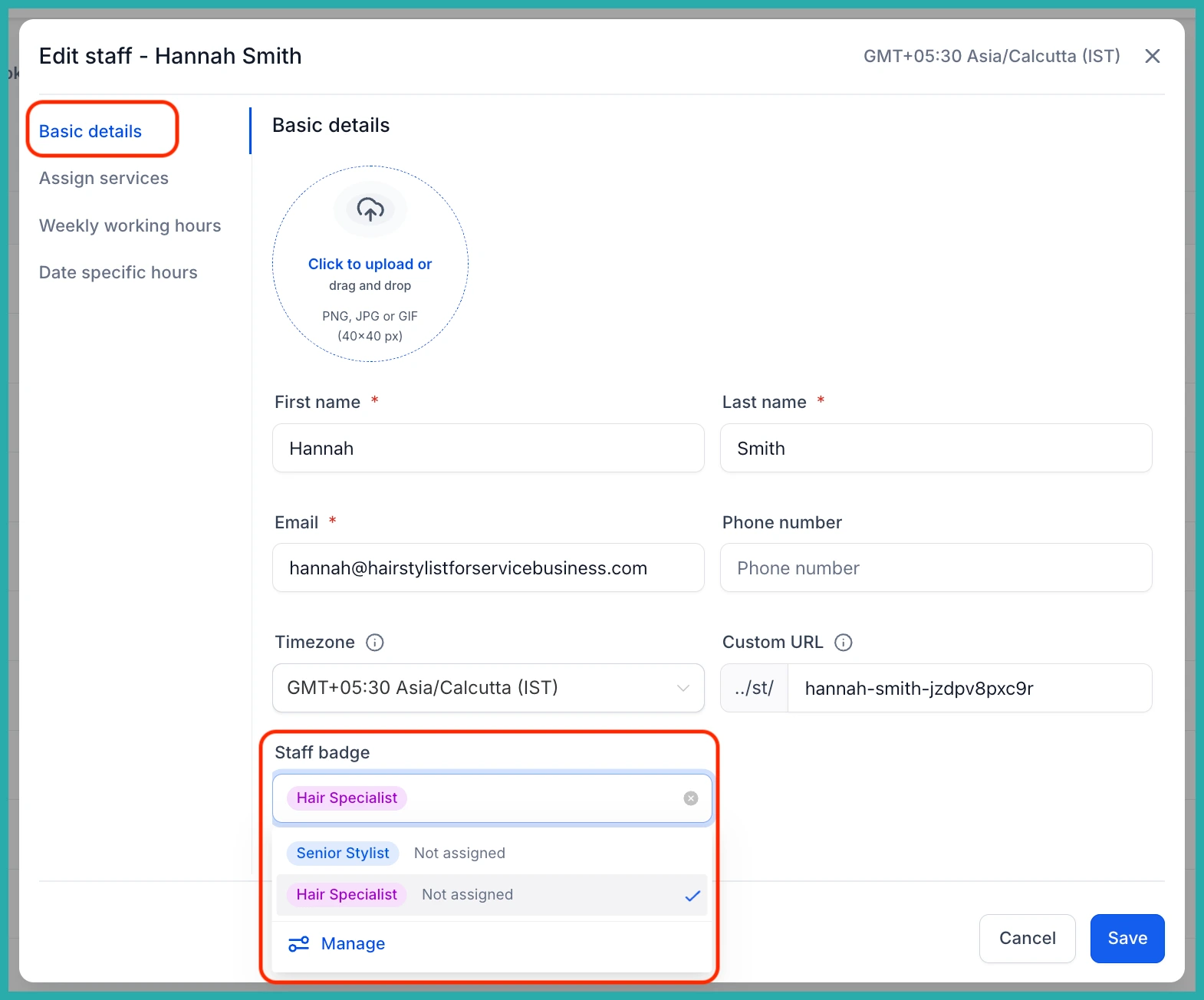
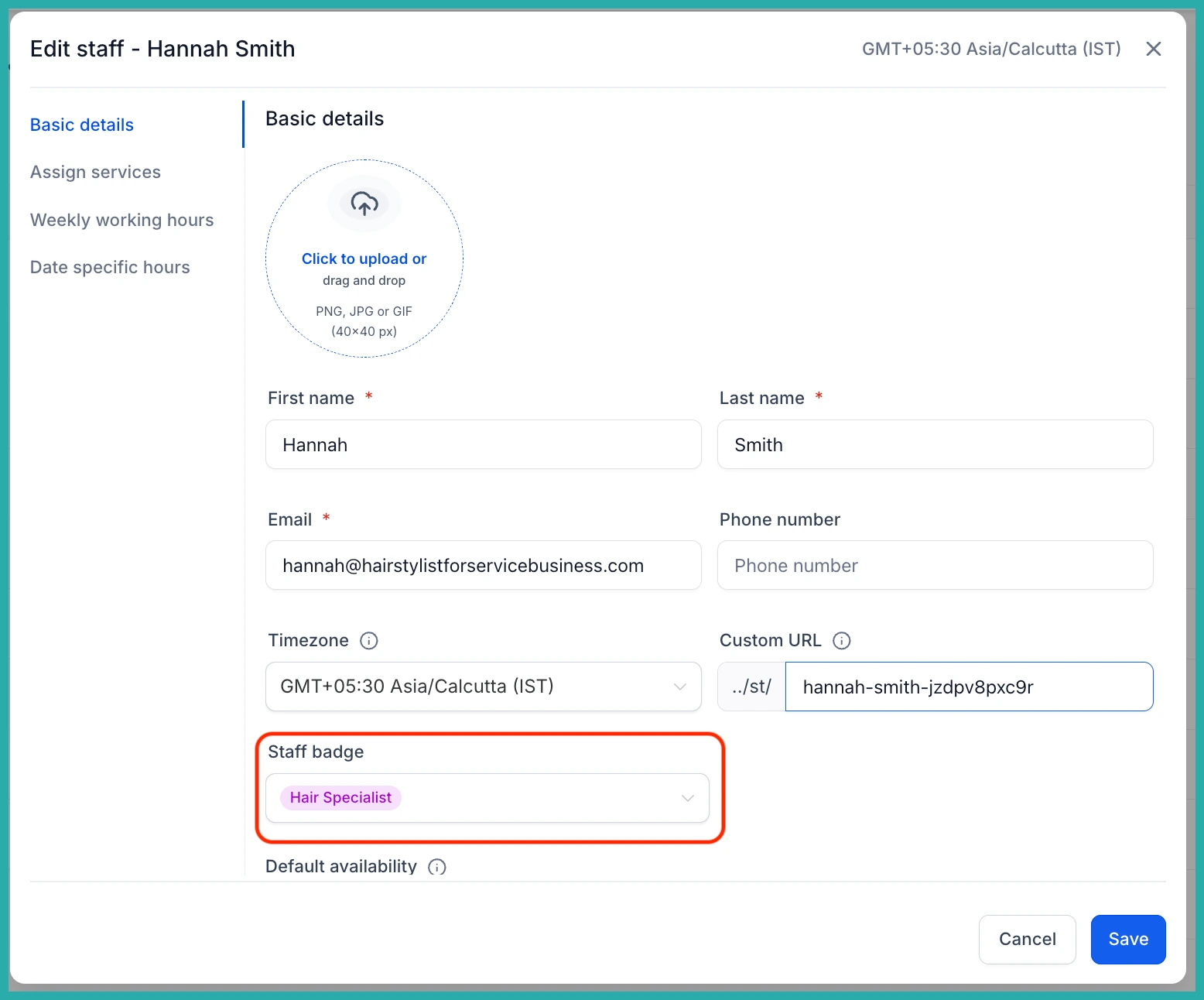
Add a new badge or pick one you've already created. Give it a colour if you like, so it's easy to spot. Then save.
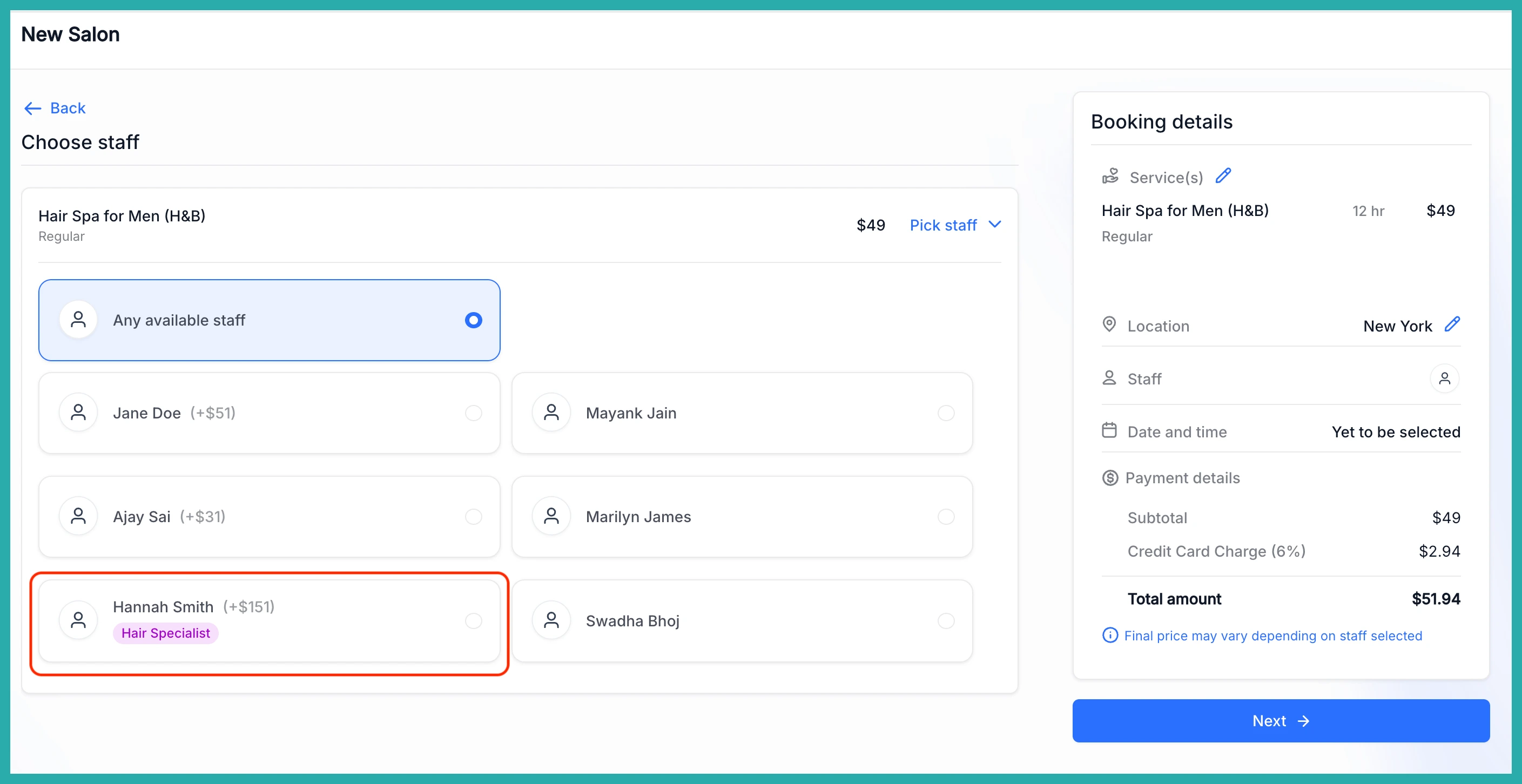
That's it. The tag now appears as a badge next to that staff member when clients are choosing who to book with. It's styled in a lighter shade of your widget's main colour, so it fits your theme without shouting.
If you offer a service with a few different people behind it, this is a five-minute job that makes your booking page far easier for clients to read. Go tag your team and let them choose with confidence.
