
Add Prospects Without Waiting on an Audit Every Time
When you added a prospect from search results, the system used to run a full Marketing Audit Report every single time. Handy when you want the insight right away. Slow when you're trying to save twenty businesses and sort out the audits later.
Now you decide.
What changed
When you add a new prospect, there's a new option: Run marketing audit report. Flip it on or off depending on what you're doing.
Leave it on and the prospect is saved and an audit report generates automatically, exactly like before.
Turn it off and the prospect saves straight away with no audit. You can still generate the report whenever you want from the Prospect Details page.
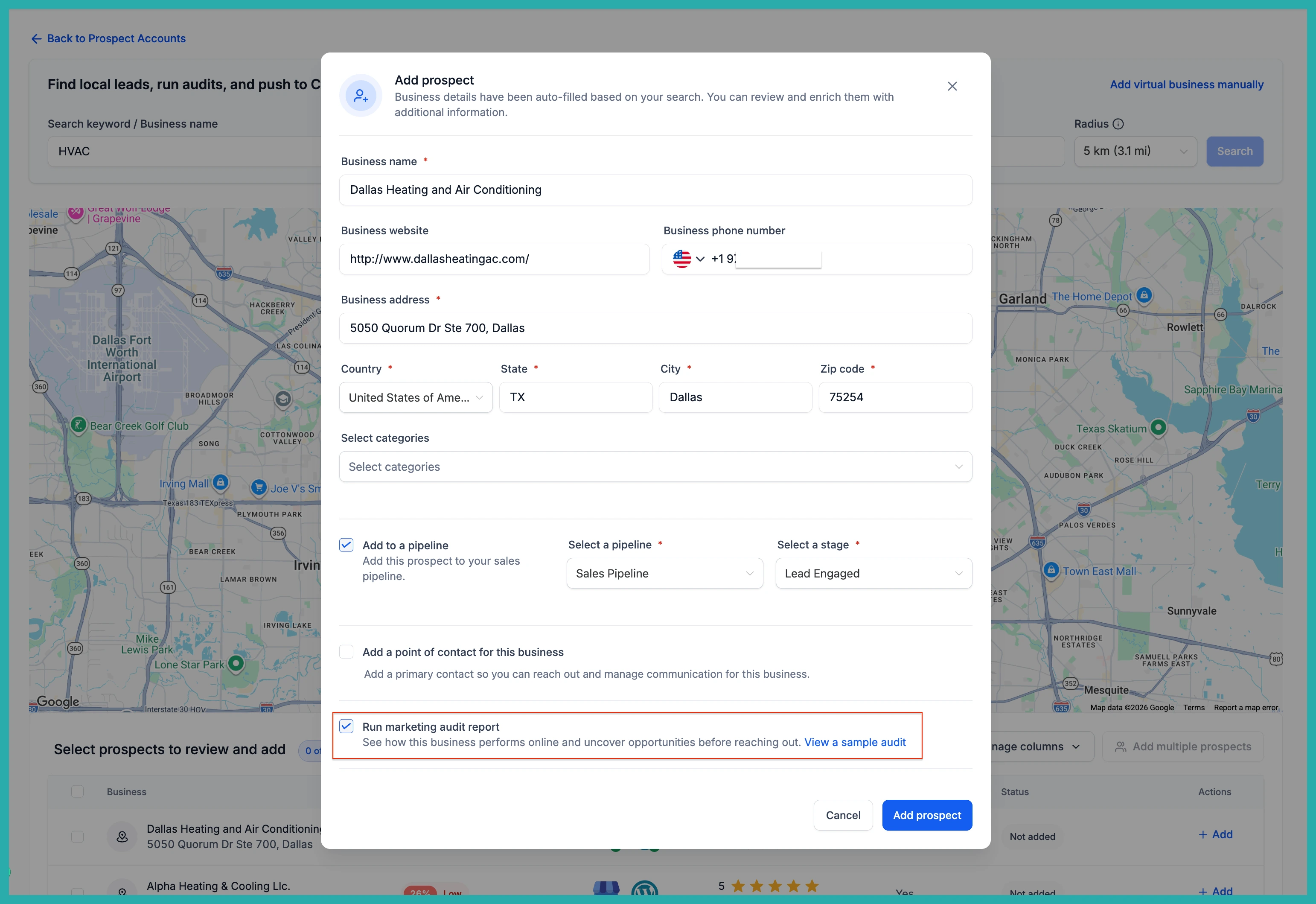
Build your list first, audit the good ones later
This is the part that saves you real time. If you'd rather:
- Save a batch of prospects quickly
- Build out your list first
- Then run audits only on your best opportunities
you can do exactly that now, without sitting through audit generation on every single add.
The audits are still there when you want them
The Marketing Audit Report is still one of the strongest tools in here, and it's a click away whenever a prospect is worth a closer look. It surfaces things like:
- Website performance issues
- Google Business Profile opportunities
- Local SEO insights
- Reputation and review gaps
- Listings and visibility improvements
So nothing's lost. You've just got a faster lane for the days you're gathering names and a full audit for the days you're ready to dig in.
Next time you're building a prospect list, try leaving the audit toggle off and see how much quicker it goes.
