
Readers Can Now Comment on Your Blog Posts (and You Stay in Control)
You write a blog post, people read it, and then... nothing. No way to know what landed, what questions it raised, or who wanted to say something back.
That changes now. Readers can comment on your blog posts, reply to each other and react, right there on the post. And you review and answer every comment from one place.
What you get
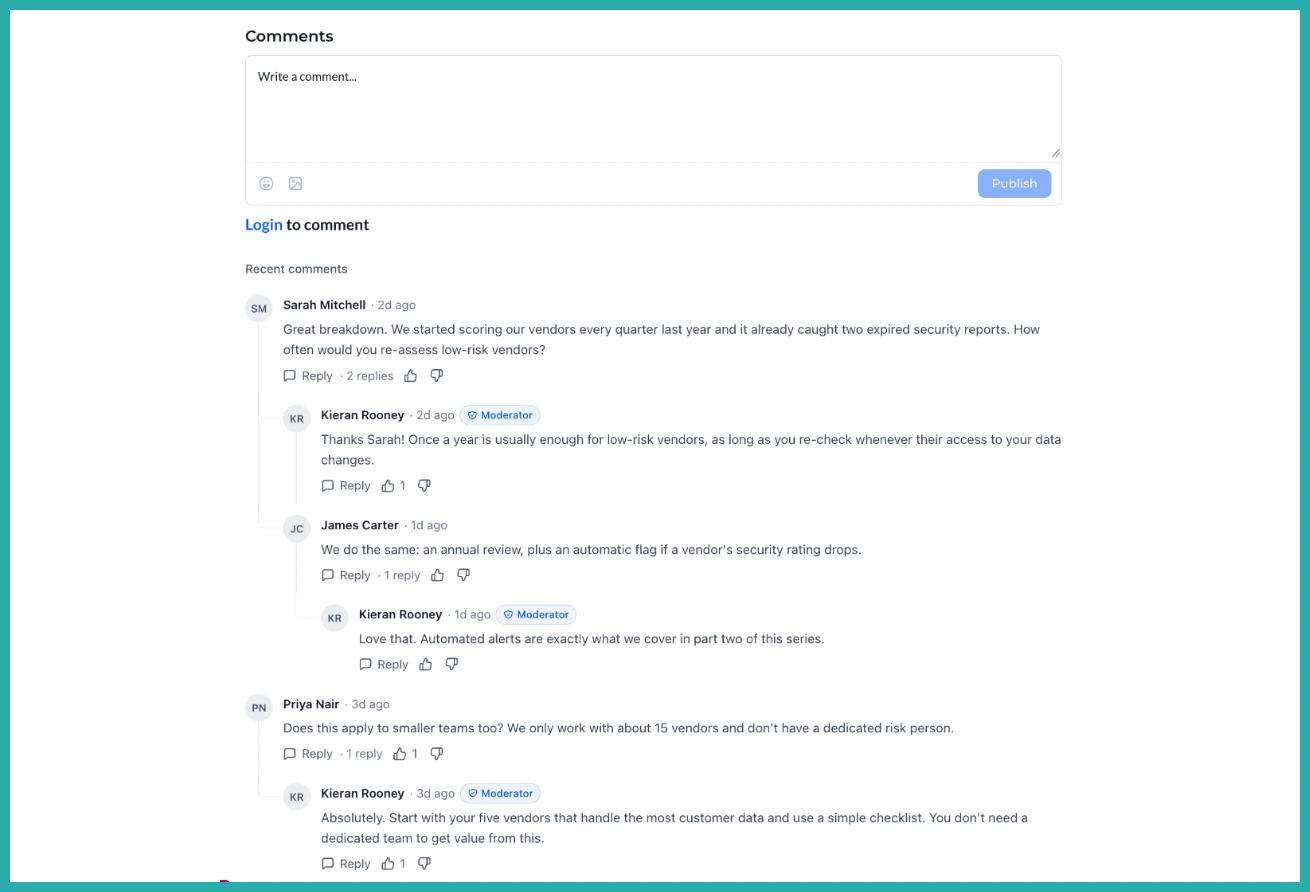
Add the new Comments element to your blog post page once, and every post on that blog site gets a comment section. From there your readers can:
- Write comments and reply to other readers
- Add emoji and attach an image
- Like or dislike any comment
- Follow threaded conversations, with a Load more option when things get busy
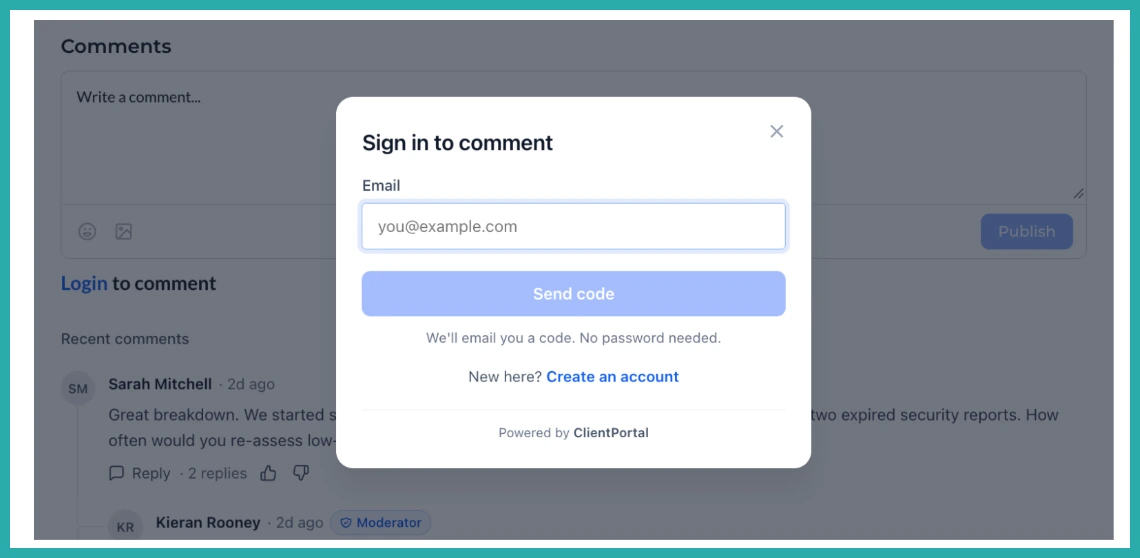
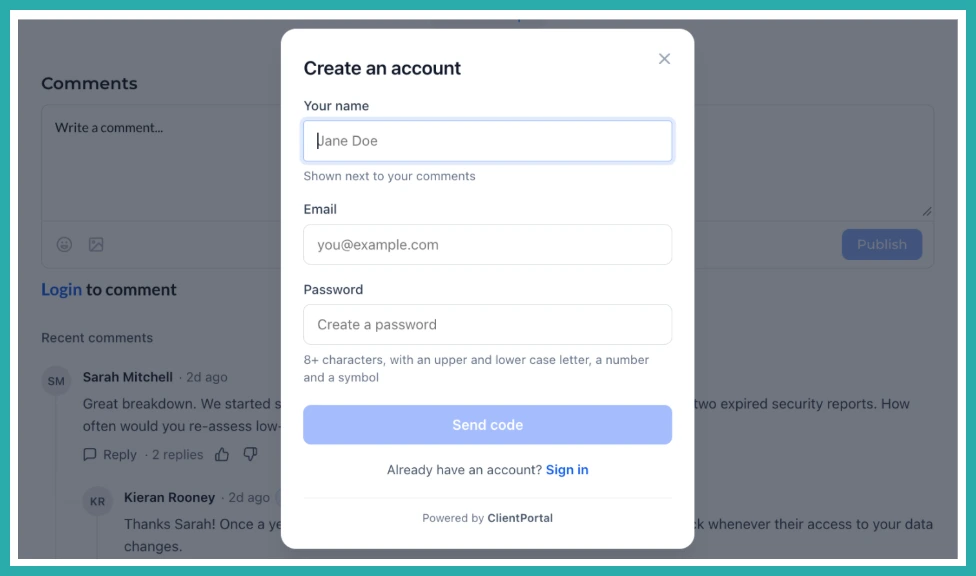
Signing in is painless for them too. Returning readers sign in with their email and a one-time code, no password to remember. New readers create an account in the same window, without ever leaving your post.
And when you or your team reply, your answer carries a Moderator badge, so readers can always tell your voice apart from everyone else's.
Turning comments on
It all starts in the builder. Here's the order to work through:
- Go to Sites, then Blogs, and open your blog site
- Open the blog post page in the builder
- Add the Comments element and style it to match your site
- Save and publish
In the screenshot below, you'll see the Comments element dropped into a post page, ready to style.
One thing to keep in mind: comments are turned on for a whole blog site, not post by post. Add the element once and it applies everywhere on that site. Remove it and comments come off every post.
Managing everything from the Comments tab
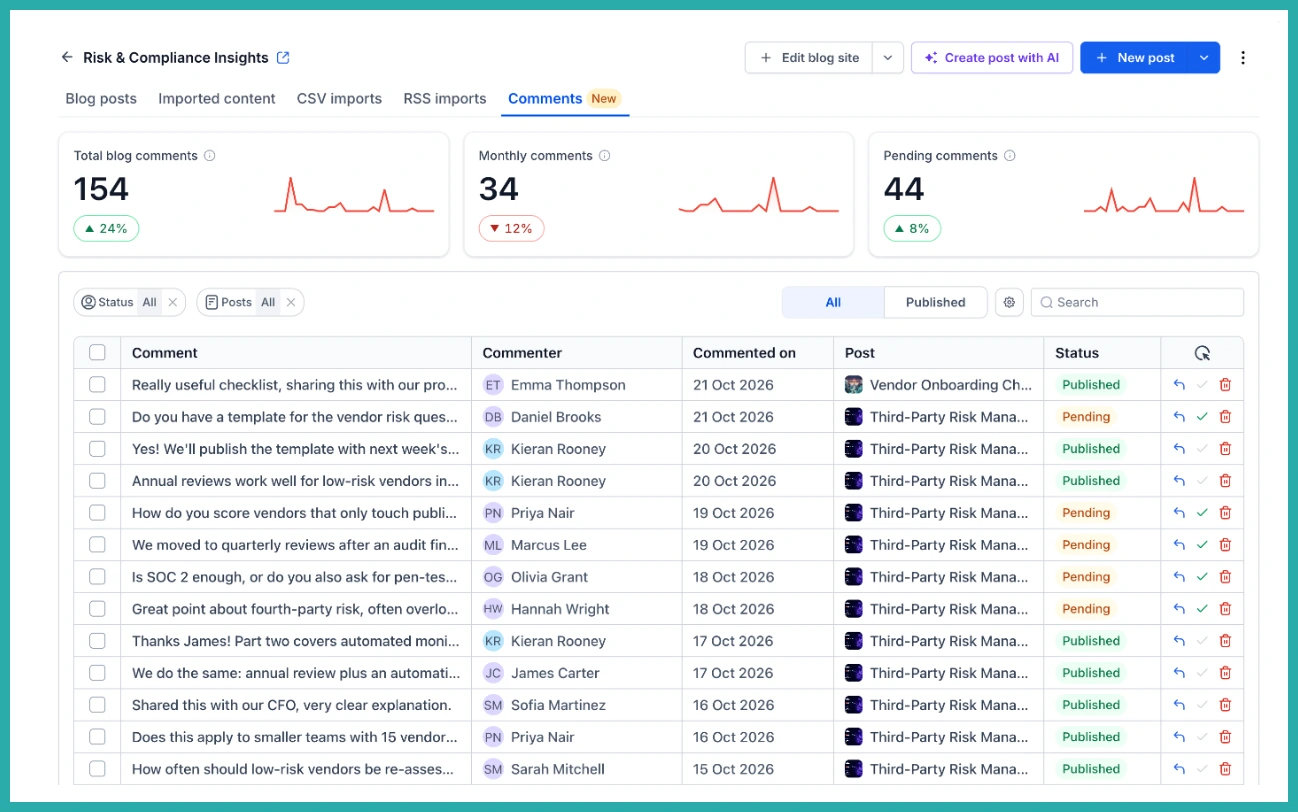
Once comments start coming in, you manage the lot from the new Comments tab in Blogs. No hunting through individual posts.
At a glance you'll see your total comments, comments this month, and how many are waiting for approval, each with a little trend line so you can see which way things are going.
From here you can filter by status or by post, search, and then reply, approve or delete any comment. Everything in one view.
Reviewing pending comments one by one
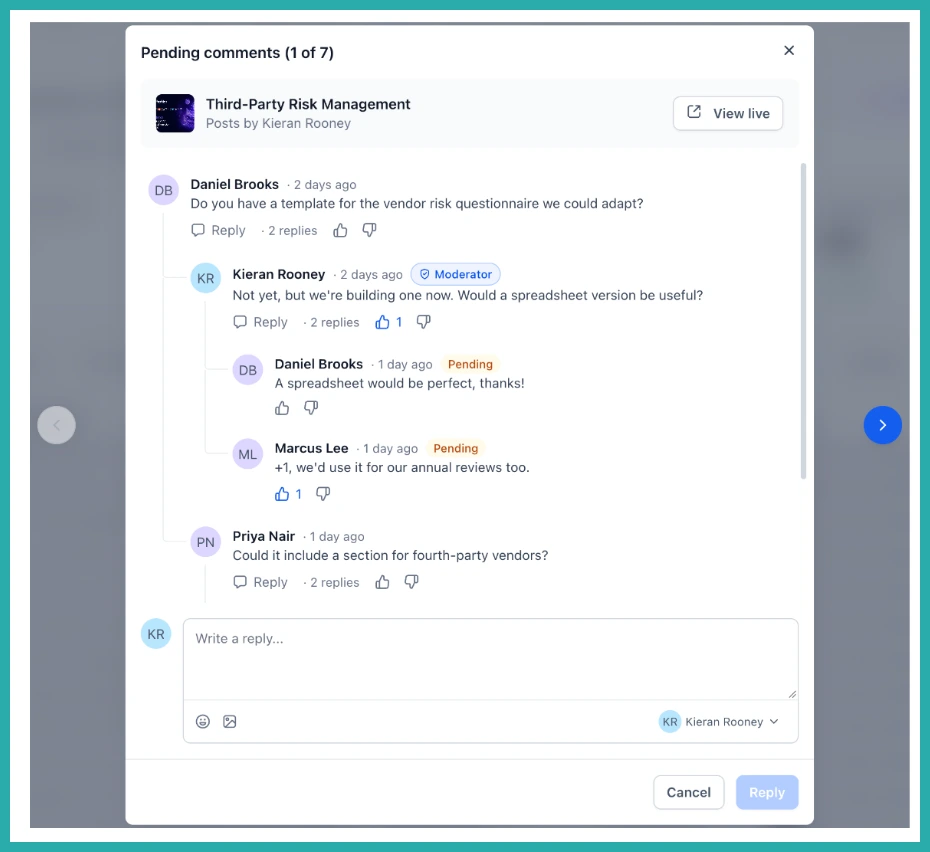
If you'd rather check things before they go live, you can step through pending comments one at a time. You see the full conversation around each one, so nothing is out of context.
You can reply as any author on your blog, and open the live post in one click to see exactly where the comment sits.
Setting it up the way you want
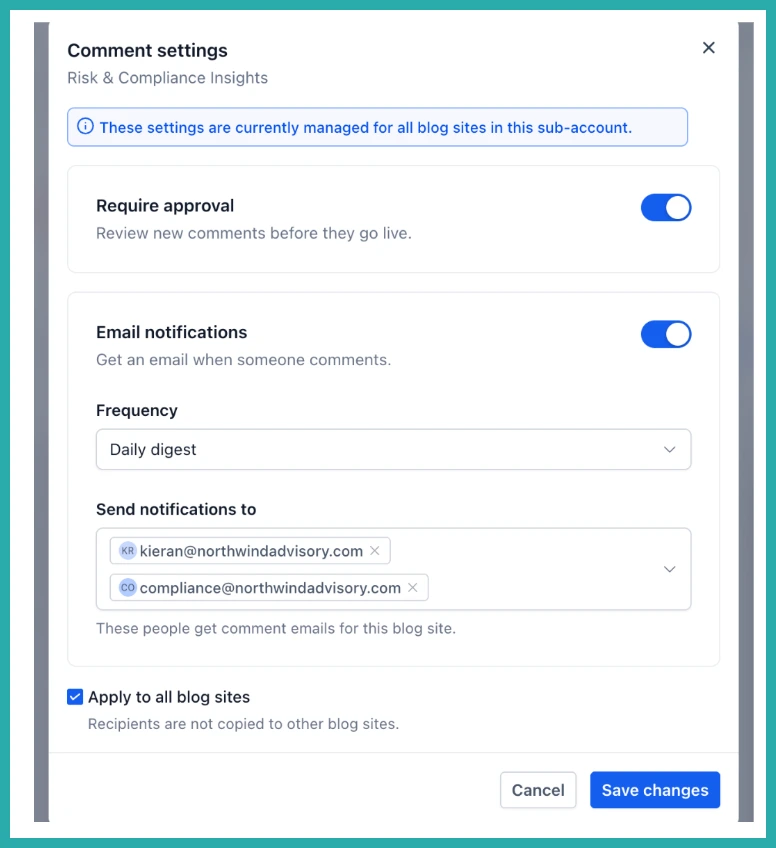
Each blog site has its own comment settings, so you decide how hands-on to be:
- Require approval so new comments stay hidden until you say yes
- Email notifications for every comment, or a single daily digest
- Send notifications to the right person or team
- Apply to all blog sites if you want the same rules across your account, with recipients staying per site
A couple of honest notes. Readers can attach one image per comment. Anyone can read comments, but they sign in to comment, reply, like or dislike. And for now, comments don't appear in Conversations, and commenters aren't added to Contacts.
If you've been wanting your blog to feel more like a conversation than a broadcast, this is the piece that does it. Add the element, publish, and let your readers start talking back.
