
Ad Manager Now Scores Your Google and LinkedIn Campaigns Before You Publish
You build out an ad campaign, cross your fingers, and hit publish. Then you wait to see if it works, hoping you didn't miss a setting that holds it back without you noticing.
Now you don't have to guess. Opportunity Score already helped you check your Meta campaigns before launch. It's now doing the same for Google and LinkedIn too.
What you get
Before you publish, your account looks over your whole campaign and gives it a readiness score from 0 to 100, summed up as Low, Medium, or High. It's a second set of eyes, catching the things that are easy to skip when you're moving fast.
The clever part is that the recommendations are tailored to the platform you're using and the type of campaign you've built.
- Google: it reviews things like your keywords, audience, budget, creatives, tracking, ad schedule, language, placements, and bidding setup.
- LinkedIn: it looks at your audience and location targeting, budget, creatives, destination URLs, lead-gen setup, and language.
It only checks the settings that actually apply to your objective and ad format, so you're not sifting through advice that doesn't fit what you're doing.
Suggestions that tell you what matters most
Recommendations are grouped into clear areas like Audience, Budget, Creative, Tracking, and Keywords. Each one shows its potential impact, so you can start with the fixes that make the biggest difference instead of tackling everything at once.
Better still, click a suggestion and it takes you straight to the exact campaign section that needs work. No hunting around. You make the change, and the score updates so you can see the improvement before you go live.
How to use it
- Create or edit a Google, LinkedIn, or Meta campaign in Ad Manager.
- Finish your setup and move to the Review screen.
- Open the Opportunity Score panel.
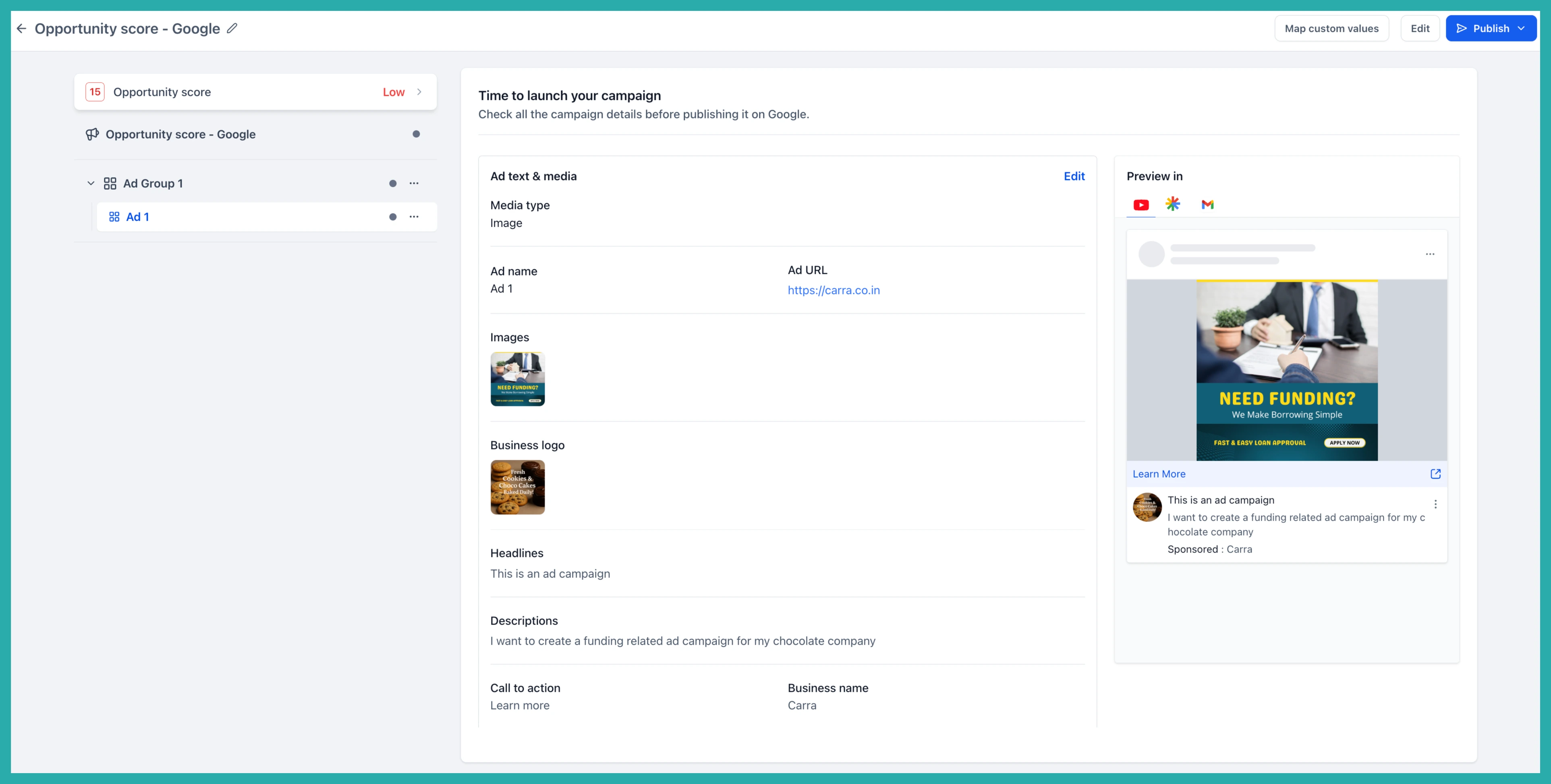
In the screenshot below, you'll see your overall score alongside the individual recommendations grouped by area. Click any suggested action and you'll land right where you need to make the change.
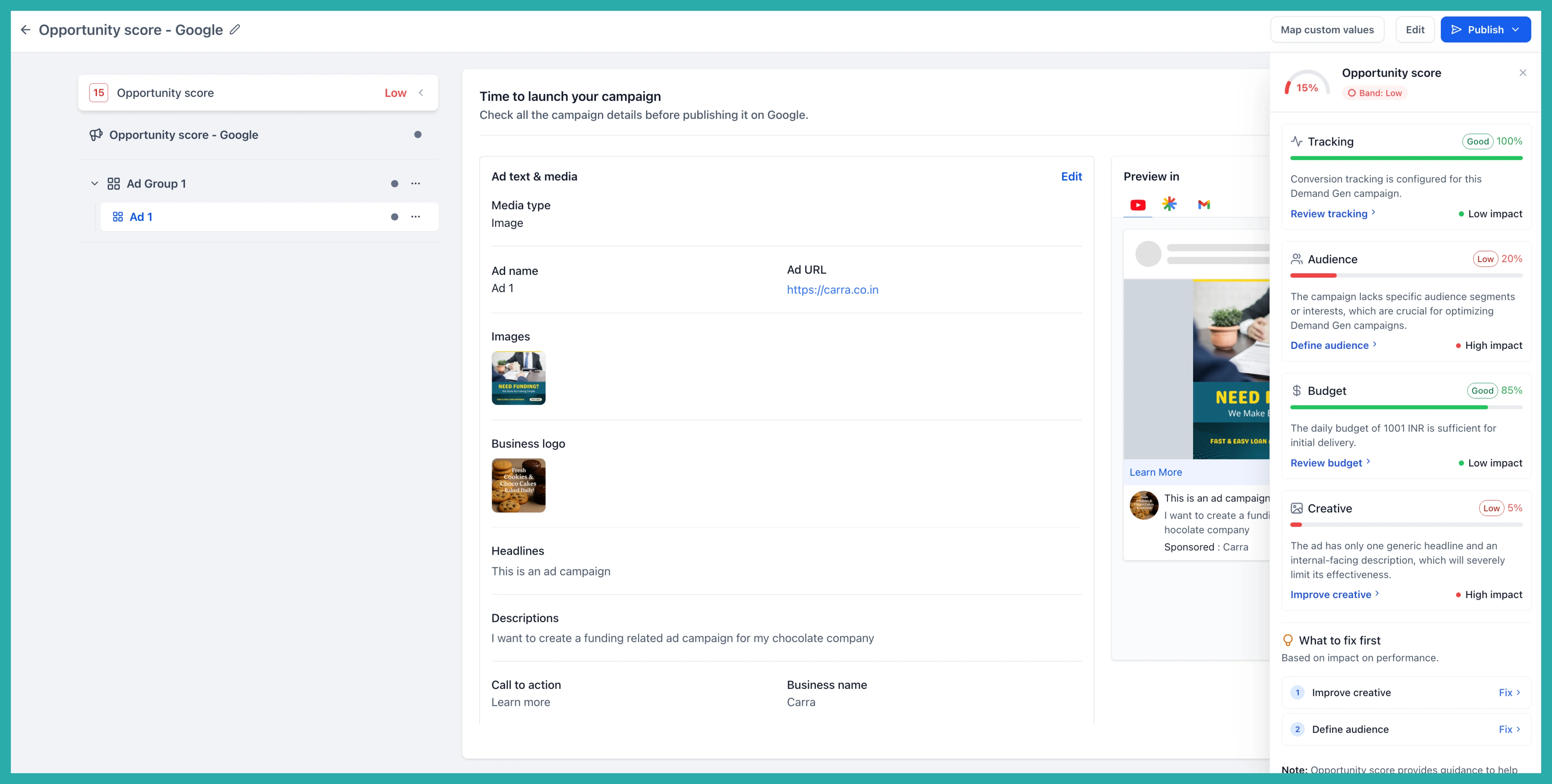
Make your improvements, glance at the updated score, and publish when you're happy with it.
One honest note: the score is guidance, not a promise of results, and it won't change any settings for you. Think of it as a friendly pre-flight check that helps you launch with fewer regrets. Next time you set up a campaign, give the panel a look before you publish - it only takes a minute.
