Invoice Automation: How to Get Paid Without Chasing Clients
It's 9:40 on a Tuesday and you're rewriting the same sentence for the third time. "Hi, just following up on the invoice from last month, no rush!" You type "no rush" when there is, in fact, a rush, because that money was supposed to cover your own bills by Friday.
Then you delete it. You'll send it later. You don't.
Invoice automation is the fix here, and it's simpler than the stress makes it feel. At its plainest, invoice automation means your system sends invoices, logs who has paid, and chases the people who haven't, all without you drafting one more apologetic "just checking in" message. You still decide the terms. The software just does the part you keep avoiding.
What is invoice automation, and what does it do for solopreneurs?
Invoice automation is the set of tools and rules that create, send, track and follow up on invoices for you. Instead of writing each invoice by hand and manually remembering who owes what, you set it up once and the system handles billing, receipts and reminders on a schedule.
For a solopreneur this hits harder than it does for a big company, because you're the finance department. You're also the person doing the work, delivering the sessions, and feeling weird about asking a client you like to please pay you.
Late payments aren't a personal failing. In the UK, the Federation of Small Businesses found that on average 52% of small firms experienced late payment in each quarter of 2022, and chasing that money eats hours you could spend earning more. Automated invoicing takes the emotional part out of the follow-up so you stop being the bottleneck in your own cash flow.
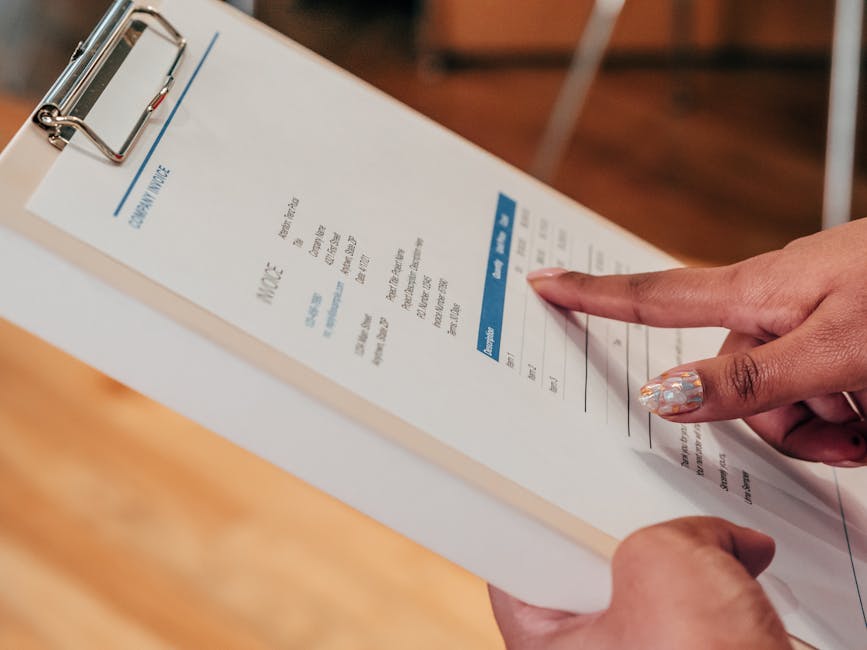
What should you automate (and what you really shouldn't)
Not everything about getting paid should run on autopilot. The goal is to automate the repetitive, awkward admin and keep the human touch where it actually builds the relationship.
Automate the invoice itself
When someone books a package or starts a program, the invoice should generate and send on its own. No "I'll do it tonight." The moment the deal is agreed, the bill goes out while it's fresh and the client is expecting it.
Automated invoicing also means you stop making small, embarrassing mistakes: wrong amount, wrong date, forgot to send it entirely. The template does the maths and the formatting so every invoice looks like it came from a business, not a panic.
Automate the reminders
This is the part most solopreneurs resist, and it's the part that saves you the most. Automatic payment reminders go out on a set schedule: a friendly nudge the day before due, a firmer one the day after, another a week later if it's still unpaid.
Because the system sends them, not you, there's no agonising over tone. The reminders are polite, consistent and unemotional. You never again have to decide whether today is the day you're brave enough to ask.
Automate recurring and auto-billing
If you sell monthly coaching, retainers or memberships, auto-billing charges the card on the same day every cycle. No invoice to chase at all. The payment just happens, the receipt sends itself, and your income becomes something you can actually predict.
Keep these personal
Don't automate the first "thank you for working with me," the hard conversation when someone genuinely can't pay, or the renewal chat with a long-term client. Those moments are where trust lives. There's a line between helpful automation and sounding like a robot, and it's worth learning where that line sits. This guide on how to automate client communication without sounding like a robot walks through it clearly.
How to set up invoice automation
Here's the order that actually works, rather than the order the tools try to sell you.
- Set your terms first. Decide your payment window (7 days, 14 days), your reminder schedule, and whether you take deposits. Write it down. Automation only works when the rules are clear.
- Build one invoice template. Your details, the client's details, line items, due date, payment link. Reuse it for everything.
- Connect a payment method directly to the invoice. A "pay now" button that takes card payment on the spot removes the biggest reason people pay late: friction.
- Turn on automatic payment reminders. Set the schedule and the wording once. Then leave it alone.
- Set recurring billing for anything repeating. Memberships, retainers, payment plans: let the card charge itself.
That's the whole thing. The setup takes an afternoon, and after that you stop writing those emails.

Why invoice automation works best when it lives with your bookings and clients
Here's the part most "how to automate invoicing" articles skip. The software you use matters less than where your invoices live.
If your bookings are in one tool, your client records in another, and your invoices in a third, then automation is only ever half-connected. The invoice doesn't know the booking happened. The reminder doesn't know the client already paid. You end up as the manual bridge between systems, copying details across and praying nothing falls through. It's the reason so many solopreneurs ask whether one platform can handle CRM, invoicing and email marketing at all.
When invoicing sits in the same place as your bookings and your client records, the whole chain runs on its own. Someone books a session, the invoice generates with their real details, the payment logs against their record, and the reminder only fires if the payment is genuinely missing. No duplicate chasing. No charging someone who already paid.
This is the same problem behind a lot of solopreneur admin: tools that don't talk to each other create work instead of removing it. If you want a wider view of which systems actually reduce admin, this breakdown of what business software saves you the most admin time is a useful read before you add yet another app.
Do you still need accounting software?
Often, yes. Invoicing and bookkeeping aren't the same job. Your invoicing tool gets you paid; your accounting tool keeps your books straight for tax. They work alongside each other. If you're weighing up the bookkeeping side, this honest look at whether QuickBooks Online is worth it covers what it does and doesn't handle for the rest of your stack.
The one-place answer: where ESC Hub fits
If you've been reading this nodding, the obvious next question is which tool to use. This is where ESC Hub earns its place.
ESC Hub is an all-in-one platform that runs your email, CRM, landing pages, bookings, automations and community in one login, and that includes invoicing, recurring subscriptions and payment plans. Because the invoices live beside your bookings and client records, your reminders and follow-ups work from the same data. One client record, one source of truth, no copying between apps.
But the setup is the part that trips most people up, and that's the real reason to look at ESC Hub over piecing it together yourself. You aren't handed a login and left to figure out the reminder logic alone. The ESC Hub team helps you build it on daily coaching calls and answers you on 24/7 live chat when something looks off. The support is the difference, not a longer feature list. When your money depends on the automation working, having real people to help you fix it's worth more than another dashboard.
Frequently Asked Questions
What is invoice automation in simple terms?
Invoice automation means your software creates, sends, tracks and follows up on invoices automatically, based on rules you set once. You decide the terms and the system handles the admin and reminders.
How do you automate invoicing as a solopreneur?
Set your payment terms, build one reusable invoice template with a payment link, turn on automatic payment reminders, and use recurring billing for anything that repeats. It works best when invoicing lives in the same platform as your bookings and client records.
Are automatic payment reminders rude?
No. Scheduled reminders are consistent and unemotional, which clients generally prefer to an awkward personal chase. The system sending them removes the tension for both of you.
Do I still need accounting software if I automate invoicing?
Usually yes. Invoicing gets you paid and tracks who owes what; accounting software keeps your books in order for tax. They cover different jobs and work alongside each other.
Can I automate billing for monthly clients?
Yes. Auto-billing charges the client's card on the same day each cycle and sends the receipt automatically, so there's no invoice to chase for retainers, memberships or payment plans.
You didn't start your business to spend Tuesday mornings rewriting "no rush" emails you don't mean. If getting paid should be the easy part and right now it isn't, the fix is putting your invoices, bookings and clients in one place and letting the follow-up run itself. That's what ESC Hub is built to do, with a team that helps you set it up rather than leaving you to it. You can try it free for 14 days and send your first automated invoice this week.