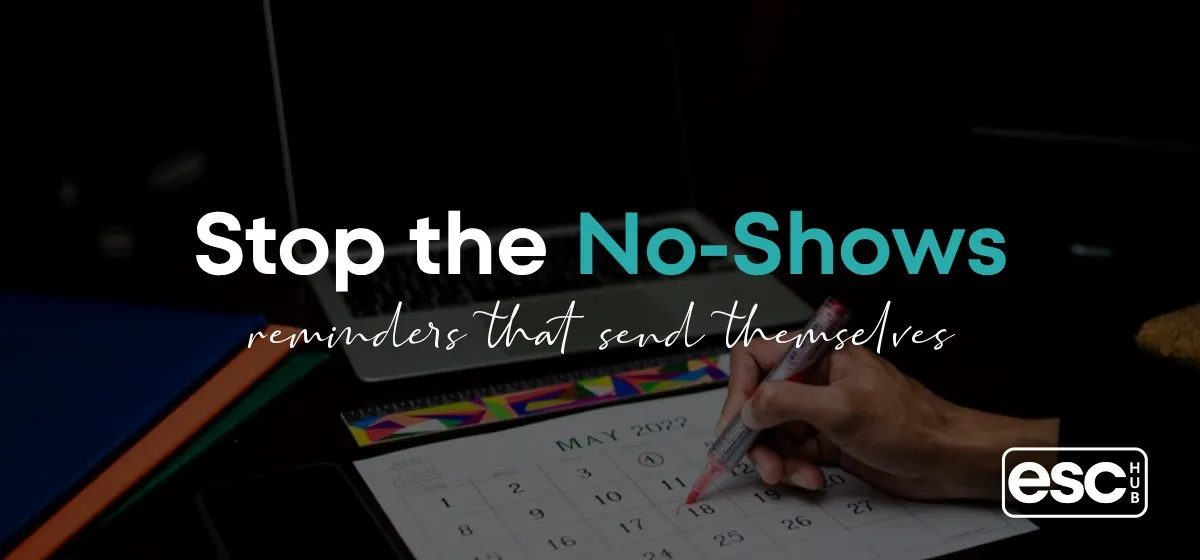
How to Automate Appointment Reminders So Clients Actually Show Up
You booked the call. It's on your calendar. Then the time comes and the client is a no-show, and you're sitting there reloading your inbox wondering if you got the time zone wrong. It's one of the most quietly expensive problems in a coaching business, and most people just accept it.
Here's how to automate appointment reminders: you set up a sequence of messages - usually email and text - that go out automatically before a booked appointment, without you touching a thing. The system watches the calendar, counts down, and sends the right nudge at the right time so the client remembers to show up.
That's the short version. The longer version is where it actually gets useful, because the setup you choose decides whether this saves you time or adds one more tool to babysit.
Why no-shows cost you more than the empty slot
A missed appointment isn't just a blank hour. It's the prep you did, the income you counted on, and the mental drag of chasing someone who ghosted you.
The numbers back this up. Across service industries, no-show rates commonly sit between 10% and 30% depending on the field, and reminders cut that sharply. In healthcare, where this has been studied for years, automated reminders have been shown to reduce no-shows meaningfully - the National Library of Medicine has published research linking reminder systems to real drops in missed appointments.
You don't run a clinic, but the logic holds. People are busy and they forget. A well-timed reminder is not nagging, it's a favour. You're helping them keep a commitment they actually wanted to make.
And when you do it by hand? You forget too. You mean to send a reminder the night before, then life happens, and the no-show is partly on you.
What "automate appointment reminders" actually means
Let's define it plainly so nothing gets lost. To automate appointment reminders means the messages send themselves based on a trigger - the booking - and a schedule - how far ahead of the appointment each message goes out.
A basic automated reminder setup looks like this:
- A confirmation the moment someone books, with the date, time, and time zone spelled out.
- A reminder 24 hours before the appointment.
- A final reminder 1 to 2 hours before, usually by text because people read texts.
- A follow-up after, if they showed - or a rebooking nudge if they didn't.
The whole point is that once you build it, you stop thinking about it. No sticky notes. No "did I remind them?" at 9pm.
The catch is that this only feels easy when your booking tool and your messaging tool are the same tool, or at least talk to each other properly. That's where most people get stuck.
The tool sprawl problem hiding inside reminders
Here's the mess most coaches end up in. You book with one app, email with another, text with a third, and glue them together with a fourth app that connects them. Every one of those is a monthly bill and a possible point of failure.
So a reminder that should be simple now depends on four services all working at once. When one connection breaks - and it will - the reminder silently doesn't send, and you don't find out until someone no-shows.
This is the same trap people fall into with scheduling. A dedicated booking app is good at booking, but reminders live in a grey zone. If you've felt this pinch, the honest look at what Calendly does well and where it stops short covers exactly why a great scheduler still leaves gaps in your follow-up.
It's the same story with your inbox. Sending a reminder is easy. Sending a reminder that's tied to a specific booking and stops when the person cancels is not, unless the two systems are one. The difference between plain email and true automation is worth understanding, and this breakdown of email marketing versus marketing automation makes the line clear.
How do you set up automated appointment reminders?
Whatever tools you use, the build is the same shape. Get the logic right first, then plug it into software.
1. Map the timing
Decide when each message goes out. A safe default: confirmation on booking, reminder at 24 hours, final nudge at 1 hour. For higher-value calls, add a 3-day reminder so people can reschedule instead of ghosting.
2. Pick your channels
Email for the detail - link, prep instructions, what to bring. Text for the "you're on in an hour" nudge. Text open rates crush email, so your last reminder should almost always be an SMS.
3. Write reminders that sound like you
Don't send robotic "This is a reminder of your appointment" messages. Write like a person. Include the join link, keep it short, and give them an easy out to reschedule so a small conflict doesn't become a no-show.
4. Handle the reschedule and cancel path
This is the part people skip. If someone cancels, the reminders must stop. If they rebook, the new reminders must start. When your booking and messaging are separate, this is a nightmare to keep in sync.
5. Add a no-show follow-up
If they miss it, don't take it personally and don't ghost back. An automatic "sorry we missed you, grab a new time here" recovers more bookings than you'd expect. This is where reminders quietly turn into a small nurture sequence that keeps leads warm instead of losing them.

Is it worth automating if you only take a few calls a week?
Yes, and maybe more so. When you only run a handful of calls, each one carries more weight. One no-show out of five is a rough week.
The time cost of doing reminders by hand doesn't scale down as neatly as you'd think either. Ten minutes here, five minutes there, the mental tax of remembering - it adds up, and it pulls your attention away from actual client work.
Set it once and it runs whether you have four bookings or forty. The build is the same. That's the whole argument for automation: pay the setup cost once, stop paying the attention cost forever.
The part nobody warns you about: keeping it running
Building the reminder flow is the easy day. The hard part is the Tuesday six weeks from now when a text stops sending and you have no idea why.
When your reminders depend on several tools stitched together, troubleshooting means logging into four dashboards and guessing which link broke. Most solopreneurs don't have time for that, so they quietly give up and go back to manual - which is how they got the no-shows in the first place.
This is the real reason so many people abandon automation. Not because it's hard to build, but because it's fragile and lonely to maintain. If you're weighing up tools right now, it's worth reading how to choose business software without losing a week to research before you commit to another disconnected app.
Where ESC Hub fits
If the thread running through all of this is "too many tools that don't talk to each other," then the fix isn't a better reminder app. It's fewer apps.
ESC Hub is an all-in-one platform that holds your bookings, email, texts, CRM, landing pages, and automations in one place. Because the calendar and the messaging live under the same roof, reminders aren't a fragile chain of connections - they're one system doing one job. When someone books, the reminders start. When they cancel, the reminders stop. You don't wire anything together, because there's nothing to wire.
That's the practical part. The part that actually matters is what happens when something confuses you. With most platforms, you're on your own with a help doc and a forum. With ESC Hub, there's a real team you can reach who will help you set the reminder flow up and stay on it when you get stuck. You're not troubleshooting alone at 9pm.
That support is the difference. Anyone can list features. Very few will sit with you until the thing actually works the way you need it to.
Frequently Asked Questions
How far in advance should appointment reminders go out?
A confirmation on booking, a reminder 24 hours before, and a final nudge 1 to 2 hours before covers most bookings. For high-value calls, add a 3-day reminder so people have time to reschedule instead of no-showing.
Should appointment reminders be email or text?
Both. Use email for the detail - links, prep, what to expect - and text for the short, last-minute nudge. Texts get opened almost immediately, so your final reminder should usually be an SMS.
Can I automate appointment reminders without paying for lots of separate tools?
Yes. The cleanest way is a single platform that handles booking and messaging together, so reminders don't rely on connecting several apps. That removes both the monthly cost and the breakage risk of stitched-together tools.
What happens to reminders if a client cancels or reschedules?
In a properly built system, cancelling stops the remaining reminders and rescheduling restarts them on the new date. This only works reliably when your calendar and your messaging are the same system rather than two tools syncing.
Do automated reminders actually reduce no-shows?
Yes. Studies across service industries, especially healthcare, consistently show reminder systems reduce missed appointments. People forget, and a timely nudge helps them keep a commitment they already wanted to keep.
If you're tired of gluing a booking app to an email tool to a text service and hoping the chain holds, the simpler answer is to run reminders where your whole business already lives. See how ESC Hub brings your bookings, reminders, and everything else into one place - with a team behind you when you need a hand setting it up. That's the part that keeps reminders running long after the setup day is over.